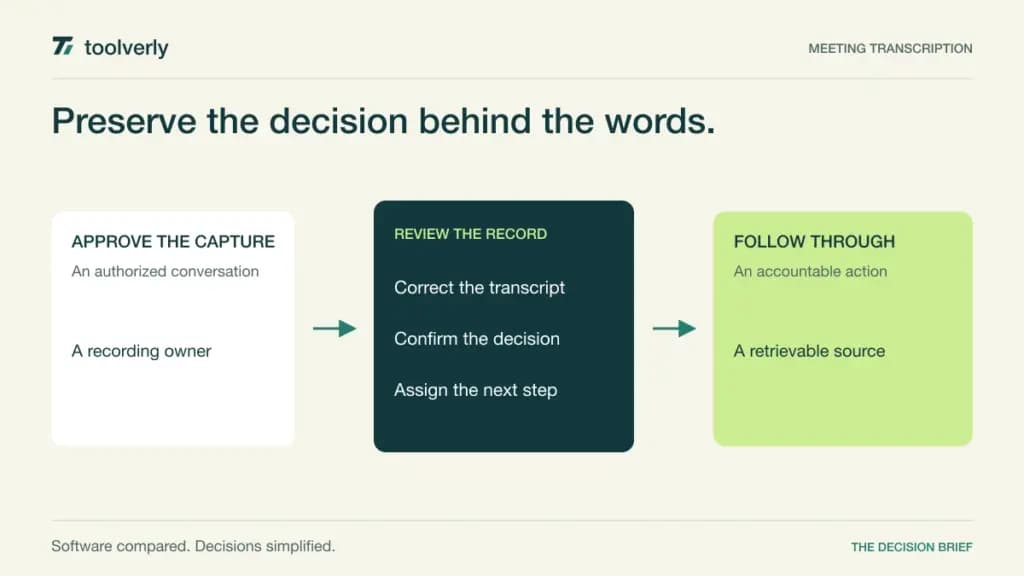
A meeting creates value when someone can find the decision afterward and knows what to do next. A recording alone often leaves that work unfinished: people still hunt through an hour of conversation, disagree about wording, or mistake an AI summary for an approved commitment. Meeting transcription software connects captured speech to searchable text, summaries, and follow-up workflows.
Otter, Fireflies, Fathom, tl;dv, and Avoma approach that job differently. Compare who records, who can read shared conversations, which advanced functions consume additional allowances, and how notes move into existing work. This comparison uses official product and pricing information checked on October 11, 2026. It is a buying framework based on published capabilities, rather than a claim of hands-on accuracy testing.
If you still need to choose where conversations happen, see our business video meeting comparison. Once decisions are confirmed, a project management system can hold accountable tasks; a transcript should support that handoff.
Compare the five approaches
| Product | Best fit | Main strength | Meaningful tradeoff |
|---|---|---|---|
| Otter | Live transcript collaboration | Searchable meeting text and annotations | Recording and imported-file limits differ |
| Fireflies | Integrated team meeting records | Transcripts, search, and workflow connections | Advanced AI credit costs need a separate budget |
| Fathom AI Notetaker | Individual capture becoming team knowledge | Recording, summaries, and shared highlights | Team access and CRM depth vary by tier |
| tl;dv | Insights across repeated meetings | Transcript search and scheduled AI reporting | Unlimited transcription has other operational limits |
| Avoma | Customer-facing teams with shared viewers | Recorder-seat billing and CRM notes | Intelligence add-ons change the final scope |
Otter
Otter emphasizes live transcription, speaker identification, annotations, and searchable conversations. Its meeting assistant connects with Zoom, Google Meet, and Microsoft Teams. That makes it worth considering when colleagues need a written reference during a discussion, rather than only a finished recap afterward. Editable speaker labels and vocabulary help maintain the record, but still require someone to verify names and terminology.
The current USD pricing page lists Pro at $16.99 per user monthly or $8.33 per user per month on annual billing. Business lists $30 monthly or $19.99 on annual billing; temporary and India-specific offers should not be treated as standard rates. Pro includes 1,200 monthly minutes and ten monthly file imports. Business distinguishes unlimited meetings and in-app recordings from the imported-file minute allowance.
Best fit: teams that value a collaborative written record. Limitation: a generous meeting allowance does not remove every file, duration, integration, or administration boundary. Ask the person buying the subscription to calculate real usage from the team’s longest calls and uploaded recordings.
For a trial, deliberately include a meeting with unfamiliar names, an interrupted speaker, and a decision that changes midway through. Have the meeting owner correct the transcript and approve the final actions. The useful question is whether the verified record remains easy for a colleague to retrieve next week.
Fireflies
Fireflies combines meeting transcription, search, summaries, and integrations with the tools where teams already work. Its published plans support major meeting platforms, audio/video uploads, and multiple capture surfaces. That breadth is useful when a shared archive receives both recurring internal calls and customer conversations.
Pro is $10 per seat per month billed annually, or $18 monthly; Business is $19 annually billed or $29 monthly. Enterprise is $39 per seat per month, annually only. The free plan lists limited summaries and 400 minutes of team storage. Paid transcription allowances, recording storage, and advanced AI credits are distinct parts of the offer.
Strength: a common archive with connections to downstream workflows. Limitation: advanced AI actions may require paid credit top-ups, so unlimited transcription is not unlimited spending on every feature. Record which automation consumes credits and who may authorize more.
Best fit: teams with several repeatable meeting-to-work handoffs. Before rollout, trace one approved action into its destination and check that confidential notes do not arrive in an overly broad channel. An integration that successfully sends text is only useful when the receiving team can identify its owner, context, and due date.
Fathom AI Notetaker
Fathom offers free individual recording and transcription, instant summaries, clips, and search. Its current pricing moves from individual Premium to Team, Business, and Enterprise packages. Team adds shared discovery and collaboration; Business adds CRM field synchronization and coaching capabilities. The pricing page now redirects from fathom.video to fathom.ai, so older Team Edition prices are not a reliable buying reference.
On annual billing, Team is $15 and Business $25 per user per month, each with a two-user minimum. The corresponding monthly prices are $19 and $34. Individual Premium is $16 on annual billing or $20 monthly. Enterprise is quoted. Bot-free capture is described as a Mac beta, not universal availability across every supported device.
Best fit: individuals who want accessible capture and teams building a shared library of useful moments. Limitation: advanced summaries, CRM field sync, and organization controls belong to different packages.
During evaluation, share a short decision clip with somebody who missed the call. Ask whether they can understand both the commitment and the condition attached to it. Then check what happens when the original recorder leaves the company. The retained knowledge should remain available to its legitimate team owner.
tl;dv
tl;dv pairs recordings and transcripts with search, reusable note templates, and AI reporting across meetings. Its current free offer includes unlimited transcription in more than thirty languages, with limited AI use. Pro adds global transcript search, unlimited single-meeting AI, and integrations; Business expands multi-meeting insights and scheduled reports.
The official application pricing page lists Pro at $18 and Business at $29 per seat per month billed annually. Enterprise is custom. Free and paid plans also describe weekly recording capacity, meeting duration, uploads, and retention separately. The free page presents AI allowances in more than one format, so confirm the exact active allowance before relying on it.
Strength: repeated conversations can be searched and summarized together. Limitation: an attractive unlimited label does not remove all capture and retention constraints. Best fit: teams looking for patterns across recurring customer or operational meetings.
Use a recurring question as the pilot: which implementation obstacle came up in the last month’s calls? Require any generated answer to point back to supporting moments. A cross-meeting summary should preserve differences between customers and dates; otherwise it can turn a useful pattern into an unsupported generalization.
Avoma
Avoma combines automatic recording, real-time transcription, summaries, CRM notes, and scheduling. Its pricing explicitly charges meeting recorder seats while viewers and collaborators remain free. This can matter when only some colleagues conduct calls but a larger group needs to review the resulting information.
Startup lists $19 per recorder per month billed annually and supports up to twenty-five paid seats. Organization adds custom templates and organization policies. Enterprise lists $39 per recorder per month on annual billing with a ten-paid-seat minimum. Conversation intelligence and revenue intelligence have additional commercial scope; a trial with add-ons enabled does not establish what the purchased base package includes.
Best fit: customer-facing teams with distinct recording and reviewing roles. Limitation: a broader intelligence workflow requires attention to add-on pricing, access policy, and CRM configuration. Request a line-item offer covering only the functions the team will use.
Ask a non-recording colleague to locate a customer commitment and inspect the relevant source conversation. Then check whether changing access to the account changes access to its meeting record appropriately. Seat economics are valuable only if sharing remains understandable to administrators and the people responsible for the customer.
Choose by the record you need to maintain
Start with capture policy. Identify allowed meeting types, languages, devices, and whether a bot can join. Decide who tells attendees about recording and who can stop capture. Have the appropriate company owner review consent and retention requirements for the actual locations involved; a vendor’s compliance badge does not make every recording appropriate.
Next, distinguish three outputs: a transcript, an AI interpretation, and an approved decision. Give somebody responsibility for correcting important names, amounts, dates, and commitments. A summary can speed review, but it should not silently create a contractual promise or change a project’s scope.
For commercial comparison, price recorder seats, shared viewers, imported files, storage, AI allowances, CRM functions, and administration together. Compare a normal month with a busy month and include the minimum team purchase. Annual equivalent prices describe an annual commitment, not monthly cancellation at the same rate.
A practical shortlist starts with Otter for live written collaboration, Fireflies for integrated meeting records, Fathom for individual-to-team capture, tl;dv for repeated-meeting reporting, and Avoma for recorder/viewer separation. Let a realistic pilot decide among them. Success means a colleague can retrieve a checked decision, understand its source, and complete the next action without reconstructing the entire meeting.
Official sources
Checked October 11, 2026: Otter pricing and limits; Fireflies plans; Fathom pricing; tl;dv current plans; Avoma recorder-seat pricing. Figures describe published offers, exclude unverified tax assumptions, and should be confirmed at checkout or in a written quote.
Original illustration by Toolverly. Read about our publication or send a correction.