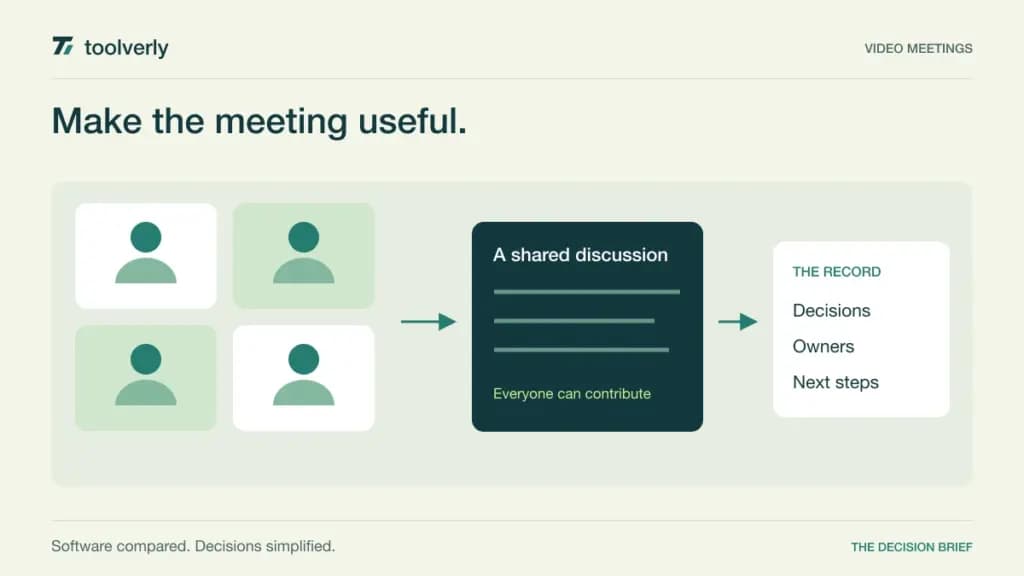
A video meeting tool succeeds when guests can join, participants can contribute, and the work remains understandable afterward. A long feature list cannot compensate for a client who cannot enter the room or a recording that the next project owner cannot find. Choosing well means looking at the entire meeting, from invitation to follow-up.
This guide compares Zoom Workplace, Google Meet, Microsoft Teams, Zoho Meeting, and Whereby for everyday business meetings. Official features and pricing were checked on September 24, 2026. This is a research-based comparison, not a laboratory test of call quality. Prices retain the currency shown by the source: EUR for the observed Zoom and Zoho offers, USD for the other examples. Regional checkout, tax, and billing terms matter.
Separate hosting from attending
Count the people who organize meetings, the maximum audience, and simultaneous sessions. Those are different numbers. A business with thirty employees might have only a few regular external meeting hosts, while a training company may need many sessions running at once. A participant allowance does not automatically describe how many licensed organizers or concurrent rooms you receive.
The booking step is another decision. Our appointment scheduling comparison covers availability and routing before the call. Afterward, important decisions should reach a maintained record; our team wiki guide helps assess that destination. Evaluate the meeting platform’s connection to those steps without assuming one subscription must handle everything.
| Product | Best fit | Main strength | Meaningful tradeoff |
|---|---|---|---|
| Zoom Workplace | Teams organizing meetings across different companies | Dedicated meeting plans with clear host capacity | Larger audiences and extra services can add cost |
| Google Meet | Organizations already using Google Workspace | Meetings connected to the surrounding work suite | Recording and audience limits depend on the edition |
| Microsoft Teams | Teams coordinating through Microsoft services | Meetings alongside persistent business collaboration | Standalone and suite licenses need careful comparison |
| Zoho Meeting | Businesses wanting a focused meeting subscription | Capacity-based paid plans with host controls | The lowest paid tier has a small participant allowance |
| Whereby | Consultants and teams using reusable room links | A room-based model for recurring conversations | Active video limits differ from total attendance |
Zoom Workplace
Zoom Workplace is a practical candidate when meetings are an independent service rather than an extension of one office suite. Its plan boundaries let a buyer distinguish longer sessions from larger audiences. That matters when most calls are small but an occasional workshop requires a different capacity.
The live pricing page displayed Pro at €13.33 per user per month, billed annually as one upfront payment, excluding applicable taxes and fees. Pro allows up to one hundred participants and thirty-hour meetings, with 10 GB of cloud recording storage per license. Basic is free with a forty-minute meeting limit. Business increases the listed meeting capacity to three hundred; larger-meeting options are additional purchases.
The strength is a meeting-focused upgrade path. The limitation is that removing a time limit does not itself increase Pro’s audience capacity. Before buying, map each event to a licensed host and check recording ownership when that host is absent. Zoom fits teams that need a dedicated meeting layer and can budget additional audience or storage requirements explicitly.
Google Meet
Google Meet is a natural shortlist option when invitations, documents, and identities already live in Google Workspace. The value comes from reducing the administrative distance between a call and the materials being discussed. It is less persuasive to compare its suite price with a standalone meeting license while ignoring the other applications included.
Google’s Workspace comparison lists Business Standard at a regular $14 per user per month with a one-year commitment, billed monthly. We exclude introductory promotions. Standard supports one hundred fifty meeting participants and recordings saved to Google Drive; Starter’s meeting allowance is one hundred, without the same recording feature. Business Plus raises meeting capacity further.
The strength is continuity with a Workspace environment. The tradeoff is edition-dependent capability and a suite-wide buying decision. Ask an external guest to join from the devices your customers normally use, then review access to the resulting recording. Meet fits organizations that already want Workspace and can choose the edition around actual recording and audience requirements rather than promotional pricing.
Microsoft Teams
Microsoft Teams is worth considering when a meeting belongs to an ongoing working group. The call often refers to conversations and files that already exist before anyone turns on a camera. For those teams, keeping meeting activity close to the surrounding Microsoft environment may reduce duplicated administration.
The business pricing comparison lists Teams Essentials at $4 per user per month, paid yearly, with automatic renewal. It supports meetings up to thirty hours, three hundred participants, and 10 GB of cloud storage per user. Microsoft 365 bundles are separate alternatives; the precise bundle must include the Teams entitlement you need.
The advantage is a low-priced standalone meeting option alongside broader suite choices. The limitation is licensing complexity when the company already has several Microsoft subscriptions. Have the administrator identify the exact existing product and the additional capability a purchase would unlock. Teams fits organizations that can explain that entitlement clearly and provide guests with a tested entry path, rather than assuming every Microsoft account behaves identically.
Zoho Meeting
Zoho Meeting offers a focused path for a business that needs online meetings and host controls without making a broader collaboration suite the main purchase. Its paid capacity selector is central to understanding the cost. A low starting rate is only useful if the selected audience size matches the meetings you intend to run.
The live pricing page displayed Standard from €1 per host per month, billed annually, for the ten-participant tier, before local taxes. Standard adds twenty-four-hour meetings, two co-hosts, and 5 GB of cloud recording storage per host. Professional starts at €3 on the same small capacity tier and adds capabilities including breakout rooms. The free edition allows one hundred participants for up to sixty minutes.
The strength is choosing a paid capacity suited to the host’s work. The limitation is that the entry paid allowance is smaller than the free edition’s audience limit, despite adding other capabilities. Compare equivalent capacities before deciding that a paid plan is cheaper. Zoho Meeting fits buyers who can specify duration, recording, moderation, and participant needs separately.
Whereby
Whereby’s room-based approach suits recurring client conversations where a stable destination is useful. Instead of treating every session as a new administrative object, a host can organize work around room URLs. That simplicity is attractive for consultants, but room ownership still needs clear rules when colleagues share responsibilities.
Whereby’s monthly pricing lists Pro at $10.99 for one host, three room URLs, and up to one hundred attendees without a meeting time limit. Business is $13.99 per host per month with a three-host minimum. Its feature table distinguishes total capacity from active videos: twelve on Pro and twenty-four on Business. Paid-plan recording is listed as local recording.
The strength is a straightforward room model. The limitation is that a hundred-person allowance does not mean a hundred simultaneous camera tiles, and local recordings need an owner and storage process. Whereby fits small recurring conversations especially well when the host can manage room access and decide where recordings belong after the session ends.
Evaluate the guest journey and the meeting record
Use a realistic rehearsal instead of comparing camera grids in isolation. Invite an employee, an external collaborator, and someone joining from a phone. Send the same kind of calendar invitation that customers receive. Check the waiting experience, microphone permissions, screen sharing, and the route back into the session after a brief disconnection.
Assign a second organizer and have the original host step away. The purpose is to establish how responsibility transfers, including who can admit guests, end the call, or access the recording. If your work includes workshops, make breakout facilitation part of the rehearsal. If it includes interviews, focus on the guest’s ability to enter without lengthy instructions.
Review the recording workflow separately. Determine who can start it, how participants are informed, where it is stored, and which colleagues can access it later. If summaries are important, compare one against the actual decisions and named action owners. An attractive recap still needs human review before it becomes the team’s record of what was agreed.
Build a shortlist with explicit limits
- Write down the maximum duration, attendance, and number of simultaneous meetings.
- Identify paid organizers, backup hosts, and occasional external guests.
- Specify recording location, access, retention, and the person responsible for cleanup.
- Check whether the required capabilities are included, an add-on, or a different suite edition.
- Compare annual commitment, payment timing, tax, and regional currency consistently.
Begin with Meet or Teams when the surrounding suite already fits the company. Compare Zoom when a dedicated meeting platform is the clearer purchase, Zoho Meeting when host and capacity choices dominate the budget, and Whereby when reusable rooms simplify recurring conversations. Choose the tool that lets your least familiar guest participate and leaves the next owner with a useful record.
Original illustration by Toolverly. Read about our publication or send a correction.