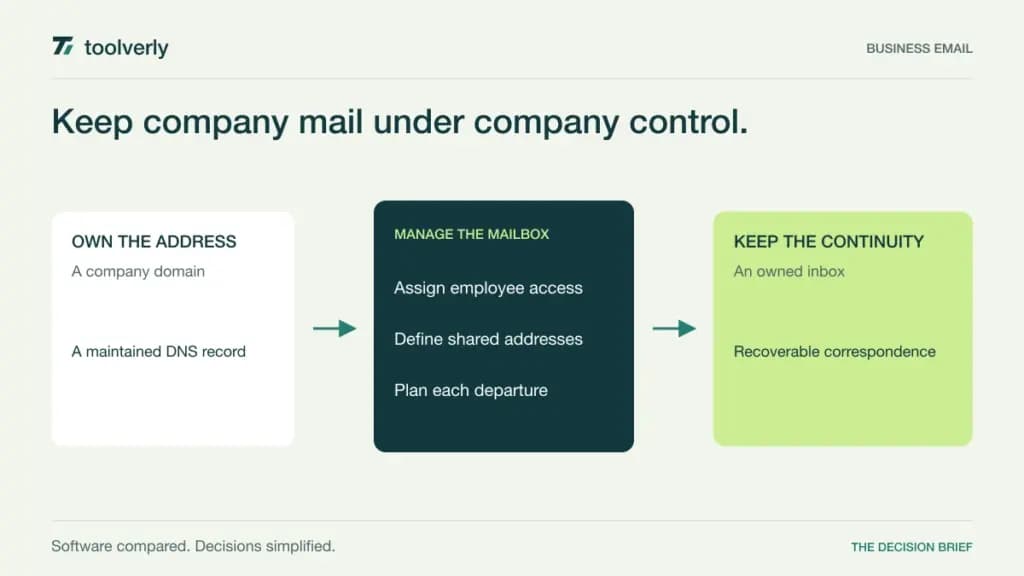
A company email address should survive a new laptop, a departing employee, and a change of administrator. The difficult buying decision is rarely the appearance of the inbox. It is who owns the domain, how people access their mail, and how the business keeps important correspondence available without sharing passwords.
Google Workspace, Microsoft 365, Zoho Mail, Proton for Business, and Fastmail offer different answers. Two anchor email in broad productivity suites, one offers granular mail and workplace editions, one emphasizes a privacy-focused workspace, and one concentrates on mail, calendars, and contacts. Choose around the mailbox workflow your team actually needs.
Research checked October 13, 2026. This comparison uses current official pages, not hands-on performance testing. Prices below identify the displayed currency and commitment; local tax, promotions, migration services, and additional products can change the total.
Compare the mailbox decision
| Provider | Best fit | Main strength | Meaningful tradeoff |
|---|---|---|---|
| Google Workspace | Teams organizing work in Google apps | Domain email inside a shared productivity environment | Retention requirements may require a higher edition |
| Microsoft 365 | Organizations standardizing on Exchange and Outlook | Email integrated with Microsoft business administration | Desktop apps, Teams, and security vary by package |
| Zoho Mail | Teams matching mailbox costs to roles | Mail-only and broader Workplace options | Free hosting has access and regional restrictions |
| Proton for Business | Organizations prioritizing privacy-focused tools | Email within an encrypted collaboration ecosystem | Desktop client integration needs a compatibility review |
| Fastmail | Teams wanting a focused mail service | Mail, calendars, contacts, and mixed business plans | Office applications remain a separate purchase |
Google Workspace
Google Workspace combines custom-domain Gmail with shared calendars and Google’s document and storage tools. For a team already working in Docs and Drive, that common environment can simplify account administration. Its current plan comparison lists 30 GB of pooled storage per user for Starter, 2 TB for Standard, and 5 TB for Plus. Pooled capacity should not be confused with a guaranteed isolated mailbox allowance.
The official Business editions guide lists US annual/fixed-term rates of $7, $14, and $22 per user per month, versus flexible rates of $8.40, $16.80, and $26.40. Annual commitment and payment cadence are separate questions. The public pricing page also displays a limited introductory offer; use standard rates when planning renewal.
Strength: a coherent workspace for Gmail-oriented teams. Limitation: Vault retention and discovery appear in Plus, so keeping mail for a formal retention process changes the purchasing discussion. Google fits businesses comfortable with its web-first collaboration model. Before choosing it, demonstrate delegation, a shared functional address, and mailbox handling when an employee leaves. Decide whether ordinary storage or a maintained retention policy answers the actual requirement.
Microsoft 365
Microsoft 365 puts Exchange email and Outlook access inside a wider business subscription. Its current US business comparison distinguishes plans with Teams, plans without Teams, and Copilot bundles. The displayed Business Basic with Teams rate is $7 per user per month, paid yearly on an automatically renewing annual subscription. The corresponding no-Teams Basic offer displays $5.40. Availability and local checkout terms need confirmation.
Basic includes web and mobile Office applications; buying that plan does not establish a desktop Office entitlement. That distinction matters when a finance employee expects installed Outlook and Excel. Equally, a Copilot bundle is a broader purchase than an email mailbox. Compare the edition that satisfies the user’s work rather than carrying an old Microsoft price into a new budget.
Strength: close alignment with an existing Microsoft identity and collaboration environment. Limitation: similar package names can hide differences in applications, threat protection, and administration. Microsoft fits organizations with Exchange-oriented workflows and someone responsible for tenant management. In a pilot, include a shared address, a calendar delegate, and a mobile user. Ask the administrator to explain access removal and recovery without relying on the employee’s personal credentials.
Zoho Mail
Zoho offers Mail Lite and Mail Premium alongside broader Workplace packages. This gives a business a useful alternative to putting every employee on a full office suite. On the pricing page, the EUR display checked during research showed Mail Lite with 5 GB at €0.90 per user per month, billed annually. Mail Premium displayed €3.60 on the same annual basis, with 50 GB mailbox storage plus 50 GB retention storage. Neither mail-only plan showed a monthly subscription.
Premium adds retention and discovery capabilities, while Workplace editions add collaboration products. Zoho permits mixing mail-only and Workplace plans within an organization. Its free offer supports up to five users and one domain, but excludes IMAP, POP, and ActiveSync and is available only in selected data centers. It should not be treated as a universal free replacement for existing desktop-client access.
Strength: matching different editions to different roles. Limitation: the free and paid access models differ, and shared file storage is distinct from mailbox storage. Zoho fits cost-conscious teams prepared to specify each user’s requirements. Check the actual region, client connection method, and retention edition before migrating. Local taxes are additional to the displayed rates; verify both initial and renewal pricing.
Proton for Business
Proton’s business offering deserves evaluation as an operating environment, rather than a promise that every external email is automatically end-to-end encrypted. Its business plans page offers separate product views and workspace bundles. The checked USD Workspace Standard offer was $12.99 per user per month, billed as $155.88 every twelve months. Premium displayed $19.99, billed as $239.88 annually. These are suite examples, not a quote for the cheapest mail-only package.
Standard lists custom domains, email and calendars, and other Proton tools, with 1 TB shared service storage per user. Desktop compatibility needs particular attention: Proton Mail Bridge connects supported desktop clients such as Outlook, Thunderbird, and Apple Mail to the encrypted mailbox. Include that component in an employee’s setup and support process.
Strength: a privacy-focused ecosystem with explicit choices about encrypted communication. Limitation: existing integrations and desktop workflows need validation, and normal messages to outside recipients should not be assumed to have the same protection as encrypted exchanges. Proton fits teams willing to adopt its access model deliberately. Demonstrate an external conversation, account recovery, and a departing employee’s mailbox handoff. Verify the selected mail or workspace package and tax treatment before signing.
Fastmail
Fastmail concentrates on email, calendars, and contacts instead of positioning a full document suite as the reason to buy a mailbox. Its business pricing comparison lists Basic, Standard, and Professional, with mixed plans permitted in one account. The US display checked during research showed Standard at $6 per user monthly or $60 for twelve months, equivalent to $5 per month. Professional showed $10 monthly or $108 annually. Regional currency and taxes differ.
Standard includes 50 GB for mail, calendars, and contacts plus 10 GB file storage. Professional increases those allowances and includes a retention archive. Basic has less storage and does not provide the same third-party email client access. The business FAQ says custom domains can be shared with account users when at least one Standard or Professional user is present.
Strength: a focused service with choices for different mailbox roles. Limitation: office applications and wider workplace management still need separate provision. Fastmail fits teams wanting mail independence from a document suite. Include a Basic user and an external-client user in evaluation so the differences remain visible. Distinguish a shared email address from a help desk queue with case ownership, escalation, and reporting.
Choose around continuity and daily access
Start with an address inventory. Count individual people, aliases, shared functional addresses, former employees, and automated senders separately. An alias is not necessarily a licensed user, while two people answering the same address may need delegated access rather than a shared login. Ask each provider to price that exact arrangement.
Next, separate three requirements: active mailbox storage, retained historical correspondence, and recoverability after an accidental change. They describe different behaviors. A storage allowance alone does not establish an archive policy. Record who can search retained material and how an authorized administrator handles a departure.
Use a short migration checklist:
- Keep domain registration and DNS administration under company ownership.
- Test the real desktop and mobile clients used by employees.
- Include calendars, contacts, delegation, and shared addresses in the transfer plan.
- Verify sender authentication and the cutover process before moving all users.
- Budget renewal rates, taxes, retention features, and migration assistance.
- Document recovery and employee departure responsibilities.
Account protection belongs alongside the mailbox decision: our comparison of business password managers covers credential ownership, while workforce SSO platforms addresses central application access. Neither replaces the email provider’s mailbox controls.
Shortlist Google for Google-centered work, Microsoft for Exchange-centered administration, Zoho for role-specific mail editions, Proton for a deliberate privacy-focused environment, and Fastmail for a focused mailbox service. The best choice is the one that can explain how today’s employee and tomorrow’s administrator both keep the company’s correspondence usable.
Original illustration by Toolverly. Read about our publication or send a correction.