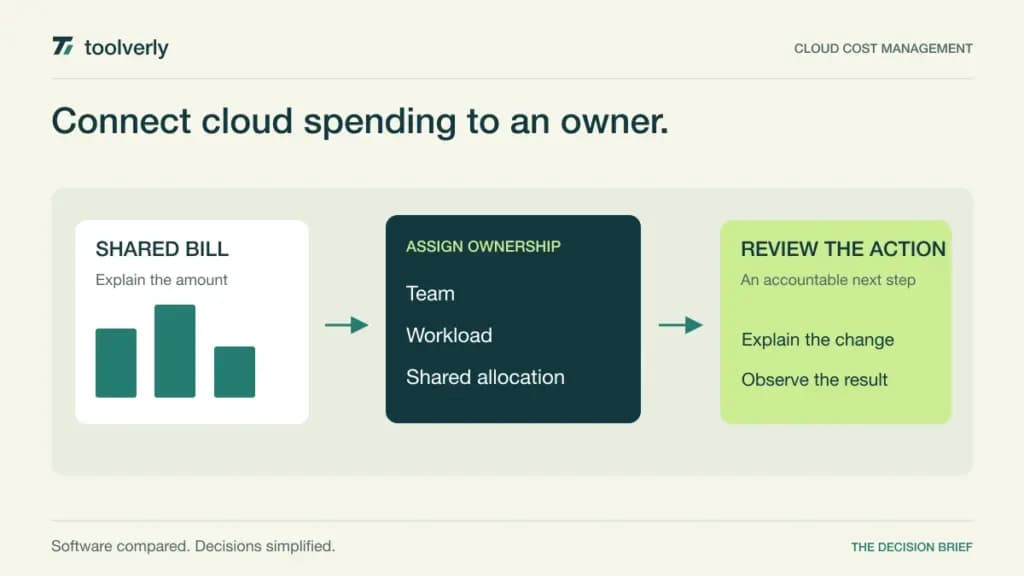
A cloud invoice tells finance what the organization owes. It rarely explains which team drove a change, whether the increase was expected, or what should happen next. Cloud cost management software connects bills with workload ownership, budgets, and engineering decisions.
This comparison covers CloudZero, Finout, Vantage, IBM Kubecost, and Harness Cloud & AI Cost Management. The reader’s decision is how to allocate infrastructure spending, detect surprises, and turn an explanation into an accountable action. Our guides to application hosting platforms and cloud log management cover where an application runs and how teams investigate its behavior. This guide addresses the financial view across those workloads.
Research basis: Official product and pricing pages checked on October 3, 2026. We have not measured savings, tested optimization actions, or verified vendor outcome claims. Most enterprise options require quotes. A managed-spend allowance refers to the cloud bill being analyzed, not the subscription fee charged by the cost platform.
Compare cost ownership and commercial scope
| Platform | Likely fit | Verified pricing basis | Boundary to examine |
|---|---|---|---|
| CloudZero | Engineering ownership and unit-cost analysis | Configured subscription quote aligned with scale and complexity | Allocation model and source scope |
| Finout | Consolidated costs across providers and services | Quoted flat-fee tier based on committed forecast spend | Forecast assumptions and agreement changes |
| Vantage | Multi-provider reporting with an accessible entry tier | Free Starter tracks up to US$2,500 of spend, with 3 users | Tracked-spend caps and retention |
| IBM Kubecost | Kubernetes workload cost allocation | Free installation option; enterprise scope and price by inquiry | Cluster deployment and broader source coverage |
| Harness Cloud & AI Cost Management | Visibility connected to cost governance and automation | Configured paid module quote; no fixed amount on checked pages | Action permissions and included capabilities |
CloudZero
CloudZero’s pricing page describes a configured subscription aligned with the scale and complexity of cloud and AI spending. It advertises all capabilities within that subscription, including unlimited users, cost sources, dimensions, and dashboards. Its listed capabilities include cost exploration, anomaly detection, budgets, forecasts, and optimization recommendations.
Strengths: Broad participation matters when the people who can explain costs sit across engineering, finance, and product. Cost dimensions can help turn a provider invoice into a discussion about the team or product responsible for it. Unit economics are particularly useful when total spend rises because the business is doing more work.
Limitations: There is no fixed public amount for the configured subscription. The team still needs a credible allocation model and a way to explain shared or unattributed costs. Unlimited dimensions do not create consistent ownership definitions automatically.
Best fit: Organizations that want engineers involved in cost accountability. Bring a shared service and a product-specific workload to the demo. Ask how each appears in a team’s view and what happens when ownership changes halfway through a month. See CloudZero’s commercial and capability description.
Finout
Finout describes flat-fee tiers based on committed forecast spending, with a quoted yearly fee. Its product scope includes consolidated billing through MegaBill, virtual tagging, shared-cost allocation, anomaly detection, and cost optimization functions. Its connections span cloud providers and services rather than relying on one provider’s billing interface.
Strengths: Consolidation is relevant when one product incurs costs in several places and the team wants a coherent view. Virtual tagging and shared-cost treatment are worth examining when the original provider tags are incomplete or insufficient for internal reporting. A fixed commercial arrangement can also help budgeting if the agreed scope is clear.
Limitations: A forecast-based tier depends on realistic assumptions about growth and source coverage. Ask what happens when spending changes, a new provider is added, or a business unit is acquired. Confirm those conditions in the agreement instead of extrapolating a marketing description into unlimited future scope.
Best fit: Teams seeking consolidated showback across several cost sources. Demonstrate a product whose expense is split between cloud infrastructure, Kubernetes, and another service. Check whether its allocated total can be reconciled to the contributing bills and understood by a budget owner. Review Finout’s pricing model and listed capabilities.
Vantage
Vantage’s Starter tier is free and lists tracking for up to US$2,500 in spend, three users, and six months of retention. Pro and Business increase tracked-spend and user allowances; Enterprise uses a configured discussion. The platform describes multi-provider reporting, virtual tags, forecasts, budgets, unit costs, and Kubernetes cost visibility.
Strengths: A defined free entry tier makes it possible to frame a contained evaluation for a modest cloud bill. Multi-provider views are relevant when teams want to see spending across several services without assembling the same report by hand every month.
Limitations: The US$2,500 figure is a tracked-spend cap, not a subscription credit or permission to consume free cloud resources. User counts and retention also affect fit. Confirm the current paid amount and billing conditions for the selected tier; this comparison does not assign an unverified fixed price to those options.
Best fit: Teams wanting an approachable reporting starting point with visible capacity boundaries. Use a bill near the proposed tier’s limit and ask how an over-limit period is handled. Then invite the finance and engineering users who need access and verify that the selected retention period supports their comparison cycle. Consult Vantage’s current tier allowances.
IBM Kubecost
IBM Kubecost’s current product page emphasizes Kubernetes cost allocation across clusters, namespaces, and workloads, including shared resources. It describes reconciliation with provider billing, budget and anomaly functions, and optimization recommendations. The page offers a free installation route and an enterprise sales discussion without a fixed enterprise price.
Strengths: Kubernetes-specific allocation is useful when a single infrastructure bill conceals many teams sharing clusters. Workload and namespace views can make the discussion more actionable for platform engineers than a list of broad provider service totals.
Limitations: A free installation option is not evidence that every enterprise capability or cluster arrangement is free. Establish deployment ownership, access to billing information, and the required enterprise controls. Broader cloud, SaaS, or AI costs also need an explicit coverage discussion if they are part of the same budget.
Best fit: Platform teams whose main allocation problem is shared Kubernetes infrastructure. Bring a namespace with uneven utilization and a shared component used by several teams. Ask how the resulting costs are distributed and reconciled, then examine how a recommendation becomes a reviewed engineering change. Read IBM Kubecost’s current product overview.
Harness Cloud & AI Cost Management
Harness now presents cloud and AI cost management together. Its product page describes allocation, anomaly detection, budgets, AI spending visibility, and actions such as stopping idle non-production resources. The main pricing page lists Cloud AI Cost Management within configurable Enterprise modules, with sales-led pricing rather than a fixed public amount.
Strengths: Connecting visibility with governed actions can be useful when a team wants its cost process to continue beyond a report. The product’s cloud and AI scope also makes it relevant when engineers need to relate provider bills and model usage to the same organizational owners.
Limitations: Automated actions require a carefully defined permission and approval model. Establish which capabilities are included in the proposed module, which sources are supported, and what the evaluation’s free entry permits. Public entry messaging should not be treated as a promise of unlimited production coverage.
Best fit: Engineering organizations prepared to connect cost decisions with an operational workflow. Demonstrate an idle development workload, an unexpected spending change, and an action requiring approval. Ask who can authorize the change and how its result is recorded. Compare the current cost product with Harness’s module packaging.
Choose an explanation your budget owner can use
Start by defining the question that your current bill cannot answer. It might be team ownership, a shared cluster’s cost, an unexpected provider increase, or cost per customer activity. Select representative sources and agree how finance and engineering will reconcile them. Different questions can justify different products.
In a controlled evaluation, compare a normal period with one known change. Inspect shared charges, missing ownership tags, credits, and the relationship between allocated views and the source bill. Ask a team owner to explain the difference without relying on the vendor’s presenter.
Keep recommendations and actions separate in the evaluation. A plausible saving estimate is not a realized saving. Assign an owner to each proposed action, identify the affected workload, and define how the team would observe its effect. For automated changes, inspect approval paths and recovery responsibilities before enabling them.
Normalize quotes around the same providers, spend range, clusters, users, history, and required functions. CloudZero favors an engineering ownership discussion, Finout emphasizes consolidation, Vantage offers defined entry allowances, IBM Kubecost addresses Kubernetes allocation, and Harness connects visibility with governance. Choose the platform that makes your specific spending question explainable and gives someone responsibility for the next step.
Original illustration by Toolverly. Read about our publication or send a correction.