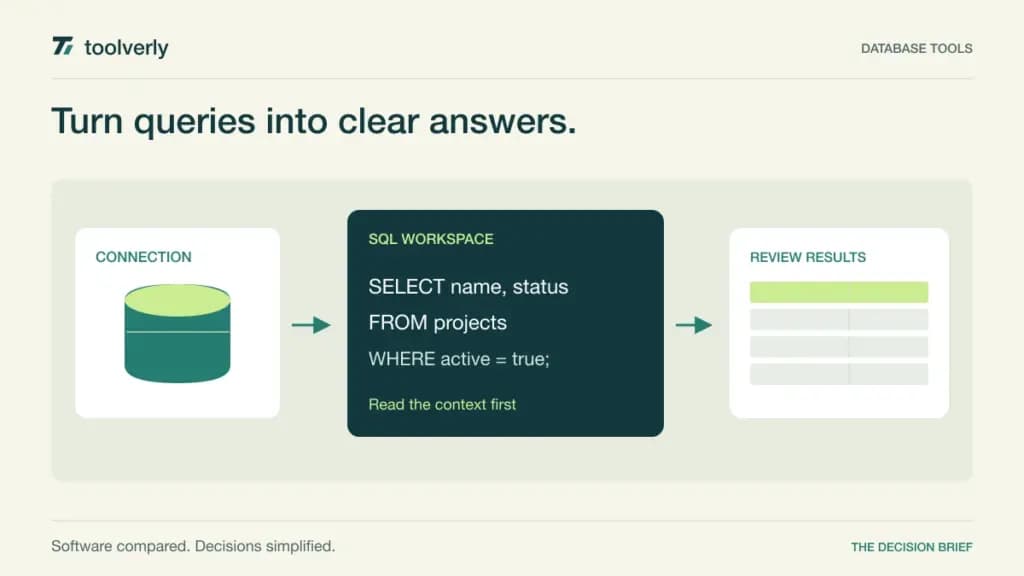
A database client is where developers and analysts spend time reading schemas, writing queries, inspecting results, and making controlled changes. The right choice depends on the databases in use, the user’s daily tasks, and the organization’s access model. A long list of supported engines is only useful if the required authentication and workflow also work well.
This guide compares DBeaver, DataGrip, TablePlus, DbVisualizer, and Beekeeper Studio using official product and licensing information checked on September 28, 2026. We did not benchmark query speed or conduct hands-on testing. The focus is choosing a desktop database tool for business work, with explicit distinctions between annual subscriptions, device licenses, and continued use after a paid term. Dollar amounts in this guide are USD.
Match the client to the job and access model
List the engines, versions, operating systems, and authentication methods that matter today. Then identify the core tasks: occasional record inspection, sustained SQL development, schema work, imports, or administration across several systems. Two tools can support the same database while offering quite different assistance around those tasks.
Connection credentials should follow the organization’s established controls; our business password managers comparison discusses tools for managing shared access information. A query editor is also not a substitute for a reviewed release process. If database changes form part of software delivery, keep the relevant evidence within your test management workflow.
| Product | Evaluation focus | Verified price example | License detail |
|---|---|---|---|
| DBeaver | Mixed databases and broader technical workflows | Enterprise $255/license/year | Desktop editions differ from shared team products |
| DataGrip | SQL development with IDE assistance | Organizations €25.90/user/month, excluding VAT | Commercial monthly offer; annual terms differ |
| TablePlus | A native client for routine database work | Basic $99 one-time for one device | One year of updates; continued use afterward |
| DbVisualizer | Queries, database exploration, and repeatable work | Pro $229/user excluding VAT for one year with premium support | Perpetual use of versions covered by the term |
| Beekeeper Studio | SQL editing and data work with optional shared workspaces | Pro $14/user/month, billed annually | Lifetime version access after 12 paid months; cloud requires an active subscription |
DBeaver
DBeaver offers several desktop editions with different levels of development, administration, and cloud functionality. Its edition comparison lists SQL editing, data browsing, diagrams, imports, and exports, while Enterprise adds areas such as development tools, administration tools, Git integration, and schema comparison. Ultimate extends the cloud-oriented capabilities.
The purchase page lists Enterprise at $255 per license per year. Lite is $113 annually and Ultimate $510, but price alone should not select the edition. Confirm the exact data sources and features needed for each user group.
Strength: DBeaver is a useful candidate when a technical team works across heterogeneous systems and needs more than a narrowly focused table browser. Limitation: a desktop license should not be confused with a shared team environment. The vendor separately describes CloudBeaver and Team products with collaborative capabilities.
Best fit: developers and database specialists supporting multiple sources. Build a pilot around your most demanding supported connection, then inspect the everyday workflow for a simpler one. Check whether users can recognize the active environment, locate relevant objects, and export the intended result without unnecessary setup. A broad tool still needs a sensible standard configuration.
DataGrip
DataGrip approaches database work as an IDE. Its feature overview describes SQL completion, inspections, refactoring, a data editor, import and export, result comparison, Local History, and Git integration. This makes it worth examining when writing and maintaining SQL occupies a substantial part of the working day.
With Organizations selected, the commercial pricing page displayed €25.90 per user per month excluding VAT on monthly billing. Individual pricing is different. The free non-commercial offer is not the appropriate basis for budgeting ordinary commercial team work. Yearly subscriptions include a perpetual fallback license under the stated terms.
Strength: code assistance and an integrated editing workflow can be evaluated together rather than as isolated conveniences. Limitation: a team already using a paid JetBrains IDE should first inspect its included database functionality; a separate DataGrip purchase may not be necessary for every user.
Best fit: developers maintaining substantial SQL or working across multiple database projects. Try representative joins, refactoring, and result comparisons in a non-production environment. Review any optional AI configuration and data-sharing settings against your organization’s requirements instead of enabling features solely because they appear in the editor.
TablePlus
TablePlus emphasizes a native application experience for database browsing and editing. Its product overview describes inline editing, filters, query editing, change review, safe mode, and multiple tabs and windows. These are relevant capabilities for a developer who frequently moves between inspection and small, deliberate data tasks.
The license page lists Basic at $99 for one device and Standard at $129 for two. Team pricing starts at $79 per seat with a three-seat minimum. The purchase permits continued use and includes one year of updates; later updates require an optional renewal.
Strength: the device-based purchase offers a clear starting point for an individual workstation. Limitation: device count matters, and platform support should be checked for the exact operating system in use. The free version also limits simultaneous windows, tabs, and advanced filters, which may constrain realistic evaluation.
Best fit: people seeking a focused client for frequent browsing, queries, and small edits. Test the changes-review flow with a disposable dataset and verify that users understand when a modification is pending versus applied. No client-side prompt replaces database permissions, so retain appropriate read-only access for users who only need inspection.
DbVisualizer
DbVisualizer combines SQL editing with database exploration and data management. Its feature overview includes completion, a visual query builder, reusable queries, explain plans, result exports, version control, and command-line execution. Evaluate the specific functionality against the required database and edition rather than assuming every engine exposes identical capabilities.
The purchase configuration checked showed a new Pro license at $229 per user excluding VAT for one year with premium support. The published alternative with 60 days of basic support is $199 for the one-to-three-user band. These are different support selections, not contradictory prices.
Strength: it is worth considering for repeatable query and administrative work that needs both an interactive interface and reusable scripts. Limitation: continued use of covered versions is different from ongoing entitlement to future updates. Compare the support period and renewal requirements, not just the initial license amount.
Best fit: teams whose database work spans investigation and repeatable operations. Ask an experienced user to prepare a query that a colleague can safely rerun with different inputs. Review how connection context, variables, exports, and script history remain understandable when the original author is unavailable.
Beekeeper Studio
Beekeeper Studio offers SQL and data-editing workflows with paid tiers that add broader capabilities and collaboration. Its annual pricing lists Indie at $9 per user per month, Pro at $14, and Business at $18. Pro includes multiple devices and the broader database and feature set; Business adds areas such as enterprise authentication and deployment options.
Strength: the plan structure lets a team evaluate a desktop workflow alongside shared cloud workspaces where those are useful. The decision is whether shared organization of work solves an actual coordination problem, rather than merely adding another place to store queries.
Limitation: the lifetime-access language has conditions. After 12 paid months, users retain access to the covered version and features, but future updates and cloud workspaces are not an unconditional lifetime service. Cloud functionality requires an active subscription. Model the ongoing cost if collaboration is central to the purchase.
Best fit: developers and analysts wanting a focused SQL client with the option of shared workspaces. Test a real import, a filtered result, and a saved query with a colleague. Before adopting collaboration, establish what may be shared, who owns it, and how access changes when someone leaves the team.
Use a small, representative evaluation
Create a non-production dataset and ask each finalist to perform the same tasks: connect through your approved authentication path, inspect a relationship, run a realistic query, review an explain plan where supported, export results, and make a reversible change. Record setup friction and clarity rather than inventing a performance score from one trivial query.
Include at least two user types. An analyst who mostly reads data and a developer maintaining SQL may reasonably prefer different tools or editions. Standardize only where doing so reduces real support or governance work; a single product across the company is not automatically the best outcome.
DBeaver merits evaluation for broad technical coverage, DataGrip for SQL development, TablePlus for focused native workflows, DbVisualizer for reusable database work, and Beekeeper Studio for a desktop experience with optional collaboration. Confirm licensing for the actual user, device, support, and renewal model. Then choose based on the work people repeat every week, not the longest feature list.
Original illustration by Toolverly. Read about our publication or send a correction.