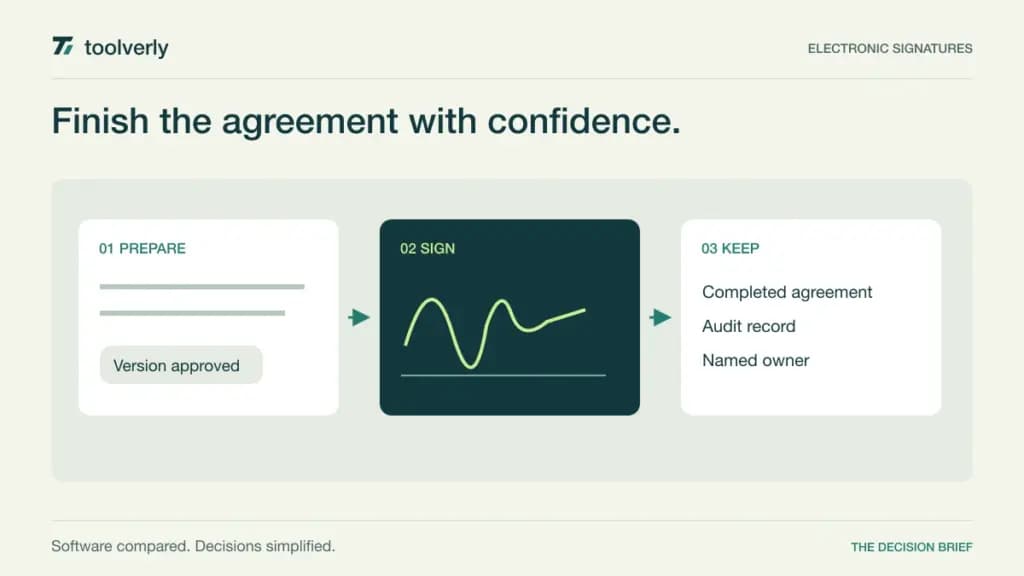
A signature request is only one step in finishing an agreement. Someone has to prepare the right version, identify the recipients, follow up when a person is unavailable, and place the completed record where the business can find it. Electronic signature software should make that sequence understandable for both the sender and the customer.
This comparison covers Docusign, Dropbox Sign, Adobe Acrobat Sign Solutions, SignWell, and Zoho Sign. Their differences matter most when several employees send documents, the monthly volume varies, or signing needs to connect to another business system. Our recommendations are based on official documentation reviewed on September 25, 2026, rather than hands-on performance testing. Prices below identify their currency and billing commitment; taxes and regional offers can change the checkout total.
Count senders, requests, and exceptions
Start with three numbers: employees who send agreements, requests sent in a typical month, and requests during the busiest month. A document packet can contain several files and signatures while consuming one envelope. Automated requests may have a different allowance from requests sent through the website. Count cancellations and corrected requests when estimating capacity.
Also define the handoff. A signed agreement may need to update a customer record in your CRM, while the final PDF belongs in an agreed business file storage system. Decide which system owns the final record before buying another place to store it.
| Product | Best fit | Main strength | Key tradeoff |
|---|---|---|---|
| Docusign | Repeatable team agreements | Shared templates and routing options | Envelope allowances need budgeting |
| Dropbox Sign | Small teams sending frequently | Unlimited signature requests | Team plan starts with two users |
| Adobe Acrobat Sign Solutions | Integrated organizational workflows | Authentication and workflow options | Sales quote and clear product scope required |
| SignWell | Lean sender teams | Simple sender-based packages | API usage has separate allowances |
| Zoho Sign | Zoho-centered operations | Approval steps and app integrations | Automation can consume extra credits |
Docusign
Docusign is a useful shortlist option when several people need to send a consistent agreement. Its Standard tier includes shared templates, commenting, branding, and delegated signing. Business Pro adds capabilities such as bulk sending, payment collection, and more interactive fields. The practical attraction is a reusable process that can accommodate more than a single sender and signer.
The US pricing page showed Standard at US$30 per user per month on an annual commitment billed monthly, or US$360 per user annually. That configuration includes 100 envelopes per user per year. Business Pro showed US$45 on the same billing basis and the same stated envelope allowance. Enhanced plans require a sales conversation.
The limitation is that additional workflow functionality does not automatically buy more sending capacity. Ask for the precise allowance and excess-use terms attached to your offer. In a trial, send a packet with two recipient roles, then deliberately change a recipient. Check whether the sender can understand the resulting state without support. Docusign fits teams that value a structured shared process and can forecast their sending volume.
Dropbox Sign
Dropbox Sign emphasizes unlimited signature requests, reusable templates, reminders, and an audit trail. Its Standard plan adds team administration and branding. For a small services business repeatedly sending the same agreement, that combination makes it a plausible choice: the everyday activity is sending and tracking, while the templates keep preparation consistent.
The official plan comparison lists the regular Standard annual price as US$25 per user per month, starting at US$600 billed yearly for two users. Essentials is an individual plan at US$15 per month, US$180 billed yearly. The page also displays promotional amounts; this comparison uses the regular listed rates. Premium is quoted separately.
The two-user minimum changes the economics for a solo operator who wants team-only functionality. Templates also have plan-specific allowances, so count agreement variants as well as total sends. During evaluation, have a colleague find a completed agreement prepared by someone else. That reveals whether shared visibility is adequate. Dropbox Sign is strongest on this shortlist for small teams seeking predictable website sending volume, provided the selected tier includes their required administration and integrations.
Adobe Acrobat Sign Solutions
Adobe presents Acrobat Sign Solutions as its broader business e-signature offering, with business-system integrations, advanced signer authentication, and standardized workflows. That makes it relevant when signing is part of an established organizational process with several systems and approval owners. The important buying decision is the exact Adobe product and configuration being quoted.
Adobe’s business pricing and product comparison makes Acrobat Sign Solutions a sales-contact purchase. It distinguishes this service from Acrobat Pro, which combines PDF editing with a subset of signing capabilities. A displayed Acrobat Pro license price should therefore not be used as the price of Acrobat Sign Solutions.
Its strength is the range of workflow and authentication options available for a tailored deployment. The tradeoff is procurement work: a useful quote must specify transaction volume, sender roles, integrations, implementation, and support. Ask the vendor to demonstrate one actual routing requirement, including the archive destination. If your task is simply editing PDFs and occasionally requesting a signature, compare the smaller Acrobat products separately. Sign Solutions belongs on the shortlist when the organizational signing process justifies the additional scope.
SignWell
SignWell offers a relatively direct sender-based model. Paid plans include unlimited signing requests, while the free plan allows three documents per month. Recipients can sign without creating an account. Templates, reminders, and audit records support a straightforward workflow for service agreements, approvals, and other recurring documents.
The current pricing page shows Light at US$10 per month with annual billing or US$12 monthly, including one sender. Business starts at US$30 per month annually or US$36 monthly, including three senders. Additional Business senders are US$12 each per month on annual billing or US$15 monthly. Enterprise is custom-priced. API access has included document allowances and paid additional usage, separate from unlimited ordinary signing requests.
That distinction matters if a developer will generate agreements automatically. Budget the application workflow separately from an employee clicking Send. For a practical comparison, build one template with fields assigned to different recipients and ask an unfamiliar signer to complete it on a phone. SignWell is a good candidate for a small sender group that wants clear package arithmetic. Confirm template needs, account administration, and automation volume before treating the entry plan as the final cost.
Zoho Sign
Zoho Sign is especially relevant when agreement information already flows through Zoho applications. Standard adds approval and manager workflows to the basic signature process. Professional adds unlimited envelopes and templates, while Enterprise adds capabilities including bulk sending and SignForms. This gives teams several ways to develop a signing process without immediately buying the highest tier.
The European pricing view showed Standard at €10, Professional at €16, and Enterprise at €22 per user per month, billed annually. Standard includes 25 envelopes per user per month. The free individual plan allows five envelopes monthly. These are euro prices, not converted US-dollar estimates.
The main cost complication is credits. Automated sending, API requests, and some third-party services consume Zoho Sign credits even where the subscription advertises unlimited envelopes. Map the path from a source record to the signed result and identify every credit-consuming step. Zoho Sign fits an operations team that can maintain that integration deliberately. Its app connections are most useful when someone owns field mapping, failed requests, and the destination of completed agreements, rather than assuming those responsibilities disappear after setup.
Evaluate the agreement from both sides
Use a realistic but non-sensitive sample agreement. Include one required text field, two signers, an internal approval, and an attachment if your process needs one. Have one signer use a phone and the other a desktop. Check the instructions, the visibility of required fields, and the clarity of the completion message. Record the steps that need explanation rather than declaring a winner based on the editor alone.
Then exercise the exceptions: the wrong recipient, an expired request, a corrected document, and an employee leaving the company. Check who can retrieve the completed file and its audit record, and whether the file name identifies the customer and version. Have the responsible owner confirm the authentication and record requirements for your particular agreements.
Compare annual totals for the same sender count and request volume. Include API traffic, additional authentication, templates, support, and minimum seats. Shortlist Docusign for a structured team process, Dropbox Sign or SignWell for frequent straightforward sending, Adobe for a tailored organizational workflow, and Zoho Sign for app-connected operations. The best fit is the service that handles your ordinary agreements and your recurring exceptions with a clear owner and a predictable bill.
Original illustration by Toolverly. Read about our publication or send a correction.