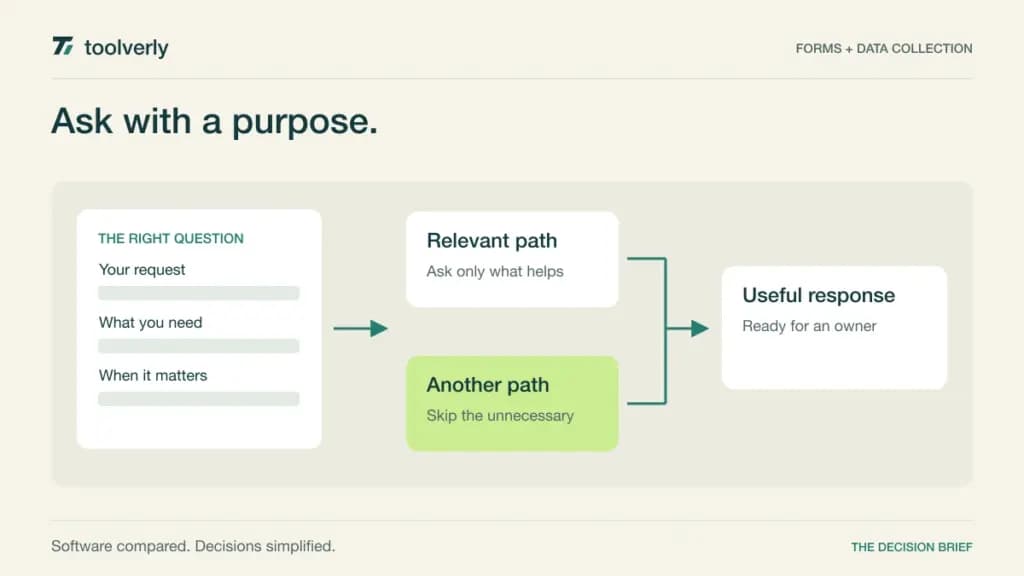
A form is often the first structured record of a customer request. If it asks the wrong questions, drops an attachment, or sends answers to an unattended inbox, a polished design does little for the business. Choose a form builder by the work that must happen after someone presses Submit.
We compare Tally, Typeform, Jotform, Fillout, and Paperform for business intake and data collection. Official product and pricing pages were checked on September 23, 2026. This is a comparison of documented features with our editorial assessment of fit, not a claim that we measured conversion rates or tested every integration.
Choose around the response, not just the editor
Three questions narrow the field quickly: how many responses arrive each month, what happens to each response, and who maintains the form? A short customer questionnaire is different from an application with supporting files or a paid registration. Conditional logic can reduce unnecessary questions, but someone still needs to understand and maintain every branch.
| Product | Best fit | Main strength | Tradeoff to examine |
|---|---|---|---|
| Tally | Broad collection on a small budget | Generous free features and submissions | Fair-use conditions still apply |
| Typeform | Guided customer questionnaires | Interactive forms with logic and integrations | Responses and collaborator seats are limited by plan |
| Jotform | Varied operational forms | Templates, widgets, and payment integrations | Several usage limits must be sized together |
| Fillout | Forms shared across a company | No per-seat fee and broad form building features | Response volume and branding affect the tier |
| Paperform | Forms connected to follow-on work | Forms packaged with document and automation allowances | Submission, storage, and automation limits differ |
Tally
Tally’s free offering includes unlimited forms and submissions within its fair-use guidelines. It also lists conditional logic, calculations, payment collection, file uploads, webhooks, and integrations with tools such as Google Sheets, Notion, and Airtable. That makes it a reasonable first candidate when collecting information matters more than removing a vendor logo.
Pro concentrates on operational and presentation needs: custom domains, branding removal, shared workspaces, partial submissions, and additional customization. Our assessment is that teams should upgrade for a defined requirement rather than assuming every business form needs a paid subscription from day one.
The important qualification is fair use. Unlimited is a description of the published allowance, not a promise that every possible workload has no constraints. Review the policy for large uploads or unusual traffic, and confirm the selected billing term and currency before buying Pro. In a pilot, give another colleague responsibility for one form. If they cannot understand its logic and destination without the original author, simplify the design before increasing volume.
Typeform
Typeform is worth shortlisting for a guided questionnaire where the order of questions is part of the experience. Its current Core plans include conditional logic, webhooks, and integrations. Basic lists 100 monthly responses and one user; Plus lists 1,000 responses and three users, with branding removal and a custom subdomain.
Those allowances matter more than the ability to create many forms. A campaign with several forms can still exhaust the shared response budget. Our fit judgment favors Typeform when the team is willing to edit the question sequence carefully and evaluate the resulting customer experience, rather than simply transfer a long spreadsheet into a form.
The pricing page exposes different monthly and annual options and additional Growth and Research products. Confirm the exact Core checkout offer; this article does not treat those other packages as required for basic data collection. The main tradeoff is paying for the response volume and collaboration level you actually need. During evaluation, have a new colleague complete the form on a phone, including one deliberately unexpected answer.
Jotform
Jotform offers a wide range of form templates, widgets, and payment integrations. Its pricing FAQ confirms a free Starter plan plus Bronze, Silver, and Gold, with a separately quoted Enterprise offering. Standard form features are available at the starting level, while paid plans increase limits and remove branding.
Our recommendation is to investigate Jotform when operations handles several different intake formats rather than one reusable questionnaire. For example, a registration, a service request, and an internal application may need different combinations of fields, uploads, and notifications. A broad component catalog is useful only if the chosen components work together in the finished process.
Do not size the subscription from monthly submissions alone. Review storage and other relevant usage allowances for your selected plan, especially when responses contain files or payments. The dynamic pricing table did not provide a reliable numeric quote in our source capture, so use the official selector for the current offer. The practical tradeoff is administrative breadth: establish a small set of approved templates and owners so each department does not reinvent its own intake system.
Fillout
Fillout’s free plan lists unlimited forms and seats with 1,000 monthly responses. Multi-page forms, conditional logic, calculations, answer piping, payment collection, and resuming in-progress forms appear in its free feature set. The absence of a per-seat charge is relevant when multiple departments need to maintain forms.
On annual billing, Starter is $15 per month for 2,000 responses, Pro is $40 for 5,000, and Business is $75 with unlimited responses. Pro adds branding removal and styling features; Business adds capabilities including a custom domain, partial submissions, and analytics. Check any applicable usage conditions and storage requirements for your workload.
Our assessment is that Fillout offers a useful starting point for teams that need collaborators without turning every editor into another license purchase. The tradeoff moves toward response volume and the features tied to higher plans. Test how a response is identified and passed downstream. A completed form is not yet a reliable business record if a second submission creates a conflicting customer entry or leaves no clear owner.
Paperform
Paperform now presents its forms alongside document and automation allowances. The Free plan lists 30 submissions per month, unlimited users, three signed documents, and 5,000 automation credits. Pro is shown at $49 per month billed annually, with unlimited submissions subject to fair use, higher storage and document allowances, and removable branding.
This packaging is relevant if form completion is the start of several connected steps. Our fit judgment is to evaluate Paperform when the same team wants to collect an inquiry and manage related follow-on work, while avoiding a decision based only on the appearance of the form.
The tradeoff is understanding more than one meter. Pro’s included automation credits and document allowance are not the same thing as its submission allowance, and additional automation capacity can cost extra. Map an ordinary response through every planned action before estimating costs. A trial should include an incomplete submission, an uploaded file, and a failed follow-up action so the team can assess recovery as well as the successful path.
Build one realistic pilot form
Use an existing request that currently causes confusion. Write down the decision the receiving team must make, then remove questions that do not support it. Ask for a deadline only if someone will use it to prioritize work. Explain the expected next step beside the submit button so the respondent knows whether they are booking, applying, or simply making an inquiry.
Create a small test set: a normal submission, missing optional information, an unusual character in a name, a large permitted attachment, and a repeat request from the same person. Follow each response to its final destination. Record whether staff can distinguish the two requests and whether a correction can be made without silently changing the original context.
Form integrations should have an explicit owner. If responses start a larger sequence, see our workflow automation comparison. When a form starts a customer relationship, pair the intake decision with a suitable small business CRM instead of treating the form’s notification email as the permanent record.
Budget for peaks and maintenance
Estimate an ordinary month and a busy campaign month separately. Include test submissions, retry behavior, and staff seats where they are charged. Compare what happens at the limit: an interruption to collection has a different cost from an agreed usage charge. Ask the vendor to clarify any behavior the plan page does not explain.
- Confirm response, storage, file, payment, and collaborator allowances.
- Check whether essential logic and branding require an upgrade.
- Verify mobile completion, accessible labels, and useful error messages.
- Assign responsibility for exports, corrections, retention, and integration failures.
- Keep a record of form changes that affect downstream fields.
Tally is a strong starting point for budget-conscious collection; Typeform deserves a trial for a carefully guided questionnaire. Consider Jotform for varied operational formats, Fillout for broad collaboration, and Paperform when forms and subsequent work should sit together. Choose the smallest plan that passes your real intake process, then revisit it when volume or ownership changes.
Official sources
Checked September 23, 2026: Tally features and pricing, Typeform plans, Jotform pricing and plan FAQ, Fillout plans, and Paperform plans. Dollar figures are USD as displayed; annual equivalents require annual billing. Confirm taxes and current checkout terms.
Original illustration by Toolverly. Read about our publication or send a correction.