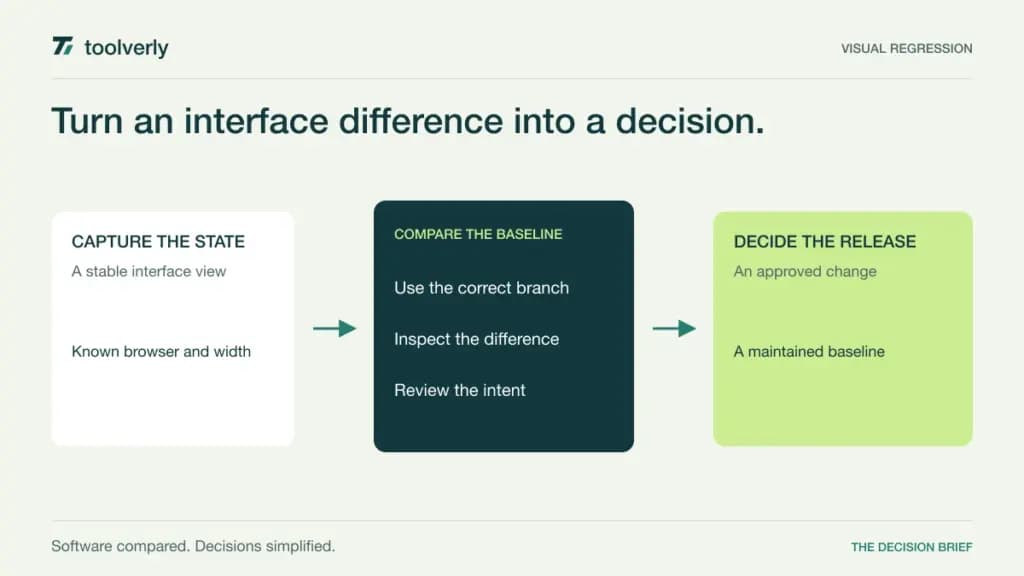
An interface can pass its functional checks and still ship with a clipped label, a missing image or a button hidden behind another element. Visual regression testing compares a captured interface with an accepted baseline so a team can review unintended rendering changes before release. Its value comes from stable captures and accountable decisions about differences, not from accumulating screenshots.
Percy, Chromatic, Applitools Eyes, Lost Pixel and Argos differ in their capture workflows, rendering approach, review experience and commercial units. Some fit closely around component stories, while others connect to existing browser tests or accept captures from several sources. Choose the system around the interface states your team must maintain.
Official product and pricing information was checked on October 12, 2026. This comparison does not claim measured defect detection, speed or false-positive rates. Vendor AI claims describe offered capabilities rather than independently verified results. Visual checks complement functional and accessibility evaluation; a matching screenshot alone does not prove either.
Compare capture scope and baseline ownership
| Product | Best fit | Main strength | Meaningful tradeoff |
|---|---|---|---|
| Percy | Browser-oriented visual coverage | Cross-browser rendering and collaborative review | Browsers and widths multiply billed screenshots |
| Chromatic | Component and Storybook workflows | UI review with change-aware capture | Browser coverage and governance depend on tier |
| Applitools Eyes | Broader visual validation programs | Match modes and managed rendering | Checkpoint definitions and platform scope need comparison |
| Lost Pixel | Combined component and page captures | Composable capture sources and open-source core | Hosted workflow centers on GitHub |
| Argos | Teams with existing screenshot generation | Capture review connected to development workflows | Repository eligibility and usage rules affect plans |
Percy
Percy, part of BrowserStack, provides cross-browser visual comparison with collaborative review and baseline management. Its current offering separates desktop coverage from desktop and mobile capabilities. That is useful when the main requirement is identifying how the same interface changes across browser and responsive-width combinations.
The advantage is a rendering and review workflow around browser coverage. The limitation is that the test must still reach the intended state before capture. Unstable content, fonts, animation or an unfinished request can produce differences that are not useful release evidence.
Best fit: teams with maintained browser tests or pages that need systematic visual review. Demonstrate a genuine layout regression and a harmless data change, then inspect how reviewers make and record the baseline decision.
Price context: Desktop lists $199 per month billed annually with 10,000 monthly screenshots; Desktop & Mobile lists $599 with 25,000. Additional screenshots have plan-specific rates. Free includes 5,000 monthly screenshots. A screenshot is one page or component rendered in an individual browser and width combination, so the number of test cases alone does not determine usage.
Chromatic
Chromatic connects visual checks, UI review and versioned Storybook workflows. Its TurboSnap mechanism uses file changes to identify affected tests and reuse unaffected snapshots, with usage expressed as billed snapshots. That makes it relevant for teams maintaining a component library whose states are already represented in stories.
The advantage is placing visual review near the component work developers and designers maintain. The limitation is coverage: a good collection of isolated components does not automatically include every integrated application state. Determine how page-level and interaction-dependent views will enter the evaluation.
Best fit: design system and frontend teams with a maintained Storybook practice. Ask a reviewer to follow a component change, a deliberately broken state and a shared dependency change through the resulting build.
Price context: Free includes 5,000 billed snapshots per month with Chrome. Starter lists $179 per month with 35,000 billed snapshots, adding Safari, Firefox and Edge; Pro lists $399 with 85,000. Enterprise is custom and includes additional governance. Reused TurboSnap snapshots count differently toward usage, so compare the actual billed-snapshot model and overage terms rather than raw image totals.
Applitools Eyes
Applitools Eyes offers visual validation with configurable match levels and a managed rendering grid. Its current product page describes integrations with frameworks including Playwright, Cypress and Selenium, alongside baseline updates and tools for investigating differences. The platform is relevant when a team wants visual checks embedded in a broader automated validation program.
The advantage is a choice of comparison modes and rendering scope. The limitation is deciding what those modes should accept. Tolerating dynamic content may reduce irrelevant differences, but the team still needs to ensure meaningful content and layout problems remain visible. Vendor precision claims are not a substitute for that evaluation.
Best fit: organizations with several interface surfaces and existing automation owners. Use the same representative defects with each proposed match configuration and inspect what reviewers see.
Price context: the current platform Starter offer is $667 per month paid annually, with 100,000 component checkpoints or 1,000 page checkpoints. Those are alternative units, not interchangeable screenshot allowances. Higher platform scope and add-ons require review. Ask which Eyes capabilities, concurrency, deployment options and support are included in the quoted platform package.
Lost Pixel
Lost Pixel combines component stories, page screenshots and custom screenshot sources. Its documentation-oriented product description explains using Storybook alongside page mode and captures from existing Playwright or Cypress runs. Its core is open source, with a hosted review flow for teams that want an integrated service.
The advantage is composing visual coverage from the tools a project already uses. The limitation is integration fit: the hosted product emphasizes GitHub, and its current FAQ does not claim equivalent support for other Git providers. A self-operated core workflow and the hosted collaboration service also have different responsibilities.
Best fit: GitHub-based teams combining component and application-page coverage. Demonstrate a shared component change and a page-only defect to confirm both reach the review workflow.
Price context: the hosted pricing page includes a free allowance of 7,000 screenshots per month, then Startup at $100 for 40,000, Business at $250 for 100,000 and Scale at $670 for 300,000, with respective extra-screenshot rates. Confirm the paid billing term and eligible project scope; the open-source core does not itself include the hosted team’s operating service.
Argos
Argos connects uploaded captures with visual comparison, development integrations and team review. Its current offer also supports snapshot testing for other files, so it can be relevant when a project already produces screenshots and wants a shared place to inspect differences. GitHub and GitLab integration are listed.
The advantage is connecting existing capture work to review rather than requiring every test to be rewritten around a new runner. The limitation is that the team remains responsible for reaching stable, representative states. The review platform cannot compensate for a capture that never includes the important interaction.
Best fit: development teams with established browser automation and a clear baseline owner. Demonstrate branch changes, approval and what happens when a build or upload fails.
Price context: Hobby provides up to 5,000 screenshots for personal projects; Pro starts at $100 per month billed monthly with 35,000 included. Extra screenshots are $0.004, or $0.0015 for Storybook. Team collaboration and private organization repositories require the appropriate paid scope. Snapshot files and standalone media can also count toward usage, and SSO options carry additional fees outside Enterprise.
Evaluate the review loop before expanding the suite
Start with a small group of important interface states: an empty view, a populated table, an error, a modal, a long label and a narrow viewport. Use controlled sample data and explicit readiness conditions. Wait for fonts and necessary images, and decide how timestamps or other changing regions should be represented. Stability should come from intentional setup rather than repeatedly accepting unexplained differences.
Introduce known defects, such as a hidden action, overflow and a missing icon. Ask the person responsible for release review to identify each change and explain the decision. Then introduce an intentional redesign and verify how approval updates the correct branch baseline. Record who may approve, how that decision is visible in CI and how a later rollback is evaluated.
Our test management comparison covers planning and recording broader verification. Our accessibility testing comparison helps define checks a screenshot comparison cannot replace. Keep those responsibilities connected to the visual evidence without treating one result as proof of all three.
Estimate usage from states, viewports, browsers and builds per month. Include retries, branches and the effect of a shared stylesheet change. Use each vendor’s actual billed units: screenshots, weighted reused snapshots and component or page checkpoints describe different consumption models. Confirm how limits behave during a release peak.
- Capture important states with stable data and readiness rules.
- Demonstrate known regressions and intentional changes.
- Assign branch baseline and approval ownership.
- Verify CI status, failure handling and review history.
- Compare rendering coverage, usage units and peak costs.
Shortlist Percy for cross-browser capture review, Chromatic for component-centered workflows, Applitools Eyes for configurable visual validation, Lost Pixel for composed GitHub coverage, and Argos for reviewing existing captures. Choose the tool that turns a difference into a clear release decision your team will continue to make.
Official sources checked October 12, 2026
Percy pricing; Percy product; Chromatic pricing; Applitools Eyes; Applitools platform pricing; Lost Pixel pricing; Lost Pixel workflows; Argos pricing.
Original illustration by Toolverly. Read about our publication or send a correction.