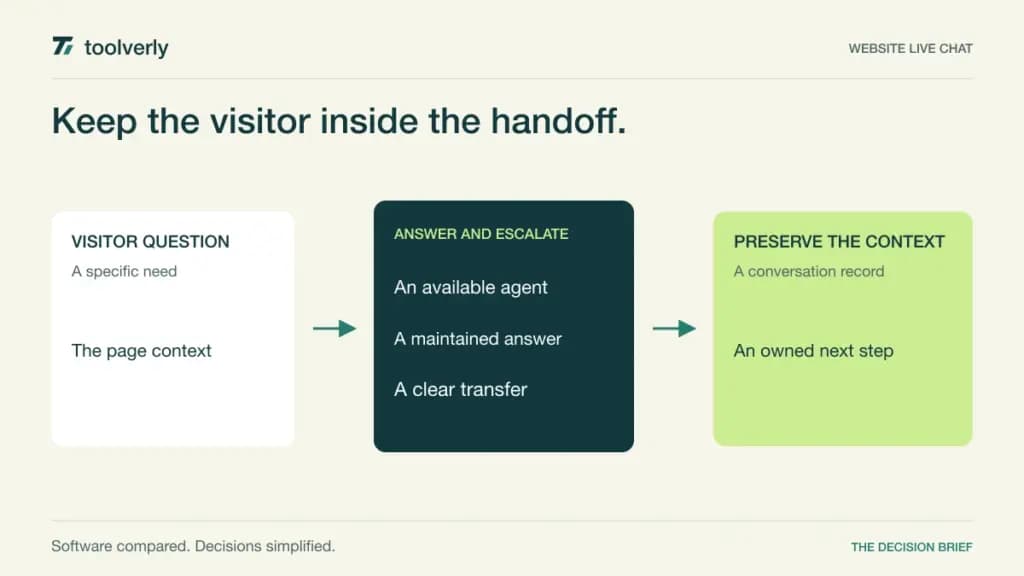
A website chat widget creates a promise: someone can help while the visitor is still looking at the page. The tool only delivers on that promise when staffing, automated answers, missed conversations, and follow-up ownership work together. A brightly colored launcher does not resolve a question if the visitor is left in an unattended queue.
This comparison looks at Crisp, Tidio, LiveChat, Olark, and Smartsupp. Official features and pricing were checked on October 9, 2026. It is a source-based editorial comparison, not a report of hands-on trials or measured conversion increases. Recommendations concern the conversation workflow and its billing boundaries.
Website live chat focuses on the interaction between a visitor and an available helper. Your help desk may own longer investigations, while a customer knowledge base supplies maintained answers. Decide how a live conversation becomes a durable request when it cannot be resolved immediately.
Start by estimating staffed hours and peak simultaneous conversations. Define what an automated assistant may answer, when a human must take over, and what the visitor sees after hours. These decisions often distinguish two apparently similar chat subscriptions more clearly than their widget designs.
Five website chat workflows compared
| Product | Best fit | Main strength | Meaningful tradeoff |
|---|---|---|---|
| Crisp | A shared customer conversation workspace | Workspace plans with included seats | Seat bundles and AI credits vary |
| Tidio | Chat with separate automation workloads | Human, AI, and flow options | Several usage units need budgeting |
| LiveChat | Teams supervising website conversations | Chat, inbox, and assisted workflows | Per-user plans have AI limits |
| Olark | Human chat with an optional AI service | An explicit service split | AI has an annual commitment |
| Smartsupp | Small customer-facing teams | Operator bundles and channel handling | AI agent capacity is separate |
Crisp
Crisp packages website chat inside a shared conversation workspace. The current plans combine different seat allowances with inbox capabilities, automation, and customer information. This can suit a small team wanting one place to see a visitor’s question and preserve the context when another colleague responds.
The strength is workspace pricing with included agents. The limitation is treating every capability listed in its large comparison table as part of the cheapest plan. Check the exact tier for routing, integrations, history, and automation. A visitor’s conversation volume and an automated answer’s cost are also different things.
Monthly USD workspace prices are Free, Mini at $45, Essentials at $95, and Plus at $295. The page lists 2, 4, 10, and 20 included seats respectively, with additional-seat arrangements at the upper scope. Paid tiers include different AI credit allowances, not unlimited automated service. Best fit: a team comfortable with a bundled workspace. Evaluate an agent handoff and a missed-chat follow-up before selecting the bundle.
Tidio
Tidio separates human customer service, its Lyro AI agent, and Flows automation in its pricing structure. This lets a buyer consider several ways to handle visitor questions and invitations, but it requires a clearer workload model. The same website can generate human conversations, automated answers, and visitors reached by a flow.
The strength is being able to specify those workloads separately. The tradeoff is confusing a usage allowance with a general visitor or employee count. Establish the definition of a billable conversation and decide how human escalation affects it. An automated answer should have an identifiable source and a route to a person when it is incomplete.
The checked annual view shows Starter at $24.17 per month with 100 billable conversations, and Growth starting at $49.17 with higher capacity. Separate Lyro and Flows offers have their own allowances; these rates are monthly equivalents under annual billing, not monthly subscriptions. Best fit: teams prepared to budget distinct human and automation workloads. Request an estimate using peak months rather than annual average traffic.
LiveChat
LiveChat’s current pricing page presents the Text offering with Essential, Growth, and Enterprise plans. It combines chat and an inbox with proactive campaigns and AI assistance. Growth adds capabilities such as conversation supervision, takeover, shared replies, and team reporting. That makes the management of several simultaneous agents an important tier decision.
The strength is a workflow that can connect visitor assistance to oversight and follow-up. The limitation is assuming that AI being included means unlimited AI answers. The current allowances distinguish AI resolutions, reply suggestions, and agents. They should be evaluated against the tasks you expect the service to perform.
Essential is $19 per user per month and Growth is $79, both billed annually in the checked view. Essential includes 10 AI resolutions and Growth includes 200; Enterprise uses a custom annual agreement. Existing customers may have different legacy plans. Best fit: a staffed team needing structured chat operations. Rehearse supervisor takeover and confirm which roles count as paid users.
Olark
Olark now makes a clear distinction between human live chat and its AI Website Agent. The human offer can suit a business that wants a straightforward staffed widget. The AI service adds an automated answering role and includes one human seat for escalation, making it a different operating commitment.
The strength is a visible choice about who handles the conversation. The tradeoff is expecting automation to remove the need for maintained answers and an escalation owner. If an assistant qualifies a lead, decide where the information goes and who can act on it. If the question needs a human, the visitor should see a realistic response expectation.
Human-only Live Chat is listed at $29 per agent per month. The Standard AI Website Agent is $400 per month billed annually, totaling $4,800 per year, with one human seat included and additional agents at $29 monthly each. Best fit: teams making an explicit human-versus-automation decision. Confirm the separate contract and cancellation terms rather than applying the AI annual terms to every offer.
Smartsupp
Smartsupp offers customer-care plans with operator allowances and channel handling. The current comparison includes website live chat alongside selected messaging and email connections. Its AI reply assistance and separate Mira AI Agent should be distinguished: helping a person compose an answer is a different workload from responding autonomously to visitors.
The strength is a plan structure small teams can map to named operators. The limitation is assuming an operator bundle includes every automation or channel requirement. Check both the number of people who can log in and the capacity for the AI service you intend to use. A free plan’s short history can also affect later follow-up.
The checked USD annual view lists Solo at $17 per month for one operator, Plus at $25 for three, and Expert at $83 for five or more under its stated upgrade rules. Those are annual-billing monthly equivalents. Mira plans are separately presented. Best fit: small teams wanting clear operator bundles. Verify the transcript retention and after-hours path in the proposed customer-care plan.
Buy a workable conversation routine
Run the same demonstration with each shortlisted provider. A visitor asks a specific question, receives an answer, changes the question, and asks to speak to a person. The agent then needs a colleague’s help. Check whether the visitor must repeat the context and whether the second agent can see why the conversation was transferred.
Repeat the exercise outside staffed hours. The interface should make the next step clear: leave contact information, read a maintained answer, or wait until a stated time. Do not measure the tool only by how quickly it opens a chat. Measure whether it makes a promise your team can keep.
For automated assistance, prepare a small set of approved sources and a deliberately unanswerable question. Ask how the system recognizes missing information and routes the conversation onward. Treat vendor conversion claims as marketing claims rather than predicted results for your website. Your actual traffic mix and support coverage will determine outcomes.
Price agents, workspace bundles, human conversations, automated resolutions, and visitor-triggered flows separately. Put those numbers into a busy-month estimate. Include the operating cost of maintaining answers and reviewing escalations, then choose the smallest service scope that supports the intended routine.
- Define staffing hours and concurrent demand.
- Check human transfer and missed-chat handling.
- Confirm history, permissions, and follow-up ownership.
- Separate AI assistance from autonomous answers.
- Record each billing unit and commitment period.
Crisp suits a bundled workspace, Tidio a deliberate mix of conversation and automation workloads, LiveChat structured agent operations, Olark a clear human-or-AI service choice, and Smartsupp small teams that fit its operator bundles.
Official sources and verification date
Checked October 9, 2026: Crisp plans, Tidio billing units, LiveChat current plans, Olark service pricing, and Smartsupp operator and AI plans.
Original illustration by Toolverly. Read about our publication or send a correction.