A funnel report can tell you that visitors abandon a form. It may not show the broken dropdown, misleading validation message, or repeated click that happened immediately beforehand. Website session replay tools reconstruct captured interactions so marketing, product, support, and engineering can inspect a real journey and decide what to investigate.
This comparison focuses on diagnostic evidence from actual website visitors: Contentsquare, Microsoft Clarity, Fullstory, Mouseflow, and LogRocket. It does not rank products by claimed conversion uplift or assume that a replay records everything a visitor saw. Official capabilities and commercial information were checked on October 11, 2026.
Use product analytics to measure the broader pattern around a problem. For an observed task with a recruited participant and direct questioning, see usability testing platforms. Passive replays can suggest what went wrong, but do not directly establish a person’s intent.
Compare the diagnostic workflow
| Product | Best fit | Main strength | Meaningful tradeoff |
|---|---|---|---|
| Contentsquare | Cross-functional experience optimization | Replays connected with journeys and experience signals | Product bundles and session allowances need careful scoping |
| Microsoft Clarity | Accessible website friction investigation | Free recordings and heatmaps | Low subscription cost does not remove governance work |
| Fullstory | Shared behavioral evidence | Replay, search, and broader analytics | Paid plans and add-ons require a quote |
| Mouseflow | Website funnel and form analysis | Replays tied to heatmaps and friction | Session, project, and retention limits move by plan |
| LogRocket | Engineering-led diagnosis | Replay alongside errors, logs, and network context | Captured-session scope and retention drive cost |
Contentsquare
Contentsquare connects session replay with experience analytics, heatmaps, journey analysis, and error investigation. Its replay product page emphasizes reviewing actual journeys and finding relevant moments rather than relying only on aggregate reports. This is useful when several teams need a common explanation of a visitor problem.
The current dynamic pricing page separates Experience Analytics, Voice of Customer, and Product Analytics. Its Free Experience Analytics offer lists one project, up to 200,000 monthly sessions, and one month of analytics access. Growth changes project access, retention, and feature scope; Pro and Enterprise require discussion. Regional currency and bundle selections change the displayed commercial context, so request a configuration-specific amount.
Best fit: organizations that need replay evidence connected to a broader optimization workflow. Limitation: a larger free session allowance does not mean every paid feature is included. Hotjar’s pricing route now leads to Contentsquare, so older Hotjar tier comparisons should not determine this purchase.
During evaluation, choose a failure that marketing can describe and engineering can investigate. Ask both teams to locate the same journey and document an agreed next action. A shared interface is most valuable when it reduces disagreement about the evidence while leaving technical diagnosis to the appropriate owner.
Microsoft Clarity
Microsoft Clarity offers session recordings, heatmaps, and AI-assisted summaries for websites, with a published free-forever offer and no traffic limit. It provides an approachable starting point for viewing visitor friction without first negotiating a software subscription.
Strength: the commercial entry barrier is low, making a focused pilot easier to justify. Limitation: free software still needs configuration, access control, privacy review, and staff time. Do not treat a general compliance statement as permission to capture every screen or field in your own application.
Best fit: teams that want to investigate a public website journey and can own the installation and review process. If your requirements depend on contractual support commitments or specific export and retention controls, confirm those separately rather than assuming a free product matches a paid enterprise service.
Start with a narrowly defined question, such as why eligible visitors repeatedly return to the same form field. Review several relevant sessions and compare them with a successful journey. Avoid making a design change from one unusual recording. The point is to identify a reproducible obstacle and decide what additional evidence would confirm it.
Fullstory
Fullstory combines session replay with behavioral search, analytics, and developer-oriented investigation. Its current plans distinguish Analytics from other platform offerings and describe privacy exclusions and masking controls. That scope is relevant when replay should become a shared reference across product, engineering, and customer-facing teams.
The current FullstoryFree offer lists 30,000 monthly sessions and up to ten users. The plans page describes twelve months of analytics retention; confirm the separate replay retention window instead of assuming the same duration for every data type. Paid Business, Advanced, and Enterprise offers are quoted, with optional mobile, multi-organization, and other add-ons.
Best fit: teams that need behavioral evidence available to several disciplines. Limitation: paid commercial scope is not represented by a single public seat price. Specify captured sessions, replay access, retention, and included services when requesting an offer.
Try locating a journey from a support ticket using only the information a support agent normally possesses. Check who can open the replay and what remains masked. The handoff should expose enough interface context to investigate while avoiding unnecessary disclosure of the customer’s private information.
Mouseflow
Mouseflow combines session replay with heatmaps, funnels, form analysis, and friction signals. This is a useful shape for a team diagnosing a specific website conversion path, especially when the goal is to connect a dropped step to a visible interaction.
Its current plan comparison lists Free at 500 monthly sessions, one website project, and one month of retention. Essential expands to 5,000 sessions and three months; Advanced lists 25,000 sessions, two projects, and six months. Premium and Enterprise expand scope further. The retrieved pricing showed numeric amounts without a consistently explicit currency or selected billing context, so this article does not convert them into a guaranteed USD monthly rate.
Strength: the website journey, heatmap, and replay can support the same investigation. Limitation: retention and project boundaries can be as important as the recording allowance. Best fit: website teams investigating forms, funnels, and repeated friction.
Ask how quickly somebody notices an issue compared with how long the relevant recordings remain accessible. A monthly reporting process is poorly matched to evidence that expires before review. Establish a review cadence and decide which findings need a durable issue record outside the replay workspace.
LogRocket
LogRocket connects session replay with errors, application logs, network context, and analytics. Its current pricing emphasizes captured sessions, with analytics, errors, and logs described as unlimited within that model. Pro adds Galileo AI capabilities for session and issue summaries.
The current calculator displays a starting amount of $176 per month based on annual-plan savings, while a selected configuration shows a different estimate. Final pricing depends on seats, retention, and add-ons; conditional recording is another commercial and technical choice. Treat the starting figure as a starting offer, not a quote for the traffic configuration shown elsewhere on the page.
Best fit: engineering teams that want a replay to help explain an application failure. Limitation: capture selection determines which journeys remain available. A support issue cannot be inspected in replay if that session was excluded from recording.
Use a known frontend problem in a controlled pilot and ask a developer to follow the visible symptom into the relevant technical context. Review redaction of URLs, payloads, and console data before enabling capture broadly. The evaluation should establish a useful diagnostic handoff, rather than promising that replay will replace normal debugging or monitoring.
Select around evidence quality and ownership
First, define the journey and the question. A checkout abandonment, a confusing signup flow, and a JavaScript failure may require different supporting signals. Decide whether marketing needs a friction explanation, support needs a shareable record, or engineering needs technical context around an error.
Second, document capture boundaries. Identify excluded pages, fields, users, and regions; verify masking with realistic content before broad installation. Have the responsible company owners confirm consent and permitted collection. Review who can replay sessions and whether shared links expose more access than intended.
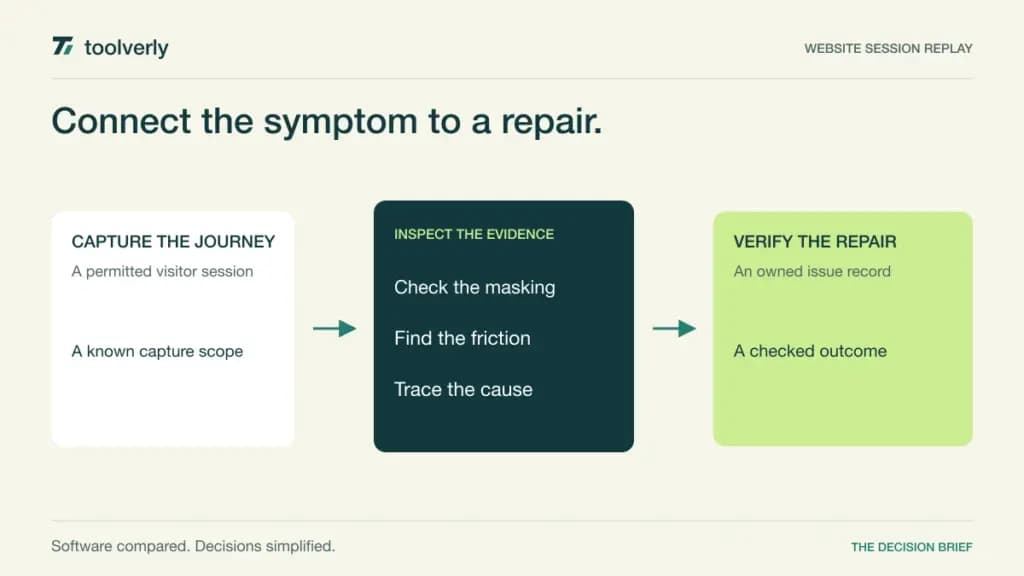
Third, distinguish analytics retention from replay retention and raw exports. Set a review frequency that fits those windows. Maintain a durable issue containing the observed symptom, relevant session reference, suspected cause, owner, and verification step. Replays are evidence inputs; the decision and repair history should remain usable after recordings expire.
Finally, calculate a normal and busy traffic month. Compare captured sessions, sampling or conditional rules, projects, team access, retention, and optional products. Smartlook is deliberately excluded because its official notice ends new sales and renewals in 2026. Buying guidance must reflect availability, not a remembered feature list.
Shortlist Clarity for a low-cost entry, Mouseflow for website funnel investigations, Contentsquare for broader experience work, Fullstory for shared behavioral evidence, and LogRocket for engineering diagnosis. The pilot passes when the team can turn a relevant, appropriately masked journey into a specific fix and verify the result.
Official sources
Checked October 11, 2026: Contentsquare plans; Contentsquare replay; Microsoft Clarity; Fullstory plans; Mouseflow allowances; LogRocket calculator; Smartlook lifecycle notice.
Original illustration by Toolverly. Read about our publication or send a correction.