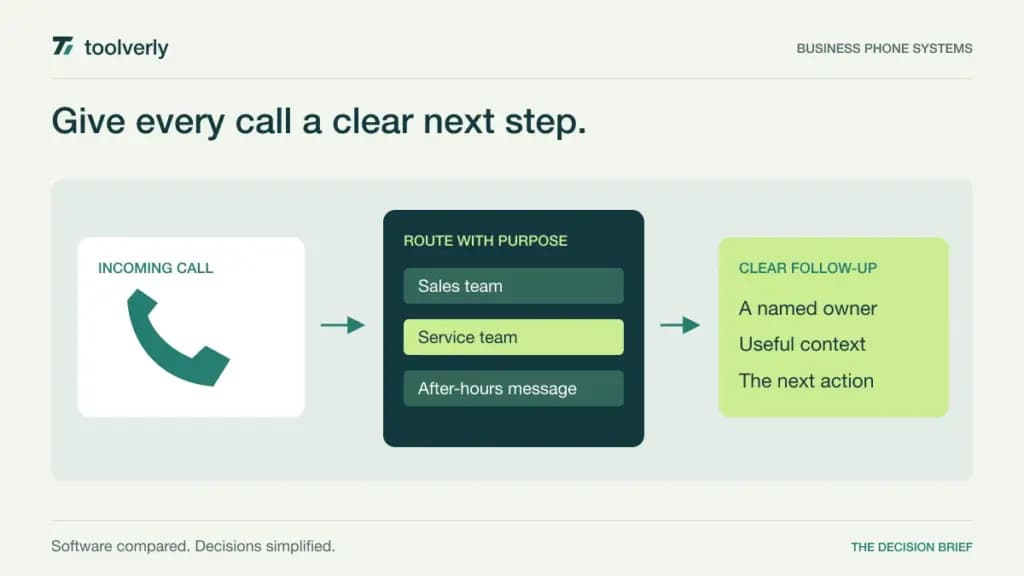
A business phone system should make the next action clear: who answers, where an unanswered call goes, and how a colleague finds the conversation afterward. A low seat price means little if customers keep repeating their problem after a transfer. Start with your actual call paths, then compare the software that will run them.
RingCentral RingEX, Dialpad Connect, Ringover, Zoom Phone, and 8×8 Work approach that job through different combinations of calling, administration, integrations, and commercial packaging. This comparison focuses on everyday business telephony. A high-volume contact center may require a separate product or additional licenses.
Research checked October 1, 2026. This is a comparison of official product and pricing documentation, not a hands-on call-quality test. Prices are reference offers for the stated region and billing term. Confirm number availability, calling destinations, taxes, hardware, and optional services for your organization.
Five business phone systems compared
| Product | Best fit | Main strength | Price reference | Meaningful tradeoff |
|---|---|---|---|---|
| RingCentral RingEX | Teams needing a structured phone administration path | Clear progression into integrations and analytics | Core: US$20/user/month, paid annually | CRM integrations require a higher plan |
| Dialpad Connect | Teams that want call notes in the conversation workflow | Transcription and summaries alongside calling | Standard: US$15/user/month, annual billing | Pro is the relevant tier for key CRM integrations |
| Ringover | Sales and support teams routing calls into business systems | Business combines routing and integrations | Business: US$47/user/month, annual offer | Three-user minimum; optional services add cost |
| Zoom Phone | Teams evaluating phone service within a Zoom workspace | Calling with familiar collaboration connections | US & CA Unlimited: €14.72/user/month, annual billing | The calling region matters more than the display currency |
| 8×8 Work | Organizations coordinating telephony across locations | Calling, reception, and system administration | Custom quote | Scope and total cost require a detailed proposal |
RingCentral RingEX
RingEX is worth shortlisting when a business wants one phone service with room to add operational controls as it grows. Core includes unlimited domestic calling within the US and Canada, on-demand recording, and a limited toll-free-minute allowance. Advanced adds CRM integrations, multi-site management, and expanded analytics. The official RingEX pricing page lists Core at US$20 per user per month paid annually, or US$30 monthly; Advanced starts at US$25 with annual billing.
Strength: the tier structure gives an administrator a concrete upgrade decision. If a customer record must accompany a call, evaluate the integration-enabled tier from the beginning. Building the budget around Core and discovering the requirement during rollout would distort the comparison.
Limitation: domestic calling does not settle the cost of international traffic, toll-free usage, or messaging. Separate the subscription from those charges in your estimate. For a trial, have a receptionist transfer one customer twice and check whether the final recipient has enough context. RingEX fits teams willing to define routing ownership and maintain it as departments change.
Dialpad Connect
Dialpad Connect puts transcription and call summaries close to the conversation itself. Its current phone-system page lists Standard at US$15 per user per month on the annual offer, Pro at US$25, and Enterprise by quotation. Standard combines calling, messaging, meetings, transcripts, and summaries. Pro introduces key CRM integrations and multi-office management; Enterprise adds SSO and access controls. Dialpad also describes its billing options in its official product information.
Strength: a team that loses follow-up details can evaluate whether a readable call record helps the next employee act. Give the trial a specific task: locate the customer’s requested deadline, identify the promised action, and assign an owner. A generated summary is useful only if someone checks the details that drive the work.
Limitation: the inexpensive starting tier is not the right budget assumption for every integration or identity requirement. Choose the tier around your existing systems. Dialpad fits teams that want conversation assistance within daily calling, provided their evaluation includes real accents, terminology, and noisy environments rather than a polished demonstration.
Ringover
Ringover deserves attention when calls must feed a sales or service process. Its Business package includes advanced routing, call groups, integrations with CRM, applicant-tracking and helpdesk systems, plus analytics and coaching tools. The USD pricing view showed Business at US$47 per user per month on the annual offer, with a three-user minimum. Talk starts at US$15 under the displayed annual terms, also with a three-user minimum, but is a simpler package.
Strength: Business provides a useful starting point for evaluating the path from incoming call to business record. Ask a salesperson to find the right contact after a transferred call, then ask a manager to review the outcome. This exposes integration friction sooner than counting supported applications.
Limitation: add-ons and usage can change the total. Check your destinations, messaging requirements, forwarding behavior, and any additional conversation tools separately. Ringover fits teams with repeatable call handling and a clear destination system. A solo operator should examine the minimum commitment carefully before comparing the headline seat rate with individual-user offers.
Zoom Phone
Zoom Phone is a practical candidate when employees already organize collaboration around Zoom. The official phone page displayed US & CA Unlimited with Workplace Basic at €14.72 per user per month billed annually. That is a regional calling package shown in euros; it does not mean unlimited domestic calling in every euro-priced market. The offer includes a domestic number, call recording, and connections to tools such as Salesforce, Slack, Microsoft, and Google.
Strength: evaluate the benefit of keeping calling near an existing workplace environment. Familiarity may simplify a user’s first day, but the administrator still needs to verify number assignment, working hours, and transfer rules. These details determine whether the experience remains straightforward after rollout.
Limitation: country coverage and international rates need an explicit check. Build a small destination list from actual business calls and price that list with sales. Zoom Phone fits organizations where the regional package and current collaboration setup align. If your immediate decision is meeting software, our business video meeting comparison covers that separate workflow.
8×8 Work
8×8 Work combines calling, meetings, messaging, a receptionist console, and system analytics. Its plans page uses custom pricing. Treat the quote as a configuration exercise: locations, users, number types, calling coverage, and implementation all need to be named. The page also presents Engage and Contact Center offerings; their presence in the same portfolio does not make their capabilities part of every Work subscription.
Strength: 8×8 is a reasonable shortlist option when reception and distributed phone administration are central requirements. Ask the vendor to demonstrate a morning with two offices open, one office closed, and a shared receptionist handling overflow. A realistic scenario makes the proposed configuration easier to assess.
Limitation: quote-only pricing prevents a meaningful cost comparison until the scope is written down. Request recurring charges, setup work, optional functionality, and renewal terms as separate lines. 8×8 Work fits buyers prepared to evaluate a coordinated deployment rather than purchase seats from a price card alone.
Choose around the call handoff
First map three journeys: a new customer, an existing customer with an unresolved issue, and a caller outside working hours. Name the person responsible at each step. A feature-rich system cannot repair an undefined ownership process, and a simple system can work well when that process is clear.
Next decide which record should survive the call. It might be a contact activity, a support ticket, or a reviewed summary. If your service team works from tickets, compare the integration against your helpdesk workflow, including duplicate contacts and failed synchronization. Have the receiving employee check the result rather than relying on an administrator’s success message.
- Confirm number portability, supported countries, and the transition plan.
- Test unanswered calls, transfers, voicemail, and a temporary absence.
- Separate seat charges from usage, devices, and optional services.
- Check who may view recordings and how access changes when employees leave.
- Give one person responsibility for routing changes after launch.
Shortlist RingEX for structured administration, Dialpad for conversation assistance, Ringover for integrated call workflows, Zoom Phone for a compatible Zoom-centered environment, and 8×8 Work for a scoped multi-location proposal. The strongest choice is the one whose call path your team can explain, operate, and afford.
Original illustration by Toolverly. Read about our publication or send a correction.