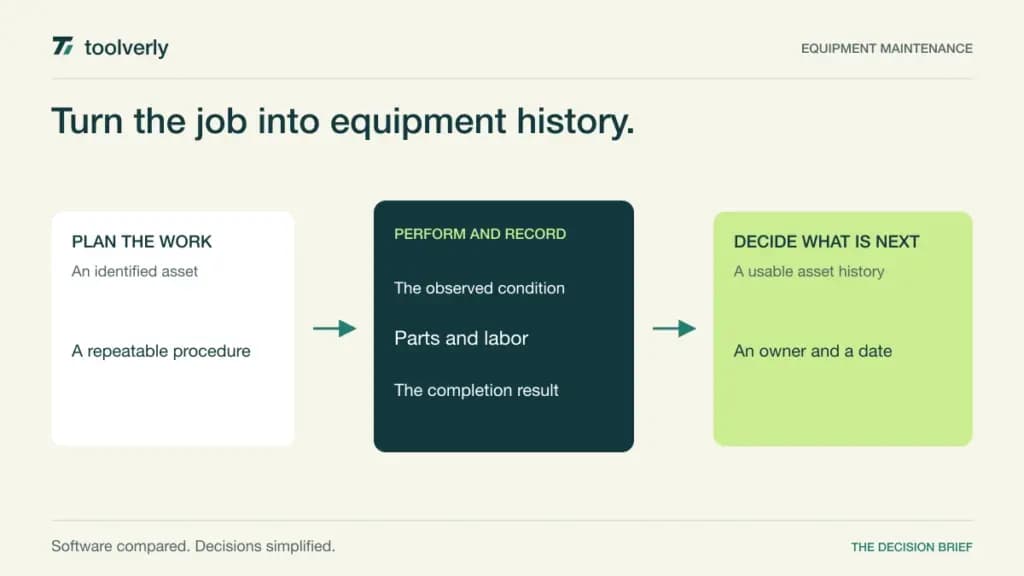
A maintenance team needs more than a list of jobs. The useful record connects equipment history, the reason for a work order, the procedure performed, the parts consumed and the next decision. When those details live in separate notebooks, recurring work can continue without anyone knowing whether it addresses the actual failure pattern.
A computerized maintenance management system, or CMMS, organizes that equipment lifecycle. MaintainX, Limble, UpKeep, Fiix, and eMaint offer different combinations of technician workflows, preventive maintenance, inventory, reporting and site controls. The buying question is which system your team can keep accurate while work is happening on the floor.
This comparison draws on official plan information checked October 8, 2026. It contains editorial fit assessments rather than hands-on reliability results. A CMMS has a different primary job from customer field service scheduling: maintaining company equipment and its work history. Spare-part usage also needs a deliberate boundary with the organization’s wider stock management process.
Five CMMS choices compared
| Product | Best fit | Main strength | Meaningful tradeoff |
|---|---|---|---|
| MaintainX | Frontline teams digitizing repeat work | Work orders, procedures and technician communication | Procedure and advanced workflow limits vary by tier |
| Limble | Teams organizing preventive maintenance | Asset records, repeat work and dashboards | Parts, offline work and integrations require higher scope |
| UpKeep | Teams growing into broader asset operations | Maintenance workflows with an expandable platform | Offline and governance capabilities sit in higher tiers |
| Fiix | Teams needing structured maintenance growth | Preventive work, site management and reporting tiers | Operator access and AI assistance have separate scope |
| eMaint | Established equipment programs | Configurable maintenance, parts and condition workflows | User minimums and implementation need a scoped quote |
MaintainX
MaintainX connects work orders, procedures and real-time messaging. Its entry plans provide a route away from paper, while higher tiers add capabilities around equipment reliability, parts and purchasing. That progression can suit a team that wants to establish a disciplined technician record before introducing deeper analysis.
Basic is free but limits important recurring-work and attached-procedure allowances. Essential is USD20 per user per month billed annually, or USD25 billed monthly. Premium is USD65 annually or USD75 monthly, and adds unlimited work orders with attached procedures, meter-based maintenance, parts inventory, purchase orders and API access. Enterprise uses custom pricing for further site and control requirements. Requester accounts are free; named app users are the paid population described on the page.
Best fit: teams making frontline work visible through repeatable procedures. Limitation: a low entry price may not include the procedure volume, history or parts workflow required. In evaluation, ask a technician to complete a recurring job, capture an abnormal result and show the follow-up owner. Check whether the record is usable by the next shift without a separate explanation in chat. MaintainX plans and user definitions.
Limble
Limble’s current Standard plan brings together assets, work orders, preventive maintenance, work requesters and custom dashboards. That is a sensible foundation for equipment teams whose immediate problem is knowing what needs attention and keeping a shared history. The asset hierarchy and reporting should reflect how technicians identify equipment, rather than how a vendor’s sample database is organized.
Premium+ adds spare parts, vendor and purchase-order management, offline mobile work, meter or threshold scheduling, and REST API access. Enterprise extends the scope to multiple locations, custom roles and approvals. The pricing page directs buyers to calculate or request pricing; it does not establish a reusable public seat rate. Some enterprise integration and identity features carry additional qualifications, so obtain an explicit inclusion list.
Best fit: teams building a maintained preventive-work and asset-record process. Limitation: inventory, offline use and advanced controls may require a higher package. Give the evaluator an asset with two recurring tasks and a realistic spare-part requirement. Inspect how skipped, delayed and completed work appear in the history, then check whether the dashboard answers the supervisor’s next decision. Limble’s current plan structure.
UpKeep
UpKeep organizes maintenance within a broader asset operations platform. The checked Essential offer covers unlimited work orders and locations. Premium adds preventive-maintenance scheduling, checklists, parts costing, labor tracking and a limited analytics-history window. This gives buyers a visible distinction between a basic work list and a more complete maintenance record.
The displayed USD prices are USD24 per user per month for Essential and USD55 for Premium. Confirm the billing commitment in the actual offer; the extracted plan cards do not establish it clearly. Professional and Enterprise require quotes. Professional adds offline mobile work, an external request portal and full analytics history. Enterprise adds further site, workflow, integration and governance capabilities.
Best fit: teams expecting maintenance to connect with a wider equipment operation. Limitation: offline access and deeper controls should not be assumed in an entry subscription. Separate the Maintenance package from other products and any AI allowances. Ask the technician to find the right asset, finish a checklist and log a consumed part; then ask the supervisor to reconstruct labor and parts cost from that record. UpKeep pricing and feature tiers.
Fiix
Fiix offers a free plan with work orders, asset management and a limited preventive-maintenance allowance, followed by paid tiers for broader operations. Basic removes the preventive-work limit and adds reports, resource-based scheduling and support access. Professional moves further into multi-site management, purchasing, nested preventive maintenance and custom reporting.
The checked page lists Basic at USD45 per user per month and Professional at USD75. Enterprise is custom priced and adds further customization, audit and integration options. Confirm payment term, taxes and implementation in the proposal instead of treating a monthly unit as proof of cancellable monthly billing. A Lite operator license is separately quoted and must accompany a paid plan. Fiix MAX is another separately priced addition for Professional or Enterprise.
Best fit: teams wanting a clear path from basic maintenance records to structured site reporting. Limitation: full users, limited operators and optional services need different cost assumptions. Test a nested maintenance schedule with an actual equipment example. Ask what happens when completing a larger service should also satisfy a smaller recurring task, and inspect the evidence that remains. Fiix plans, licenses and add-ons.
eMaint
eMaint’s current Professional and Enterprise plans emphasize configurable equipment maintenance. Professional includes work orders, preventive maintenance, meter readings, parts inventory, condition-based triggers and offline mobile work. The range is relevant when a facility already has a developed reliability process and needs the software to reflect it.
The current page specifies a three-user minimum for Professional and five for Enterprise. It directs buyers to a demonstration and tailored pricing rather than displaying the older Team or fixed-seat prices found in historical comparisons. Professional and Enterprise are described as prepaid annual commitments. Setup and implementation options vary, and items marked as additional services should be scoped separately.
Best fit: established maintenance functions with explicit equipment, parts and process requirements. Limitation: configuration breadth creates implementation decisions and ongoing ownership work. Have the intended administrator show how an equipment class, maintenance rule and reporting field are changed. Ask which changes need specialist assistance, and what data and configuration can be exported later. Enterprise’s global site controls and integrations should be justified by a real operating requirement. eMaint’s current plans and contract guidance.
Start with equipment history and technician access
Build the pilot around a small equipment group with genuine recurring work. Assign stable identifiers, locations and responsible people before importing records. A well-populated asset database is less useful if technicians cannot distinguish two similar machines. Define what completion means: a checked procedure, a reading, a part record or a supervisor’s acceptance.
Include a failure and a deferred job alongside normal preventive maintenance. Follow the request through assignment, technician action, review and the next scheduled step. If connectivity is unreliable, rehearse offline behavior on the actual device. Confirm the selected plan’s entitlement before relying on a capability shown in a demonstration.
Reporting should help the supervisor act. Start with overdue critical work, repeat faults and parts availability. Agree on the meaning of downtime and failure classifications before comparing dashboards. A new chart cannot repair inconsistent historical recording, and vendor claims about reduced downtime are not predictions for your facility.
- Count technicians, administrators, requesters and limited operators separately.
- Identify procedure, parts and maintenance-history requirements.
- Specify who maintains asset names and recurring-work rules.
- Confirm offline, site, API and approval entitlements.
- Include setup, training and ongoing administration in the budget.
Consider MaintainX for frontline procedures, Limble for preventive-work organization, UpKeep for an expanding asset operation, Fiix for structured maintenance tiers, or eMaint for configurable established programs. Choose the system that produces a record the next technician can trust.
Original illustration by Toolverly. Read about our publication or send a correction.