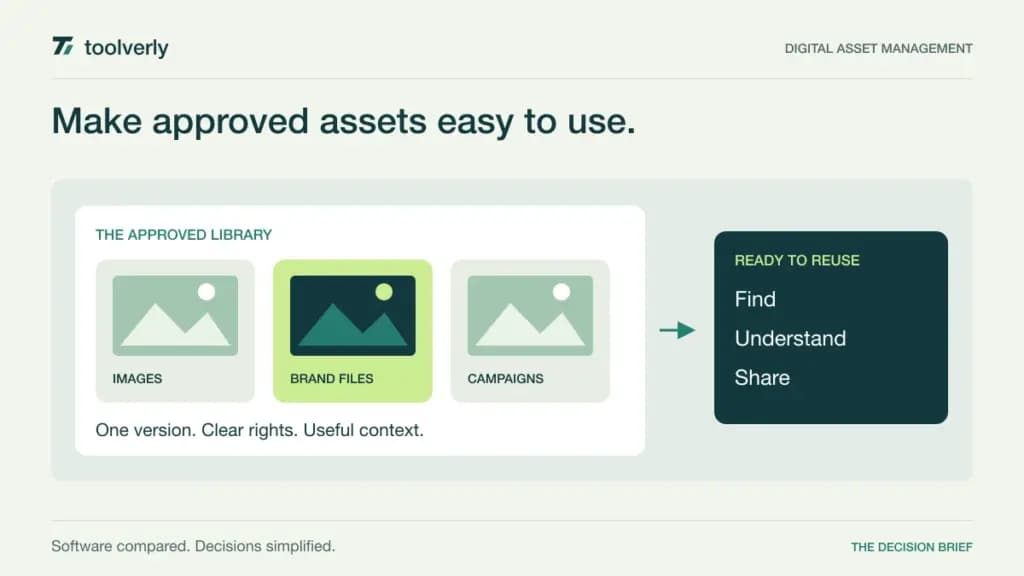
A digital asset management system should answer a deceptively difficult question: which version of this asset can this person use, for this purpose, today? A folder full of logos is easy to create. Keeping campaign images, usage rights, regional variations, and agency access understandable is the harder operational problem.
Bynder, Brandfolder, Frontify, Canto, and Filecamp approach that problem at different levels of complexity. This comparison focuses on selecting an approved asset library for a marketing or creative team. It is based on official product and pricing information checked on September 28, 2026, rather than hands-on testing. Prices below reflect the stated billing conditions; four vendors require a tailored quote. Dollar amounts in this guide are USD.
Start with asset governance, then compare storage
Map three journeys before requesting demonstrations: a designer uploading a replacement, a marketer finding an approved variant, and an external partner downloading it. Each journey should have an owner and a clear permission boundary. If every asset still requires a message to the design team, the library has not solved distribution.
Our comparison of business file sharing software covers general document access and delivery. DAM adds a more specialized decision about asset classification, approved reuse, and brand context. Similarly, online proofing software helps reviewers resolve creative changes; a DAM should make the resulting approved file discoverable after that discussion ends.
| Product | Strongest buying rationale | Verified price basis | Scope to check |
|---|---|---|---|
| Bynder | Governed distribution across a larger marketing stack | Custom quote | Modules, users, storage, and implementation |
| Brandfolder | A searchable library with controlled sharing | Custom quote | Advanced governance and analytics tier |
| Frontify | Assets alongside brand guidelines | Quote based on monthly active users | Active external collaborators and usage band |
| Canto | A marketing library with optional broader workflows | Custom quote | Core DAM versus collaboration or product capabilities |
| Filecamp | A smaller shared library with published subscription prices | Basic $29/month; 20 GB | Storage and features reserved for higher plans |
Bynder
Bynder is a candidate when an asset library must work across teams and existing marketing systems. Its core DAM covers organization, access and usage rights, and sharing. The official pricing page describes a modular offer rather than a public fixed subscription: selected products, users, storage, support, and usage within the wider marketing environment influence the proposal.
Strength: the buying conversation can extend beyond a repository into asset workflow, content creation, delivery, and analytics. That breadth matters when the same approved image needs to reach several channels without an employee repeatedly exporting and sending copies.
Limitation: available modules should not be mistaken for everything included in a base agreement. Ask the vendor to identify exactly which steps your proposed configuration covers and which require additional products or integration work. A polished search demonstration also does not replace a realistic metadata migration plan.
Best fit: organizations with multiple contributors, distribution destinations, and a named owner for asset governance. In a pilot, replace one campaign asset and follow its old and new versions through internal search and external delivery. Decide who is responsible when an outdated copy remains accessible.
Brandfolder
Brandfolder presents its library through organization, search, collections, and controlled sharing. Its current plan comparison lists capabilities such as metadata, version history, branded presentation, integrations, and asset transformation. Pricing requires a quote, so there is no dependable public per-user figure to use for a budget spreadsheet.
Strength: it is well worth evaluating when the main friction is helping other teams find and reuse approved material. Collections and share links offer useful ways to assess how a central library can serve distinct campaigns or audiences without creating a separate uncontrolled folder for each request.
Limitation: governance requirements can move the purchase beyond the core plan. The comparison places features including publish and expiration dates, SSO/SAML, and additional analytics in Premium, while Enterprise expands controls for more complex organizations. Put these requirements in the quote rather than assuming they are standard.
Best fit: a marketing operation that needs a recognizable self-service asset destination. Test an ordinary requester with incomplete knowledge of file names. Can they find the correct region, format, and version, and understand whether they may share it externally? That task is more revealing than the number of thumbnails on screen.
Frontify
Frontify is especially relevant when brand guidance and brand assets need to be encountered together. Its proposition connects DAM with guidelines, portals, templates, and related collaboration capabilities. That can reduce the gap between downloading a logo and knowing how the logo should be used.
The official pricing explanation uses monthly active users, with tailored pricing instead of a public rate card. A person who logs in during the month counts as active, including an agency collaborator; anonymous viewers do not. The page describes six-month averages and annual reassessment of the usage band. This is a pricing metric, not a promise of a cancellable monthly contract.
Strength: teams can evaluate assets in the context of the rules and examples that make them usable. Limitation: external participation and seasonal launches need to be included when estimating activity. Counting only employees who administer the library will produce a misleading budget.
Best fit: organizations coordinating a brand across employees and partners. Ask a new agency user to locate approved materials and the relevant guidance without a separate briefing. Also establish who maintains the guidance: centralizing outdated instructions would simply make the wrong answer easier to find.
Canto
Canto offers a core asset library and broader packages for collaboration, product content, and more advanced requirements. Its pricing page makes clear that proposals depend on team size, storage, and capabilities; the illustrated packages are customizable rather than fixed public dollar tiers.
Strength: buyers can start the discussion with secure storage and search, then assess whether they also need proofing, templates, brand portals, or product information workflows. The distinction is useful for a team whose library requirements are growing beyond simply collecting files.
Limitation: the presence of a capability somewhere in the portfolio does not establish its inclusion in a core DAM quote. Request a written mapping from your required workflows to the proposed package. Product catalogs, enhanced collaboration, and advanced customization should have explicit ownership and cost assumptions.
Best fit: marketing teams that want to organize a substantial asset collection and may need adjacent workflows. Build a trial collection containing duplicates, regional variants, older versions, and files with incomplete metadata. Evaluate the work needed to clean it up, not just the quality of search once everything has been carefully labeled for a demonstration.
Filecamp
Filecamp provides a more transparent starting budget. Its published plans are Basic at $29 per month with 20 GB, Advanced at $59 with 50 GB, and Professional at $89 with 100 GB. All include unlimited users. Annual payment is available at the same effective price, rather than a discounted annual rate.
Strength: a small team can separate collaborator count from storage capacity when estimating cost. Basic provides access controls, branding, metadata, and search. Advanced adds capabilities including collections and additional customization; Professional includes features such as a custom domain, white labeling, and commenting.
Limitation: unlimited users does not mean unlimited storage or identical functionality across plans. A video-heavy library may outgrow the included capacity quickly. Calculate the actual size of the approved collection plus likely growth, and obtain the cost of extra storage before comparing it with a larger vendor’s quote.
Best fit: a smaller creative business or marketing team sharing a bounded collection with clients and partners. Test access from both sides: what an administrator can organize and what an external user can actually understand. Start with one real client collection and confirm that removing access is as straightforward as granting it.
Choose with a realistic collection
Shortlist Filecamp when a clear budget and a manageable library dominate the decision. Consider Frontify when brand guidance is central to reuse. Evaluate Brandfolder for discoverability and controlled sharing, Bynder for broader modular distribution needs, and Canto when asset management may extend into additional content workflows. These are starting points for evaluation, not performance rankings.
Give each finalist the same collection and the same tasks. Record upload effort, search success, permission clarity, replacement behavior, and the work required to retire an asset. Include at least one external user and one person unfamiliar with the taxonomy. A successful pilot should expose administrative effort as well as end-user convenience.
Finally, request a costed migration and exit plan. Exportable files alone may not preserve useful metadata, versions, or relationships. Name a library owner, define the minimum required fields, and schedule periodic review of obsolete assets. Those decisions determine whether the system remains a trustworthy source after the launch project ends.
Original illustration by Toolverly. Read about our publication or send a correction.