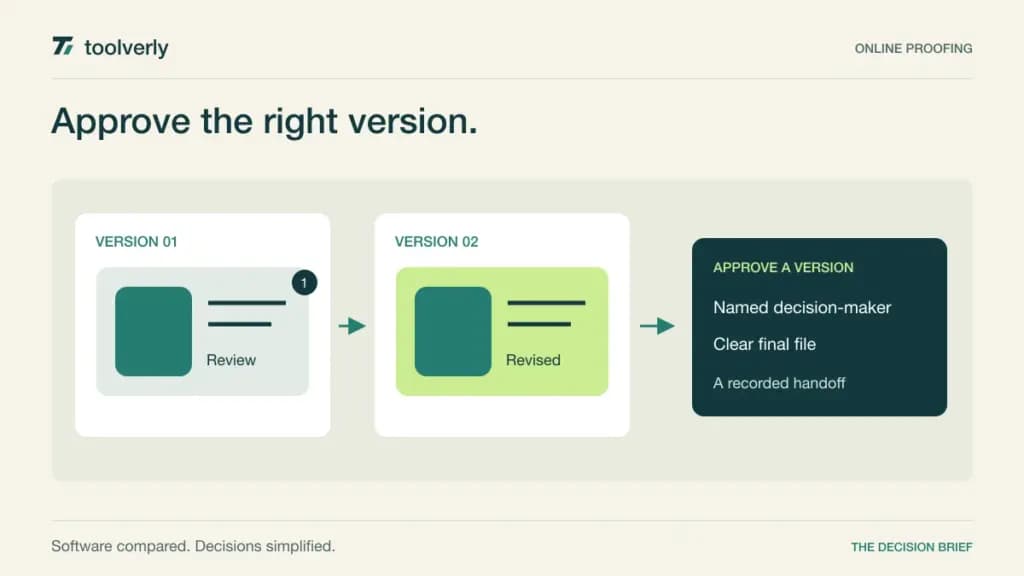
Creative work often stalls after the first draft. A designer receives one comment in email, another in chat, and a third on an outdated PDF. Someone says “approved,” but it is unclear whether that approval applies to the final version or only to one element. Online proofing software gives feedback a location, a version, and an explicit decision.
Filestage, Ziflow, PageProof, GoVisually, and Approval Studio all address this problem, with different approaches to reviewer groups, workflow stages, storage, and paid users. This comparison is about reviewing and approving creative assets. The long-term home for finished files remains a separate decision, covered in our business file sharing guide.
We checked official features and pricing on September 26, 2026. Recommendations below reflect documented capabilities and editorial analysis, not measured review-time savings. Prices are in US dollars with the relevant billing conditions stated. Vendor claims about faster delivery are not treated as guaranteed outcomes: your process still needs a named decision-maker and a clear definition of approval.
Separate feedback from the authority to approve
List who may suggest changes, who must approve, and who resolves contradictory feedback. An unlimited reviewer allowance is useful, but it does not automatically create a workable approval chain. A campaign with legal, brand, and regional reviewers may need several stages, while a freelancer working with one client may need only a precise annotation and a final response.
Check file types, version comparison, reminders, and access rules against a real project. Then define what happens after approval. Your social media publishing tool should receive the approved asset and wording, with enough context to avoid using a superseded file. A proofing record is most valuable when its final decision survives that handoff.
| Product | Best fit | Main strength | Important tradeoff |
|---|---|---|---|
| Filestage | Teams coordinating internal and external reviewers | Reviewer groups and structured feedback rounds | Workflow depth and formal controls depend on tier |
| Ziflow | Agencies and marketing teams with staged reviews | Proofing workflow with explicit stage allowances | Audit retention and automation vary by plan |
| PageProof | Teams wanting broad proofing with flat team pricing | Unlimited proofs, reviewers, and storage | Identity and enterprise requirements change the package |
| GoVisually | Freelancers and smaller creative teams | Accessible entry for visual client feedback | Entry plan excludes video and limits reviewers |
| Approval Studio | Small teams reviewing artwork and versions | Comparison tools with a compact team package | Automation and some tools are additional purchases |
Filestage
Filestage is a good candidate when review rounds include both colleagues and outside stakeholders. Its pricing distinguishes simple file feedback from structured review workflows and more formal controls. The important concept is the reviewer group: a project can need separate rounds even when the number of individual reviewers is modest.
The free plan lists one active project, five new files per month, two reviewer groups, ten team members, and unlimited reviewers. On annual billing, Starter is US$199 per month and Business US$329. Starter adds unlimited active projects and files, version comparison, team-only comments, due dates, and reminders. Business adds a third reviewer group and workflow automation. Enterprise is custom priced and includes audit logs and verified approval. See Filestage’s plan details.
The strength is a visible progression from gathering comments to coordinating review stages. The limitation is that the number and type of stages can determine the plan before storage does. For a trial, use one asset with internal review followed by client approval. Change the asset after the first round and inspect whether reviewers can distinguish resolved feedback from new work. Confirm that internal-only comments remain private throughout the handoff.
Ziflow
Ziflow suits teams that need a defined path through several reviewers and asset types. Its commercial comparison makes workflow stages, templates, proof history, and audit history visible as separate limits. That distinction is useful: keeping old creative versions is not necessarily the same as retaining every administrative event around them.
Standard is US$199 per month billed yearly, with 15 included users, unlimited proofs and reviewers, two workflow stages, one active workflow template, and 1 TB of storage. Pro is US$329 per month annually, with 20 included users, three stages, and 2 TB. Standard lists 90 days of audit history; Pro lists one year. Enterprise has custom pricing and broader workflow and security capabilities. See Ziflow’s official plan comparison.
The advantage is a clear framework for evaluating a staged approval process. The tradeoff is that a team with many review patterns may hit template or stage constraints before exhausting its included users. Draw the actual sequence for a campaign and identify where a single approval is sufficient versus where every reviewer must respond. Ask the demonstration to follow that sequence, including a rejection and resubmission, rather than only showing a smooth first-pass approval.
PageProof
PageProof is worth considering when the organization wants broad proofing capacity with a team-level price. Its official offer includes unlimited reviewers, proofs, versions, and storage, and supports feedback across many creative formats. That can simplify budgeting for a team whose volume varies substantially between campaign launches.
The checked monthly view showed Team at US$249 per month and Team Plus at US$499. Team lists unlimited workflow templates alongside unlimited proofs and reviewers. Team Plus adds features such as SSO, scheduled proofs, comment labels, and delivery of final files to storage. Enterprise requires a quote and adds further organizational controls. Consult PageProof’s pricing and feature matrix for the exact package.
The strength is removing several common volume calculations from the buying decision. The limitation is that unlimited capacity does not mean every governance or integration requirement is included in the entry tier. Compare the person uploading work, the external reviewer, and the administrator as separate roles. In a trial, review the actual formats your team ships, then retrieve an older approved version. The workflow should make the final decision clear even to a colleague who did not participate in the discussion.
GoVisually
GoVisually is a practical candidate for freelancers and small teams that want client comments attached directly to creative work. Its current entry plan is explicitly scoped, making it easier to decide whether a lightweight review process is enough. That clarity is useful when the alternative is a long thread of image attachments and conflicting replies.
Lite is US$16 per user per month on annual billing for one to five users. It includes 15 active projects, up to 15 external reviewers, and 50 GB of storage, but excludes video and GIF support and project archiving. Pro is US$33 per user per month annually with a three-user minimum. It adds video, archiving, unlimited external reviewers, and integrations. See GoVisually’s current plans.
The strength is a low starting commitment for a narrow static-design workflow. The limitation is that a team producing motion assets or needing retained project archives should evaluate Pro from the outset. At its minimum seat count, Pro represents US$99 per month on the annual plan, not a US$33 total team subscription. Before buying, have a client review an asset on their usual device and explain the revision they want. Clear feedback is more important than an impressive list of annotations.
Approval Studio
Approval Studio is relevant for smaller teams that need artwork review and visible comparison between versions. The plan matrix includes four comparison modes, annotations, video review, and website review. Its package-based pricing can make sense when several internal colleagues need access but external review volume is difficult to predict.
On monthly billing, Lite is US$65 per month for five included users and 5 GB of storage, with unlimited projects and reviews. Pro is US$179 with five included users; Pro XL is US$330 with 15 users and 30 GB. The annual view displays lower monthly equivalents. Workflow automation is an extra on the smaller packages, while tools such as the barcode scanner and spellchecker have their own tier boundaries. See Approval Studio’s official comparison.
The strength is a compact team package with useful version-review tools. The limitation is that add-ons and storage can change the practical cost of an artwork-heavy process. Ask the vendor to price your intended workflow, including every additional tool, instead of stopping at the base subscription. For a trial, use two versions with a small but consequential change and ask a reviewer to locate it, comment precisely, and identify which version is ready for delivery.
Buy a clear decision trail
Shortlist Filestage for grouped internal and external review, Ziflow for a structured sequence of stages, and PageProof when broad capacity and a team-level price are priorities. GoVisually is attractive for a focused small-team process, provided its file and archive boundaries fit. Approval Studio deserves attention when comparison tools and a compact internal-user package match the work.
Evaluate the awkward cases. A reviewer misses a deadline, two approvers disagree, the client comments on an old version, or someone uploads a change after approval. The platform should help the team recognize these situations and assign the next action. It should not quietly turn a new version into an approved deliverable.
Before rollout, write a short approval rule: what the decision covers, which version it names, and who may release the finished asset. Keep the approved file and decision accessible after the project closes. Better proofing begins with precise feedback, but its real value is confidence about what the team has permission to publish.
Original illustration by Toolverly. Read about our publication or send a correction.