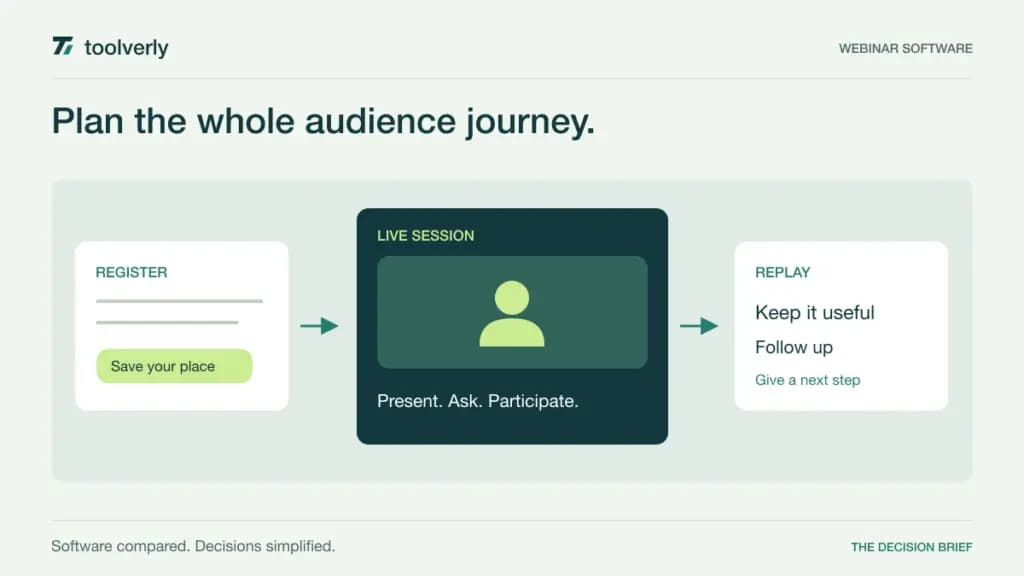
A webinar platform has to support more than a video broadcast. Someone must register, receive the right reminders, enter the session, interact with the presenter, and find the replay. The team running the event also needs a workable way to rehearse, handle questions, and pass useful attendance information to the next owner.
Livestorm, Demio, BigMarker, Crowdcast, and WebinarJam package those requirements differently. This comparison uses official features and prices checked on September 28, 2026. It is an editorial evaluation of the published offers, not hands-on testing. Attendance credits, concurrent audience limits, streaming hours, and host licenses are different billing units, so their headline prices are not directly interchangeable. Dollar amounts in this guide are USD.
Budget around your event calendar
Model a realistic month and year: event count, expected live attendance, replay viewing, session duration, and overlapping events. Include a quiet month and a campaign launch. A platform billed by attendee credits behaves differently from one with a fixed room capacity or monthly streaming-hour allowance.
Registration also sits inside a larger marketing process. Our email marketing platforms comparison covers audience communication, while the small-business CRM guide considers follow-up ownership. During evaluation, establish which system owns contact records and which event signals should trigger a sales or customer-success action. Attendance alone is not evidence of purchase intent.
| Product | Useful evaluation scenario | Verified price example | Main capacity question |
|---|---|---|---|
| Livestorm | A recurring program with live and replay audiences | €2.50/attendee in the displayed 400-credit annual configuration | Credits consumed across sessions |
| Demio | Browser-based marketing webinars | Starter $45/month, billed annually | 50-attendee Starter room; host needs |
| BigMarker | A broader, configurable webinar program | Custom annual subscription quote | Live capacity, hosts, and replay library |
| Crowdcast | Interactive community events and replays | Lite $49/month on monthly billing | 100 live attendees and 10 streaming hours/month |
| WebinarJam | Structured presentation and sales events | Starter $49 monthly or $39/month billed annually | 100 attendees, one host, one-hour sessions |
Livestorm
Livestorm now describes annual attendee-credit packages rather than a simple monthly active-contact allowance. The pricing configuration checked displayed €2.50 per attendee at 400 credits with EUR selected. Treat that as a particular annual package configuration, not a universal rate for every volume or currency.
Strength: the attendance definition distinguishes actual participation from registration. A no-show does not consume a credit, and one person attending a session live and watching its replay counts once for that session. The same person attending two different sessions counts twice. Internal team members do not consume attendee credits.
Limitation: recurring audiences can consume credits repeatedly across the program. When the allowance is exhausted, additional attendees require an upgrade. Pro also has a four-hour session limit, while enterprise features and add-ons need separate scoping.
Best fit: teams prepared to forecast participation across live, replay, and on-demand sessions. Use last year’s event calendar to estimate credits, including a popular repeat series. Ask how the system reports remaining allowance and handles a demand spike. The useful test is whether the event owner can predict the cost of success before inviting a larger audience.
Demio
Demio is a candidate for teams running marketing webinars through a browser-based attendee experience. Its annual pricing selector lists Starter at $45 per month with one host and a 50-attendee room. The checked Growth configuration was $80 per host per month on annual billing at 150 attendees; larger room selections change the price.
Strength: the product brings together registration, live interaction, and engagement reporting. Chat, polls, handouts, and featured actions are relevant to an event where the presenter needs more than passive viewing. Evaluate them with a genuine session outline instead of a feature-by-feature demonstration.
Limitation: room size and host licensing need separate attention. A team planning simultaneous events may need additional hosts, and higher-capacity or broader-feature configurations cost more than Starter. Do not assume the first displayed Growth price covers every audience size.
Best fit: a marketing team that wants an understandable path from registration to follow-up. Rehearse with a presenter, a moderator, and a few attendees on different devices. Check whether the moderator can manage questions while the presenter continues, and whether the resulting report distinguishes useful interaction from mere presence. Confirm the exact automation and branding requirements against the selected plan.
BigMarker
BigMarker describes a broader webinar offer with live, on-demand, registration, email, and engagement capabilities. Its pricing page requires a quote and states that webinar subscriptions are annual. Basic lists up to 1,000 live attendees and one host; Enterprise increases capacity and adds capabilities such as automation, series, and additional integration options.
Strength: it is worth evaluating when webinars form an ongoing program rather than an occasional presentation. A buyer can discuss production requirements, registration flows, interaction, integrations, and a growing content library within the same proposal.
Limitation: unlimited live webinars does not imply unlimited replay storage. The page states that storage for up to 100 on-demand webinars is included, with additional capacity available separately. Host counts and integration scope also vary, so a quote should include the expected operating model.
Best fit: organizations with enough recurring activity to justify a detailed configuration exercise. Demonstrate a complete program: registration for a live session, recording publication, replay access, and eventual retirement of older content. Ask who will maintain those steps internally. A broad platform can still create a bottleneck if every change requires the same overloaded event administrator.
Crowdcast
Crowdcast is an option for recurring audience interaction and community events. The monthly plans checked were Lite at $49, Pro at $89, and Business at $195. Lite includes 100 live attendees, 10 streaming hours per month, one team seat, and sessions up to two hours. Larger tiers increase those allowances.
Strength: the pricing separates a public-facing event audience from the small team producing it. Replay availability and paid-event capabilities also make it relevant to a program where sessions remain useful after the live broadcast. Assess how easily a returning audience finds the next event and earlier material.
Limitation: unlimited registrants does not mean unlimited simultaneous attendance. Extra attendees and streaming hours can create additional charges, while paid events carry a platform transaction fee plus payment processing. Confirm the applicable overage and transaction schedule in writing for your plan.
Best fit: communities, educators, and organizations with a repeat audience rather than only one-off lead-generation campaigns. Model the whole month, including rehearsals or additional sessions that may count toward the allowance. Test the attendee experience with someone joining late and someone returning solely for the replay; their journey may matter as much as the presenter’s controls.
WebinarJam
WebinarJam is positioned around live presentations with registration, audience interaction, and offer displays. Its current pricing lists Starter at $49 on monthly billing or $39 per month billed annually, covering 100 attendees, one host, and one-hour sessions. Basic increases those limits to 500 attendees, two hosts, and two-hour sessions for $99 monthly or $79 per month annually.
Strength: the plan structure makes audience capacity and presentation duration visible. Chat, polls, registration pages, and offers are useful to examine when a session has a clear presentation sequence and a defined next action.
Limitation: more host seats do not automatically mean parallel events. The pricing FAQ says simultaneous webinars are not advised or supported. Basic and higher plans also describe access to the EverWebinar automation companion; confirm the intended live versus automated workflow rather than treating every capability as identical.
Best fit: teams running structured product demonstrations or educational sales presentations. Rehearse the handoff between presenters, the timing of audience actions, and the response to a session running long. If multiple business units need overlapping events, resolve that requirement before making a purchase based on the apparently sufficient attendee allowance.
Run a rehearsal before choosing
Use the same 30-minute rehearsal for each finalist. Include registration, confirmation, a late joiner, a poll, a question requiring moderation, a presenter handoff, and replay access. Record the work needed to prepare and operate it. This produces a more useful comparison than a long feature checklist with no assigned owner.
Then check the operational boundaries: concurrent events, room overflow, session length, credit or hour exhaustion, recording retention, exportable attendance data, and support availability during your event hours. Confirm the currency, annual commitment, taxes, and add-ons in the actual proposal. None of those terms should be inferred from an attractive monthly equivalent.
Livestorm merits a look for attendance-based budgeting, Demio for a focused marketing workflow, BigMarker for a broader configured program, Crowdcast for recurring community participation, and WebinarJam for structured presentations. Choose the platform whose limits match your calendar and whose routine tasks your team can sustain without turning each event into a separate production project.
Original illustration by Toolverly. Read about our publication or send a correction.