A remote desktop subscription can look inexpensive until three technicians need to work at once. Some vendors license people, others emphasize simultaneous connections, and others sell access to a fixed collection of computers. Those are different budgets for different jobs.
This guide compares AnyDesk, TeamViewer, Splashtop, Zoho Assist, and RemotePC for businesses choosing authorized remote access. Start by separating employees reaching their own office computers from technicians supporting other people. A personal remote-work subscription and a support desk package may share a brand without sharing the same entitlement.
Research checked September 29, 2026. This is an editorial comparison of official product and pricing information, not a hands-on performance benchmark. Prices below retain the currency shown in the reviewed regional offer. Annual equivalents require annual billing; taxes, promotions, additional channels, and specialist integrations can change the final order.
Compare the licensing unit first
| Product | Useful shortlist fit | Reviewed price reference | Main constraint to check |
|---|---|---|---|
| AnyDesk | A shared pool of support staff | Standard €41.90/month, billed annually, before VAT | One concurrent connection despite up to 20 licensed users |
| TeamViewer | Managed support with deployment requirements | Premium €70.90/month, billed annually, before tax | 15 licensed users share one concurrent channel |
| Splashtop | Employees accessing assigned computers | Remote Access Pro $99/user/year | 10 computers per license; support products are separate |
| Zoho Assist | Attended support or unattended device pools | Remote Support Standard €10/technician/month, billed annually | Unattended Access is a separately priced product |
| RemotePC | A defined fleet of office computers | Team displays $24.96/month equivalent with annual billing | 50-computer package; introductory price differs |
AnyDesk
AnyDesk deserves consideration when several people need permission to provide support but relatively few sessions happen simultaneously. Standard combines up to 20 licensed users and 500 managed unattended devices with one concurrent connection. Its listed tools include file transfer, session recording, privacy mode, administration, and a customized application.
Pricing: the reviewed European offer lists Standard at a regular €41.90 per month with annual billing, excluding VAT. A €33.52 first-year promotional equivalent was also displayed. Budget using the regular rate, then document any introductory discount separately. Additional concurrent connections change the cost.
Strength: its licensing dimensions make a useful starting point for a support group that shares a relatively quiet queue. Limitation: 20 authorized users does not mean 20 independent sessions can run together. The waiting technician, rather than the account administrator, experiences that bottleneck.
Best fit: a business that can estimate peak concurrency. During evaluation, simulate two urgent requests arriving together and check who can connect, who has to wait, and what evidence remains after the work. Check the exact platform and administrative controls in your order. AnyDesk pricing and plan allowances.
TeamViewer
TeamViewer is worth reviewing when remote support has become an administered business process. The Premium offer reviewed includes 15 licensed users, 300 managed devices, deployment tools, and session reporting. Its one concurrent channel is the central capacity constraint; a channel’s ability to hold multiple session tabs should not be mistaken for independently available technician channels.
Pricing: the official page served a European Premium rate of €70.90 per month, billed annually before tax. Corporate displayed €149.90 per month annually with 30 licensed users, three channels, and 500 managed devices. These are regional EUR references, not universal dollar prices.
Strength: the package gives teams a clear way to compare administration, managed-device capacity, and simultaneous work. Limitation: mobile-device support and particular integration packages can be additions to the base subscription. A familiar brand name does not identify the complete bundle.
Best fit: organizations that need an accountable support workflow across a substantial fleet. Bring an actual escalation scenario to the demonstration: a technician hands a session to a colleague, reconnects after a reboot, and later finds the record. Ask the vendor to price that exact sequence and its required integrations. TeamViewer plan overview.
Splashtop
Splashtop Remote Access Pro is a practical candidate when the main job is allowing staff to reach their assigned work computers. The reviewed plan supports 10 computers per license and includes multiple-monitor operation, file transfer, remote printing, roles, chat, and recording. Those functions address daily remote work without making every buyer design a support operation.
Pricing: Pro is $99 per user per year, displayed as $8.25 per month with annual billing. Solo is a smaller offer at $72 annually for access to two computers. The separate Remote Support product family should be evaluated when technicians need to support other people at scale.
Strength: an explicit per-user subscription and computer allowance are easy to map to named remote workers. Limitation: a low Remote Access price does not establish the price of a service desk, enterprise identity features, or every support workflow.
Best fit: a small organization with stable assignments between people and machines. Test a real multimonitor workflow and the printer or peripheral that matters to the employee. Check what happens when a laptop is replaced or access must be reassigned; these everyday changes often matter more than an ideal demonstration. Splashtop pricing.
Zoho Assist
Zoho Assist makes the distinction between attended assistance and unattended computers especially important. Remote Support Standard provides two concurrent sessions per technician, while its listed functions include file transfer, multiple-monitor navigation, reboot and reconnect, session transfer, reports, and voice chat. Higher support editions add further operational controls.
Pricing: Remote Support Standard displayed €10 per technician per month with annual billing. Unattended Access Standard separately displayed €10 per month annually for a 25-computer pack, with unlimited technicians. Taxes are extra. Identical headline numbers describe different entitlements and should not be added or substituted without mapping the intended use.
Strength: the separate product structure can accommodate a help session with a person present or administration of a known fleet. Limitation: buying the wrong unit produces a misleading comparison with other vendors.
Best fit: a support team willing to specify both workloads before ordering. List the maximum technicians, simultaneous sessions, and unattended computers. Then ask for a proposal that shows each component and its renewal cost. A mixed scenario is more informative than testing only an attended connection to a colleague. Zoho Assist pricing.
RemotePC
RemotePC is a useful candidate for companies that primarily think in terms of a fleet of computers to reach. The reviewed Team card covers 50 computers and lists unlimited users. Its broader feature set includes browser access, file transfer, remote printing, multiple-monitor support, and session recording.
Pricing: with yearly billing selected, Team displayed a regular $24.96 monthly equivalent and a $18.72 first-year promotional equivalent. These are displayed equivalents, not a month-to-month offer. Confirm the full annual invoice and renewal figure rather than multiplying a rounded number and assuming it is the contractual total.
Strength: the device allowance gives a concrete starting point for an office fleet. Limitation: the pricing page also contains license-model qualifications and separately priced additions. Confirm that the unlimited-user wording applies to the particular package being purchased, and check extra computer and connector charges.
Best fit: a business with a known inventory and predictable access patterns. Evaluate how a departed employee loses access without removing the computer from other authorized users. Verify session permissions, account ownership, and the process for replacing an endpoint. RemotePC plans and pricing conditions.
Use the same access scenario for every trial
Write down three quantities before comparing quotes: named people, managed computers, and peak simultaneous work. Include contractors and occasional support staff. Ask whether a second active session consumes another channel, whether a device remains licensed while offline, and which administration functions require a higher tier.
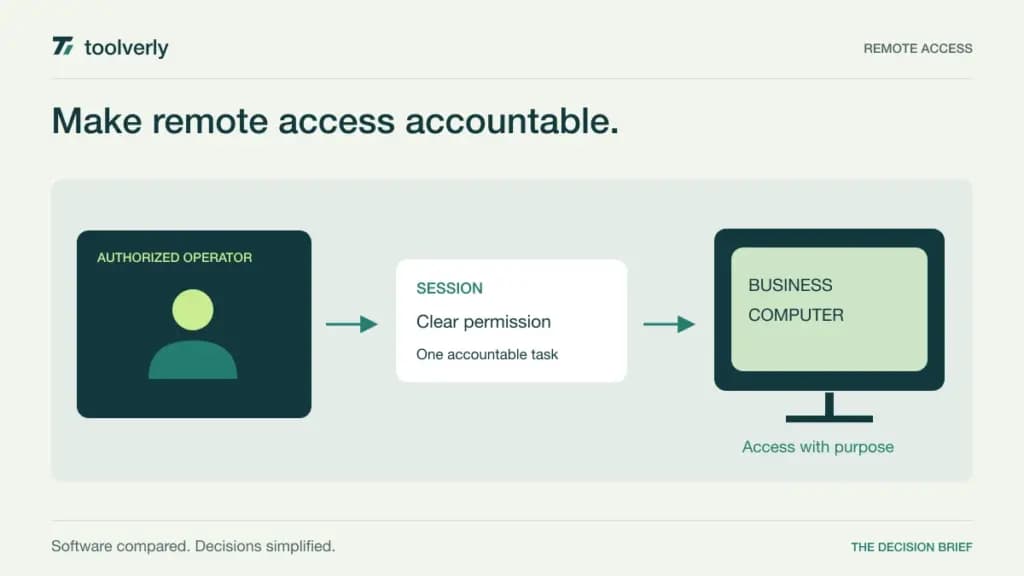
Then evaluate the whole support task. A user requests assistance, sees who is connecting, grants the appropriate access, and receives a clear ending to the session. An administrator should be able to review authorization and remove access later. Test behavior on the actual operating systems and network conditions you expect to support; this article does not establish relative speed or connection reliability.
Keep the remote connection connected to a documented business reason. Our comparison of customer support helpdesk software covers the request and ownership side. The IT asset management guide covers the equipment record that helps staff identify the correct machine.
Choose the offer whose licensing unit matches the work and whose trial proves the required handoff. A low single-connection price is valuable when one connection is enough; it becomes less informative when several colleagues must work at the same time.
Original illustration by Toolverly. Read about our publication or send a correction.