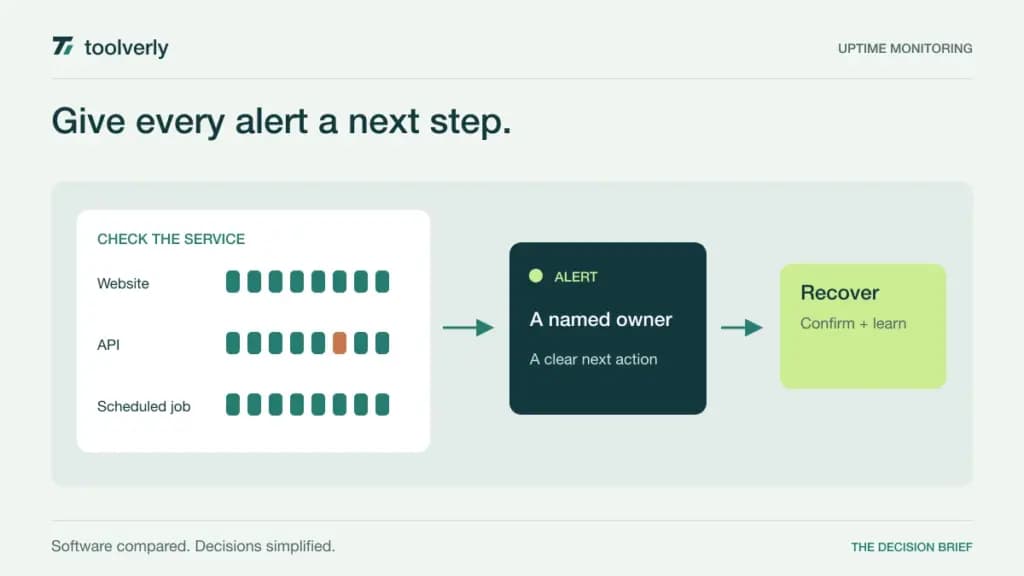
A website can return a successful response while an important customer journey is broken. A homepage may load even though login fails, a form cannot submit, or an API returns the wrong content. Uptime monitoring should therefore begin with a business question: which failure needs a person to act, and how quickly should that person know?
This guide compares Better Stack, UptimeRobot, Pingdom, StatusCake, and Uptime.com for external monitoring of business websites and services. Official product and pricing information was checked on September 24, 2026, including live browser-rendered prices where necessary. We did not run outage benchmarks or measure alert delivery. Prices are USD, with annual monthly equivalents distinguished from monthly billing.
Define a useful check and a useful alert
A basic availability check asks whether an endpoint responds as expected. A transaction check follows a sequence closer to what a visitor does. A heartbeat checks whether scheduled work reports in on time. Those checks answer different questions, so count them separately when estimating a subscription.
The next step is ownership. An alert sent to a shared mailbox is useful only if someone is expected to respond. If an incident generates customer questions, the handoff to a help desk should include a clear status and next update. The response procedure belongs in a maintained team knowledge base, with an owner who can revise it after an incident.
| Product | Best fit | Main strength | Meaningful tradeoff |
|---|---|---|---|
| Better Stack | Teams connecting monitoring to incident response | Checks, on-call ownership, and status communication | Responder licenses and additional usage shape the bill |
| UptimeRobot | Small teams starting with focused external checks | Clear monitor tiers and faster paid checking | Team access and alert credits need separate attention |
| Pingdom | Businesses examining availability and visitor experience | Synthetic checks with a separate real-user option | Buying both modules increases the combined subscription |
| StatusCake | Teams monitoring websites, certificates, and domains | Several operational checks in fixed bundles | Intervals, team members, and monitor allowances vary |
| Uptime.com | Teams combining basic and advanced service checks | A configurable mix of monitoring and reporting | The starting price does not describe every configuration |
Better Stack
Better Stack is worth considering when detecting failure and organizing the response are part of the same purchasing decision. Its offering connects uptime checks with incident management, on-call scheduling, and status pages. That is useful when the problem is an unclear response process as well as a missing monitor.
The official pricing page lists responder licenses at $29 per month on annual billing or $34 monthly. A responder includes phone and SMS alerting; ordinary team members are priced separately at zero for the stated access. Ten uptime monitors are included, with additional blocks of fifty shown at $21 monthly on annual billing or $25 monthly. Other modules and status-page options can add cost.
The strength is keeping technical evidence and human ownership close together. The limitation is that a single starting price is not a complete estimate for every combination of monitors, responders, and extras. Map the actual rota and required checks before comparing totals. Better Stack fits teams that want a defined incident workflow and will maintain the people and escalation rules behind it.
UptimeRobot
UptimeRobot is a practical candidate for a business that wants a focused external monitoring setup. The plan structure separates basic checking from faster paid checks and team-oriented access. Start by listing the endpoints that represent important customer activity rather than monitoring every URL on the site.
UptimeRobot’s pricing lists Solo from $12 per month billed annually, or $144 yearly, for ten monitors with sixty-second intervals. Team lists one hundred monitors at $39 per month billed annually. The free plan uses five-minute intervals. SMS and voice credits are purchased separately and do not automatically renew with a plan; additional credits can be bought or refilled under the configured settings.
The strength is a straightforward path to faster external checks. The limitation is that checking speed, shared access, and notification delivery are distinct requirements. Work through who will receive alerts when the primary operator is unavailable. UptimeRobot fits a small monitoring inventory when the team can match its access and notification needs to a clearly priced tier.
Pingdom
Pingdom is relevant when a business wants to examine both simulated checks and the experience of actual visitors. Synthetic monitoring proactively runs checks, while real-user monitoring records performance from real visits. Combining them can be useful, but they answer different questions and should be budgeted separately.
The live subscription calculator showed Synthetic Monitoring from $16.50 per month on annual payment, or $198 yearly, including ten uptime checks, one advanced check, and fifty SMS alerts. Real User Monitoring was a separate $16.50 monthly equivalent for one hundred thousand pageviews. Selecting both produced a $396 annual total. Larger configurations change those amounts.
The strength is an explicit distinction between proactive checks and real visitor data. The limitation is that an advertised module price can be mistaken for the cost of the combined setup. Build the estimate from the modules you actually need. Pingdom fits teams with an owner who can interpret performance information and connect it to a specific customer journey, rather than simply collect another dashboard.
StatusCake
StatusCake is worth evaluating when a team wants availability, certificate, domain, and page-speed checks within a recognizable bundle. These tasks often sit with the same website owner, even though their urgency and checking frequency differ. A domain expiry reminder and a failed customer login should not necessarily trigger the same response.
The live pricing page showed Superior at $20.41 per month on annual billing, totaling $244.92 yearly, or $24.49 monthly. It includes one hundred uptime monitors at one-minute intervals and access for two team members, with separate page-speed, domain, SSL, and server allowances. Business increases uptime capacity and shortens its interval to thirty seconds. Custom requirements are quoted separately.
The strength is combining several routine website checks in a bundle. The limitation is that each monitor type has its own allowance and timing, while team access also has a limit. Price the full operating checklist, including who needs a login. StatusCake fits website owners who want these checks together and can distinguish an immediate incident from a maintenance task.
Uptime.com
Uptime.com is a candidate when a team needs a mixture of basic availability and more involved checks. Its product range includes API, transaction, page-speed, and heartbeat monitoring alongside standard network and website checks. That breadth is useful when one business service depends on several different kinds of work completing correctly.
The official calculator advertises Website Monitoring from $9 per month on the annual setting, showing a $108 yearly total for the starting configuration. It lists unlimited users, reporting, alert integrations, and maintenance windows. The selected quantity and mix of checks determine the actual subscription, so the entry rate should not be read as unlimited monitoring.
The strength is assembling a monitoring inventory around different service components. The limitation is the need to understand how each selected check contributes to the configuration and cost. Ask the buyer and technical owner to build the same inventory independently, then reconcile it. Uptime.com fits teams prepared to define their checks precisely and review them as the service changes.
Run a safe incident rehearsal
Choose a test endpoint or a staging service that the team controls. Agree on the expected result, the person on duty, and a harmless failure scenario. Avoid breaking a production customer journey simply to evaluate a subscription. The purpose is to learn whether the check detects the intended condition and whether the notification reaches someone who knows what to do.
Record the time the condition changed, when it was detected, and when the responsible person acknowledged it. A thirty-second checking interval is not a promise of a thirty-second human response. Confirmation rules, network behavior, notification channels, and the duty schedule can all affect the complete sequence.
Include recovery and planned maintenance in the rehearsal. Verify that the team can tell the difference between an expected interruption, a continuing failure, and a service that has recovered. Review whether the status message explains customer impact without exposing internal details. These are evaluation steps for the buyer; no measured results from these services are claimed here.
Keep the monitoring inventory maintainable
A useful inventory identifies the business function, endpoint or job, expected result, owner, and response instructions for each check. Avoid vague names such as “website two.” A new employee should be able to connect an alert to the service it represents without asking the person who originally configured it.
- Separate basic endpoints, multi-step transactions, scheduled jobs, and real-user measurement.
- Choose intervals according to the impact of delayed detection.
- Budget monitor quantities, responder or team access, and notification credits together.
- Test a backup contact and keep maintenance windows current.
- Review noisy and obsolete checks after service changes.
Compare Better Stack when on-call coordination is central, UptimeRobot for a focused starting inventory, Pingdom when synthetic and real-user views both matter, StatusCake for a bundle of website maintenance checks, and Uptime.com for a configurable mix of service tests. Choose the setup that produces an understandable action for a named person when an important customer function fails.
Original illustration by Toolverly. Read about our publication or send a correction.