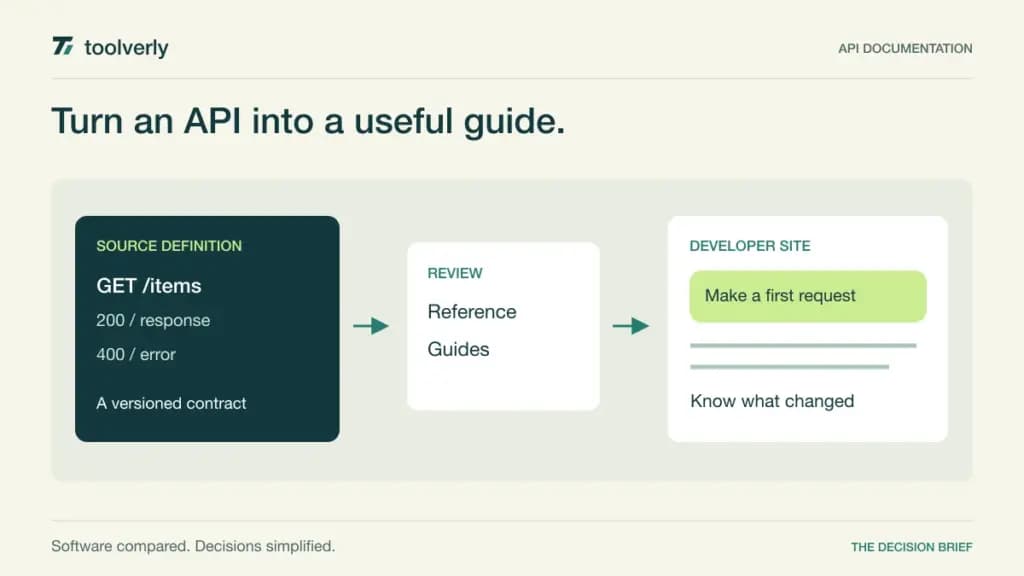
An API reference can list every endpoint and still leave a developer unable to complete a useful task. Good documentation connects authentication, a working request, an understandable response, and the next step. The platform behind it should also make it difficult for the published explanation to drift away from the API that customers actually use.
ReadMe, Redocly, Scalar, Bump.sh, and GitBook offer different ways to build that experience. Some center the API definition and release pipeline; others put more emphasis on the surrounding guides, collaboration, and branded developer site. The right choice depends on who maintains the material and how changes reach publication.
We reviewed official feature and pricing pages on September 27, 2026. Listed amounts use USD, with billing terms called out where the page specifies them. This is a documentation-based comparison, not a test of rendering speed or developer conversion. Recommendations concern workflow fit, and optional services can change the final price.
Choose the source of truth first
Decide where the API definition lives, who owns explanatory guides, and who approves a breaking change. A visually attractive portal will not resolve conflicting ownership between a repository, a document editor, and the published site. Evaluate one realistic update containing both a schema change and a guide revision, then follow it through review and release.
| Product | Best fit | Main strength | Meaningful tradeoff |
|---|---|---|---|
| ReadMe | Teams building a complete developer experience | API reference, guides, and collaboration | Paid collaboration has project and seat boundaries |
| Redocly | Teams organizing a schema-led publishing process | API tooling with modular documentation products | Product selection changes the quoted package |
| Scalar | Teams combining reference and API exploration | Hosted documentation with an API client | API, editor, and SDK limits are separate |
| Bump.sh | Teams publishing API changes through CI | API-specific documentation and change workflows | Branches and exploration require a higher tier |
| GitBook | Teams joining API reference with substantial guides | Editorial workflow and developer-facing content | Paid site and user charges both apply |
ReadMe
ReadMe is a strong candidate when API documentation is a product experience rather than a generated reference page. Its free Starter offering includes an interactive API reference, custom domain, Markdown pages, and bidirectional Git synchronization. That allows a team to explore how reference content and explanatory material work together before selecting a paid plan.
The current ReadMe pricing page lists Pro at $250 per month billed annually. It includes one project, unlimited versions, and five administrators; additional administrators cost $20 each. Pro adds private documentation, branching and review, collaboration, and further customization. Starter is limited to one project, one version, and one administrator.
The strength is bringing the developer journey and the maintenance workflow into the same product. The limitation is assuming that one project allowance covers every separate API property or business unit. Enterprise requirements and some add-ons need additional pricing.
ReadMe is a good fit when product, engineering, and developer-facing teams all contribute. During evaluation, publish a versioned endpoint change alongside an onboarding guide. Check whether a reader can distinguish the current behavior from an older version, and whether an editor can preview both parts together before making the change public.
Redocly
Redocly deserves attention when a structured API definition is central to the publishing process. Its product selection separates Redoc for API reference, Revel for broader documentation experiences, and Reef for catalog and governance capabilities. Realm combines the products. That modular structure makes scope an important part of the comparison.
The Redocly pricing calculator, with Redoc selected and five seats displayed, shows Pro at $10 per seat per month billed monthly. It includes one project, custom-domain hosting, and 100 pages. Enterprise displays $24 per seat monthly with 500 pages and controls including SSO and role-based access.
Those figures should not be read as the price of every Redocly product combined. The calculator prices additional products and the Realm upgrade separately. Ask which page types count toward capacity and whether your intended guide, catalog, and localization workflows require another product in the package.
The strength is the ability to organize API reference and supporting tooling around a defined publishing process. The tradeoff is more configuration and packaging decisions at purchase time. In a pilot, introduce an intentionally inconsistent schema change and inspect the review path before publication. Redocly fits teams that want documentation quality checks to belong to engineering’s normal change process.
Scalar
Scalar is a useful candidate when developers should be able to read an endpoint and explore a request in a closely connected experience. Its hosted offering combines OpenAPI documentation with an API client. The free plan allows three APIs and one editor, making it suitable for a focused evaluation with a small, representative API surface.
According to Scalar pricing, Pro is $150 on monthly billing or $125 per month billed annually, totaling $1,500 per year. Pro includes five editors and 15 APIs, plus custom domains, Git synchronization, Markdown or MDX content, and access groups. Business adds further capacity and controls at a higher price.
Scalar also packages SDK generation, but its SDK allowance is not an unlimited collection of languages and endpoints. Pro includes one SDK covering up to 100 endpoints; one SDK corresponds to one language for one API. Price additional needs separately before treating SDK generation as a replacement for an existing distribution process.
The strength is a coherent reference-and-exploration workflow. The limitation is keeping API counts, editor seats, and SDK scope distinct in the estimate. Test examples with realistic authentication and error responses, and verify that someone unfamiliar with the API can complete a task without copying unexplained placeholders into a request.
Bump.sh
Bump.sh fits teams that want API documentation to move with the release pipeline. Its support spans OpenAPI, AsyncAPI, and Arazzo, and its tooling includes command-line and GitHub workflows. That makes it relevant when documentation is generated from maintained definitions and changes need to be visible to developers using the API.
The official Bump.sh pricing page lists Basic at $50 per month for ten API documents, three internal users, and 20 guests. Pro is listed at $120 per month for 30 API documents, five internal users, and 40 guests. Pro adds branches, API Explorer, changelog capabilities, fuller CI workflows, and rollback.
The strength is focusing the purchase on API publishing and change communication. The tradeoff is that the entry plan is not the entire release-review toolset. If previewing a branch or exploring requests is central to your evaluation, budget the plan that actually includes it.
Bump.sh is a sensible candidate when engineers own the definition and want publishing to be reproducible. In a pilot, change a parameter, add an error response, and publish a preview before the release. Ask a consumer of the API to identify what changed and what action they need to take, rather than simply confirming that a new page appeared.
GitBook
GitBook is worth considering when API reference is one part of a larger set of guides, concepts, and onboarding material. It supports interactive API experiences alongside authored documentation and repository synchronization. That combination is useful when the reader’s real challenge is understanding a workflow, not discovering the name of an endpoint.
The annual view of GitBook pricing lists Premium at $65 per site per month, plus $12 per user per month. Premium includes a custom domain, branding options, and search analytics. Ultimate lists $249 per site monthly on annual billing, plus the user charge, and adds capabilities such as authenticated access and a documentation hub.
The strength is making explanatory content a first-class part of the developer site. The limitation is the two-part commercial model: a site’s base subscription does not include an unlimited group of paid collaborators. A free individual option exists, but its scope differs from a team publishing a branded documentation property.
GitBook is a good fit when technical writers, support staff, and engineers share responsibility for the reader journey. During evaluation, have one editor update a guide while another changes its API reference. Check that review, repository synchronization, and publication preserve a coherent explanation rather than producing two individually correct but contradictory pages.
Evaluate the first successful request and the next release
ReadMe deserves a look for a complete developer-facing experience, Redocly for a structured API publishing process, Scalar for reference and request exploration, Bump.sh for definition-led release workflows, and GitBook for guide-rich documentation. The right shortlist follows your maintenance process and reader needs, not an arbitrary feature total.
Give each candidate the same small API definition, authentication instructions, quickstart, and migration note. Ask a colleague who did not write them to make a successful request and recover from one error. Then change the API and inspect how the documentation is reviewed, versioned, and published. This reveals both reader friction and the ongoing maintenance burden.
- Count projects, APIs, pages, editors, guests, and SDK requirements separately.
- Check search, redirects, custom domains, private access, and export options on the quoted plan.
- Confirm which system owns the schema and who can approve a public change.
For multilingual products, coordinate the documentation release with the process described in our software localization comparison. Use recurring issues from your customer support system to identify missing explanations. The strongest documentation platform is the one your team can keep accurate while helping a new developer complete a real task.
Original illustration by Toolverly. Read about our publication or send a correction.