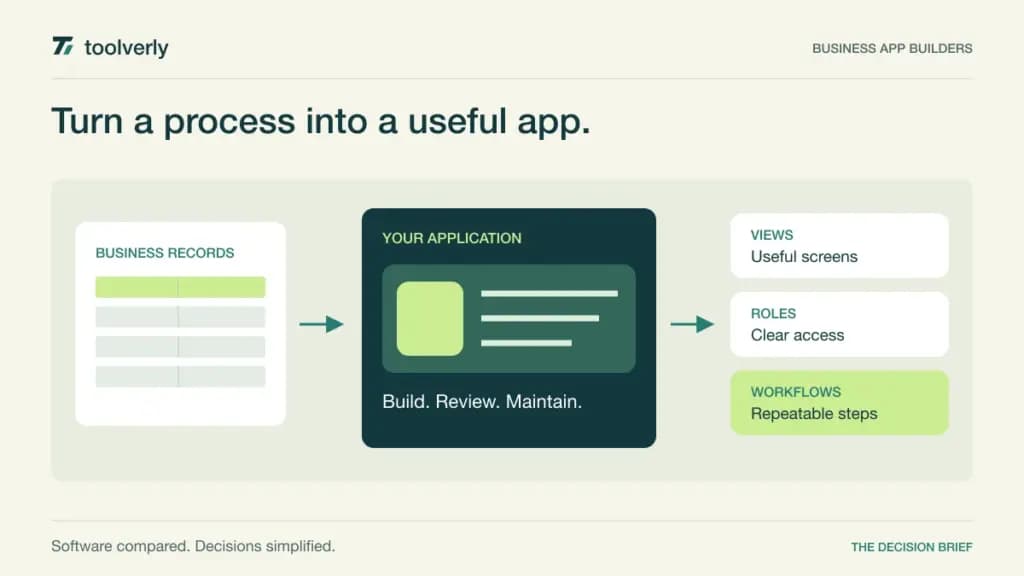
A spreadsheet can hold the right business data while still providing the wrong experience for the people who use it. Customers may need a portal, employees may need a guided mobile workflow, and managers may need permissions that reflect responsibility. A business app builder adds that interface, but its pricing may count builders, app users, records, automation actions, or computing activity.
This guide compares GlideOS, Softr, AppSheet, Bubble, and Noloco. The decision is how to turn a recurring business process into an application that someone can maintain. A convincing first screen is only the beginning: the difficult questions concern data ownership, access, exceptions, and the cost of repeated use.
Research checked September 29, 2026. We reviewed official product and pricing pages. We did not benchmark the builders or create production applications in them. Prices are USD references from the reviewed pages; annual commitments, usage additions, taxes, and enterprise terms must be confirmed in the order.
Five builders with different cost models
| Product | Useful starting point | Reviewed price reference | Watch as usage grows |
|---|---|---|---|
| GlideOS | AI-assisted business application building | Pro starts at $125/month | Team size and credit allowance; separate from Glide Classic |
| Softr | Operational tools and client portals | Pro $99/month with yearly billing selected | Builders, team users, client users, records, and actions |
| AppSheet | Data-driven applications for named users | Core $10/user/month | Production users and Workspace entitlements |
| Bubble | A custom application with a web and mobile scope | Web & Mobile Starter $59/month, billed annually | Workload units, project scope, editors, and additions |
| Noloco | Portals and internal record workflows | Build $65/month, billed annually | Team seats, active clients, records, and workflow runs |
GlideOS
GlideOS is the current AI-assisted development platform presented on Glide’s pricing page. It can start from a prompt, file, or spreadsheet and combines published apps with workflows and integrations. The important purchasing detail is that GlideOS and Glide Classic have separate subscriptions. Older comparisons of Classic plans do not describe this offer.
Pricing: Pro starts at $125 per month for five team members and 500 credits. It lists unlimited published apps and workflows, premium integrations, organization roles, and human support. Basic and Plus have lower entry prices with smaller team, credit, app, and workflow allowances; enterprise requirements are quoted.
Strength: a team can evaluate an integrated environment for creating and extending business applications. Limitation: unlimited published applications does not remove credit or team-size constraints. Confirm what consumes credits during the building and maintenance work you expect.
Best fit: teams exploring an AI-assisted way to create internal software while assigning someone responsibility for the resulting system. In the trial, change a data field after the first version and trace the effect through forms, workflows, and permissions. That exposes maintenance work that a first-generation demo leaves out. GlideOS pricing and the Classic distinction.
Softr
Softr is a useful shortlist option for giving different audiences a controlled interface to operational information. The reviewed Pro offer includes permissions and visibility controls, comments, custom code, and API connectors. Its current pricing separates the people building the app from team users and client users accessing it.
Pricing: with yearly billing selected, Pro displays $99 per month. Its listed allowances include two builders, 10 team users, 50 client users, 500,000 records, and 10,000 workflow actions per month. The builder count is not the same thing as the number of customers allowed into a portal.
Strength: the audience distinctions encourage a realistic estimate for an internal tool or customer-facing workspace. Limitation: several independent limits can trigger a larger bill. An application with few builders may still have many clients or frequent background actions.
Best fit: businesses that can describe which records each audience should see. Prototype two clients with similar records and verify that searching, editing, and following a shared link never exposes the other client’s information. Review the vendor’s user definitions with actual email domains and account types before accepting a seat estimate. Softr pricing and user allowances.
AppSheet
AppSheet is worth evaluating when an application can be expressed around structured data, user actions, and recurring business automation. Its plans span spreadsheet and cloud-file connections through more extensive enterprise data connections and governance. For organizations already using Google Workspace, entitlement may materially change the decision.
Pricing: Starter lists $5 per user per month, Core $10, and Enterprise Plus $20. Core is included in most paid Workspace plans, but the exact edition and intended users must be checked. Free prototyping with up to 10 test users should not be treated as a general free production license.
Strength: a named-user model can be understandable for an internal application serving a stable employee population. Limitation: guest access and device-based counting can complicate a seemingly simple user estimate. A Workspace subscription does not automatically establish entitlement for every external participant.
Best fit: teams building a focused operational tool around data they already maintain. Take a real exception through the prototype: incomplete information, reassignment to another employee, and a correction after submission. Check who can edit each stage and how that behavior maps to the selected edition. AppSheet plans and licensing guidance.
Bubble
Bubble is a candidate when the project needs a more custom application experience with recurring workflows and a path spanning web and mobile. The pricing page distinguishes web, mobile, and combined projects. That scope needs to be selected before comparing the headline subscription with a portal-oriented builder.
Pricing: the reviewed Web & Mobile Starter plan is $59 per month billed annually, including 175,000 workload units, one editor, a live app, and a custom domain. This is the combined offer, not a claim about the lowest web-only price. Development on the Free plan has a different purpose and allowance.
Strength: the combined project model can support a product that needs more than a single internal data view. Limitation: workload units measure backend resource activity, not simply registered users. Extra storage, plugins, and workload additions can affect operating cost; overage settings require attention.
Best fit: teams prepared to own application design and monitor the resources their workflows consume. During evaluation, repeat an ordinary user’s day and an unusually busy day. Examine the resulting usage, rather than assuming that a modest number of users guarantees a modest bill. Bubble pricing and workload explanation.
Noloco
Noloco is a practical candidate for portals and internal tools organized around records, permissions, and workflows. Its offer combines team access with a separate allowance for active clients. That distinction can be useful when a small staff serves a much larger customer population.
Pricing: Build displays $65 per month billed annually, with 10 team seats, 1,000 active clients, 25,000 records, and 3,000 monthly workflow runs. It also includes 250 AI credits. Those credits concern building with Nola; normal app use and workflow execution are not charged as Nola building credits.
Strength: the allowances expose several practical dimensions of a portal before purchase. Limitation: a generous client count does not imply unlimited records, workflow activity, or internal seats. Confirm additional-seat pricing in the order; the reviewed page’s card and comparison table displayed differing add-on figures.
Best fit: a business that wants to put an organized interface around a repeatable record process. Trial a client invitation, a permission change, an update to the underlying data, and a staff handoff. Count how often the automation runs when a record is edited repeatedly. Noloco Build pricing and allowances.
Decide what the application must own
Begin with one complete process rather than an ambitious list of screens. Name the source of truth for each field, who may change it, and what happens when two people disagree. If an application copies data from another system, establish which copy wins and how failed updates become visible.
A request form may solve the problem without becoming a full application. Our online form builder comparison covers that narrower decision. If the missing part is moving information between established systems, the workflow automation guide addresses a different layer of the process.
For a genuine app requirement, estimate three operating scenarios: initial rollout, expected adoption, and a busy month. Include builders, employees, customers, records retained, actions per transaction, and any usage-based computing. Treat a year’s inactive records and repeat edits as part of the model, rather than counting only new signups.
Finally, ask a colleague who did not build the prototype to maintain it. Have them change a field, diagnose a failed step, revoke access, and describe how information could be exported. The most suitable builder is the one that makes the intended workflow sustainable for your team, with a cost model you can explain before launch.
Original illustration by Toolverly. Read about our publication or send a correction.