A short screen recording can explain a problem that takes several paragraphs to describe. It can also create a new problem: a growing collection of videos that nobody can find, update, or watch efficiently. Choosing asynchronous video software means considering the recipient and the useful life of the recording, as well as the Record button.
Loom, Vidyard, Zight, ScreenPal, and Tella all help businesses communicate with recorded video, but they emphasize different jobs. This guide compares internal explanations, customer messages, visual support, reusable training, and polished demonstrations. Official product and pricing information was checked on September 25, 2026. Recommendations are editorial analysis of those sources, not hands-on benchmarks. Prices are in USD unless stated otherwise.
Define the response you want
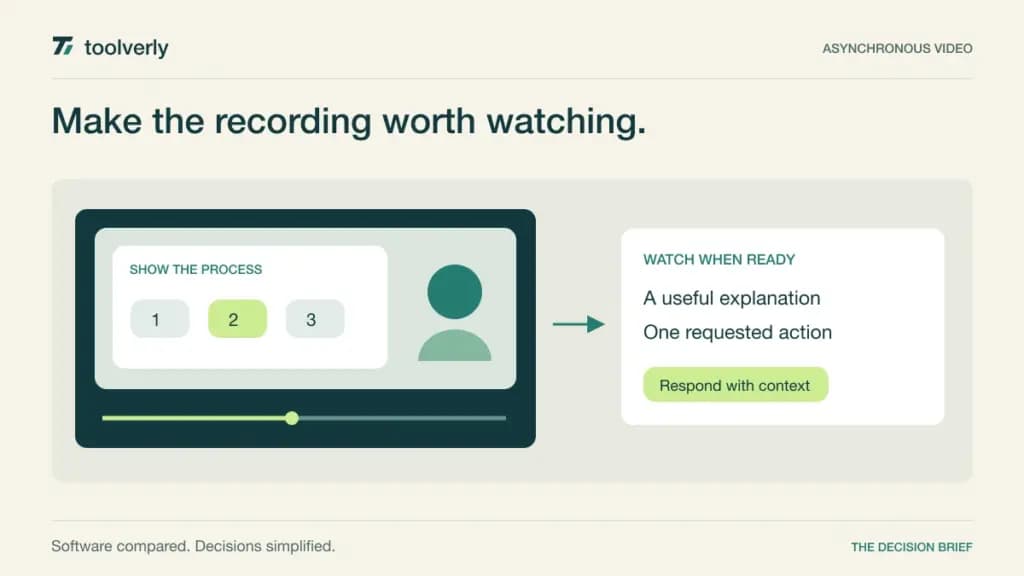
Before recording, finish this sentence: after watching, the recipient should be able to do one specific thing. That might be reproducing a bug, approving a layout, following a procedure, or deciding whether to book a conversation. The intended response determines whether comments, a clear call to action, editing, or a maintained video library matters most.
For discussions that require immediate negotiation, use a live business meeting platform. For an explanation that should remain useful for months, place the recording beside written steps in a maintained team knowledge base. A video link alone rarely supplies enough context about ownership, accuracy, and what has changed since recording.
| Product | Best fit | Main strength | Key tradeoff |
|---|---|---|---|
| Loom | Everyday internal explanations | Recording, sharing, and discussion | Free recording and library limits |
| Vidyard | Customer-facing revenue teams | Viewer analytics and sales context | Team integrations need a larger plan |
| Zight | Visual support exchanges | Captures and incoming video requests | Request volume varies by plan |
| ScreenPal | Reusable training material | Editing and hosted learning content | Solo and team packages differ |
| Tella | Polished product demonstrations | Presentation and editing controls | Extra polish takes preparation |
Loom
Loom combines screen and camera recording with a shareable video page, transcriptions, comments, and reactions. That workflow suits everyday explanations: a project update, feedback on a document, or a walkthrough of a confusing interface. Viewers can respond around the recording, which gives the explanation somewhere to continue after the author finishes speaking.
The pricing page shows a free Starter allowance of 25 videos per person and five minutes per screen recording. Business is US$18 per user per month with monthly billing selected, adding unlimited videos and recording time, downloads, uploads, and basic editing. Business + AI is US$24 on that billing setting. Enterprise administration is quoted separately.
The main limitation of the free tier is that an occasional recording habit can quickly become a recurring library. Budget for the creators who need paid capabilities rather than assuming every viewer needs the same role. During evaluation, ask a colleague to locate a recording a week later and identify the action requested. Loom is a strong candidate for teams that need frequent, lightly edited explanations. It becomes less useful if recording replaces the discipline of giving each message a title, purpose, and owner.
Vidyard
Vidyard is oriented toward customer-facing video communication. Its Starter plan includes video analytics, branded sharing pages, calls to action, and password-protected videos. Higher tiers add CRM and marketing-system integrations. These features make it relevant when the author needs to understand engagement with a sales explanation and connect that activity to an existing customer process.
The rendered official pricing page displayed Starter at US$59 per seat per month billed annually, alongside a promotional message. Treat that as the displayed offer and confirm the renewal price. Teams and Enterprise require custom pricing. The optional Video Agent add-on was listed separately at US$24 per seat per month billed annually; it is not required merely to record a personal explanation.
Its strength is the customer communication context, rather than just the recording function. The tradeoff is paying for capabilities that an internal update may never use. Ask a salesperson to attach one recording to a real workflow and explain what action follows a viewing signal. A view is useful context, not proof that a deal will close. Vidyard fits teams that will act on video engagement and can justify the integration tier required to do so.
Zight
Zight combines screen recordings, screenshots, and GIFs with sharing and video requests. A request lets a recipient record a problem and send it back without an account or installation. That makes the product worth considering for support teams that repeatedly ask customers to explain what happened on their screen.
The current plan comparison lists Create at US$9.95 per user per month billed annually. Collaborate is US$12 per user per month billed annually, with a two-user minimum shown as US$288 per year. Create includes ten video requests per month; Collaborate includes 50. The free Share plan has five-minute recording limits and access to the latest 50 captures. Larger organizational requirements go through sales.
The two-way exchange is a useful distinction from a one-way update tool. However, incoming requests are still a capacity to budget, and screenshots or recordings may need editing before wider sharing. In a pilot, send a request to a colleague outside the support team and see whether the instructions make sense without coaching. Zight fits visual troubleshooting and short procedural explanations. Give each capture a destination in the customer case so that useful context does not remain in an individual employee’s library.
ScreenPal
ScreenPal brings recording, video editing, hosting, and interactive learning elements into the same product family. That makes it a candidate for businesses producing reusable training, onboarding material, or step-by-step demonstrations. The emphasis can extend beyond quickly sharing an unedited screen recording to maintaining a piece of instructional content.
On the official plans page, the solo Deluxe plan is US$4 per month paid annually, including unlimited recording time, a fuller editor, hosting, and speech-to-text captions. Solo Max is US$10 per month paid annually and adds further AI and interactive capabilities. Team Business starts with at least three creators. Its displayed price carried a promotional label, so request the current total and renewal terms for that package.
The strength is a path from capture to a more finished learning resource. The limitation is that a solo subscription and an administered team library solve different ownership problems. Test whether another employee can take responsibility for a training asset when its creator changes roles. Also check captions, playback on a phone, and the time required to update one outdated step. ScreenPal fits teams that will maintain instructional videos as content, with a review date and a responsible editor.
Tella
Tella emphasizes presentation quality through screen and webcam recording, layouts, zoom effects, and editing tools. Its product comparison includes timeline and transcript editing, with exports up to 4K. Those controls are relevant when a demonstration will be reused with customers or published as a polished explanation rather than sent once to a colleague.
The plan comparison lists Pro at US$13 per user per month billed annually and Premium at US$19 on the same basis. Pro includes unlimited videos and team collaboration. Premium adds features including a custom domain, domain restrictions, removal of Tella branding, and advanced analytics. Enterprise uses custom pricing for requirements such as SSO and SCIM.
Its strength is controlling the viewer’s attention: show the relevant area, keep the presenter visible when helpful, and remove distractions before sharing. The corresponding tradeoff is preparation time. Decide which recordings deserve that effort and which should remain quick internal messages. In a trial, correct one sentence and replace one outdated screen segment, then check the exported result. Tella fits product demonstrations and repeatable customer education where a more deliberate presentation can justify the additional editing work.
Test creation, viewing, and maintenance separately
Give two shortlisted products the same sample task: explain a three-step process in a short video. Record with ordinary equipment, use captions, and include a clear requested action. Have the recipient watch on the device they normally use. Ask what they understood and what they still need, rather than measuring success by whether the video uploaded.
Next, change one step in the process. Measure the effort needed to correct the recording, update the title and supporting text, and point viewers to the current version. Check downloads, sharing restrictions, and what happens when the creator’s account is removed. These are proposed evaluation exercises; the results will depend on your team’s workflow.
For budgeting, count active creators, required editing tiers, and any request or automation allowances. Distinguish hosted viewing from exported files, because each has different update and access responsibilities. Shortlist Loom for everyday explanations, Vidyard for sales context, Zight for visual exchanges, ScreenPal for training material, and Tella for polished demonstrations. Whichever you choose, make each recording easier to act on than the meeting or written explanation it replaces.
Original illustration by Toolverly. Read about our publication or send a correction.