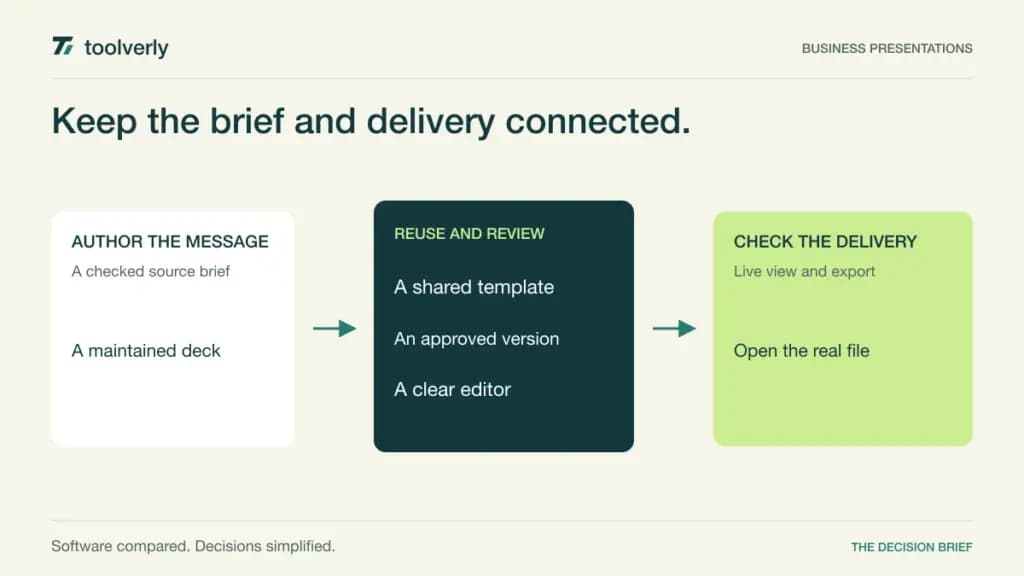
A presentation becomes expensive when every update produces another copy. Sales changes one number, finance corrects another, and the presenter discovers that the approved font is missing on the meeting computer. Business presentation software should make those handoffs predictable: a clear source deck, controlled editing, reusable branding, and a delivery format the audience can actually open.
Pitch, Beautiful.ai, Gamma, Prezi, and Google Slides approach that job differently. Pitch emphasizes shared deck creation and distribution. Beautiful.ai constrains layouts to keep slides coherent. Gamma begins with AI-assisted content and flexible presentation structures. Prezi supports a more spatial narrative. Google Slides places the deck inside an established collaboration suite. The right choice depends on how your team maintains and delivers information, rather than how impressive the first template looks.
This comparison uses official product and plan information checked on October 8, 2026. It includes editorial judgments about fit, not hands-on benchmarks. Prices refer to the displayed currency and commitment; regional offers and taxes can differ. For the wider lifecycle, connect deck approvals to your creative review process and define which finished assets belong in your asset library.
Five presentation approaches compared
| Product | Best fit | Main strength | Meaningful tradeoff |
|---|---|---|---|
| Pitch | Teams maintaining shared decks | Templates, teamspaces and tracked sharing | Distribution limits depend on the plan |
| Beautiful.ai | Teams needing consistent layouts | Automatic formatting and shared slide resources | Design constraints need to suit the material |
| Gamma | Authors developing a structured first draft | AI-assisted creation and flexible exports | Credit and branding entitlements require review |
| Prezi | Presenters explaining relationships visually | Spatial storytelling and portable presentation options | The narrative needs careful navigation |
| Google Slides | Organizations already using Workspace | Live editing and familiar sharing permissions | Premium presentation features vary by edition |
Pitch
Pitch fits a team that returns to the same decks every week. Its workspace combines custom templates, collaborative creation and sharing links. Teamspaces provide a way to separate work by group, while advanced links let authors examine how a shared presentation is viewed. That is useful when a presentation remains a maintained resource after the live conversation.
The plan boundaries matter. The Free workspace supports up to five members, but advanced distribution, custom fonts and unbranded exports are paid capabilities. The current annual display lists Plus at EUR10 per month for one seat, Team at EUR15 per editor per month, and Business at EUR20 per editor per month. Monthly billing and seat counts change the quote; Enterprise is custom priced.
Best fit: a collaborative sales or strategy team that needs reusable decks and clear distribution ownership. Limitation: advanced link, guest and teamspace allowances must match the real workload. In a pilot, change a common slide and verify how the team finds the approved version. Ask a guest to review it, then inspect the actual exported file rather than assuming the browser view proves portability. Pitch plans and pricing.
Beautiful.ai
Beautiful.ai uses Smart Slide layouts to automate arrangement as content changes. That can suit authors who understand their message but do not want to repeatedly align objects. Its team offer adds live collaboration, reusable slides and templates, shared assets, and controls around brand presentation. A design system becomes more useful when everyday authors can apply it without rebuilding each slide.
The constraint is also the buying decision. A structured layout may work well for a sales summary, yet unusual diagrams or dense technical material deserve a separate rehearsal. Check whether authors can explain the evidence clearly inside the available layouts. Avoid treating attractive formatting as confirmation that the content is accurate.
Pro is displayed at USD12 per month billed annually. Team, for 2–20 seats, is USD40 per user per month billed annually or USD50 with monthly billing; Enterprise requires a quote. The page describes its USD45 short-project option differently in the main card and FAQ, so confirm that option’s exact duration before purchase. Best fit: teams prioritizing consistent slide construction. Limitation: flexibility and collaboration entitlements need review against actual deliverables. Beautiful.ai plans.
Gamma
Gamma is worth considering when the difficult step is turning notes into a coherent presentation structure. Its creation workflow supports AI assistance, importing PDF and PowerPoint content, and exporting to formats including PDF and PPTX. It also publishes content beyond presentations, so evaluate the deck workflow specifically rather than buying every advertised use case at once.
Free access has finite introductory AI credits. Paid subscriptions provide recurring credits, with higher tiers adding capabilities such as branding and detailed analytics. Plus removes Gamma branding, while Pro offers custom branding and advanced sharing. The official help guide describes per-user subscriptions and a lower effective monthly rate when a full annual term is paid upfront. We do not quote a numeric paid rate because the current clean pricing page did not expose stable amounts during verification.
Best fit: authors who want assistance shaping a draft and can take responsibility for checking it. Limitation: generation allowances and exported layout need separate acceptance criteria. Review every invented-looking statistic, citation and image before sharing. Then open the export on the audience’s software and confirm that the structure still works. Gamma plans and subscription and credit guidance.
Prezi
Prezi suits a presentation where relationships between ideas deserve a visible map. A spatial narrative can help a presenter return to the broader argument before exploring another branch. The evaluation question is whether that navigation makes your specific story easier to follow. A conventional sequence may remain clearer for a document that readers must examine independently.
The official plan guide separates free Basic access, Standard sharing and privacy features, Plus presenter capabilities, and Premium analytics. Plus adds the desktop application, offline access, PDF exports and portable presentations. Prezi Business combines Premium capabilities with centralized billing and team collaboration; the guide also identifies additional branded-design support for teams with at least ten licenses.
Best fit: presenters teaching a model, explaining a system or moving between connected topics. Limitation: audience navigation and the offline delivery package need a rehearsal. Check the relevant team offer directly for current pricing, currency and billing commitment; the live pricing route returned an empty page during this review, so older dollar figures are excluded. Ask another person to explain the argument after viewing the presentation without your narration. Prezi’s current plan guide.
Google Slides
Google Slides is a natural shortlist choice when the organization already manages identities and documents through Google Workspace. Authors edit together, leave comments, and grant view, comment or edit permissions. The deck lives alongside the working documents, which can make ownership and review easier to organize than introducing a separate workspace.
Slides also supports PowerPoint interoperability and presentation features tied to Workspace editions. The official product page labels domain templates, certain meeting integrations and recording capabilities as premium features available on some Business or Enterprise plans. Verify the exact edition instead of assuming that every paid Workspace account includes them.
The checked US annual-commitment pricing shows standard, nonpromotional rates of USD7 per user per month for Starter, USD14 for Standard and USD22 for Plus, excluding tax. These are suite prices, not a standalone Slides charge; flexible billing and promotions differ. Best fit: teams valuing shared editing within an existing suite. Limitation: imported fonts, complex layouts and external permissions still require inspection. Have a recipient outside your domain open the real delivery file and verify access without granting excessive permissions. Slides features and Workspace pricing.
Evaluate the deck after the first draft
Choose one real presentation with a chart, a repeated brand element, speaker notes and an outside reviewer. Define the authorized source, the editor, the approver and the person who will present. Ask each candidate to support the same workflow from first draft through a correction after approval. Record where someone must copy material manually or reconstruct a design.
Inspect three deliverables: the editable source, the live presentation and the exported file. Check text wrapping, chart labels, image resolution and the reading order. If the audience needs a PDF, test the PDF. If a customer requires PowerPoint, inspect that file in the customer’s expected environment. A successful web preview does not answer those questions.
- Count paid editors, occasional collaborators and outside guests.
- Identify who can change templates and who can approve a final deck.
- Estimate AI usage from the real revision cycle.
- Check access after an author leaves and after a subscription changes.
- Rehearse the presentation with the actual delivery device and connection.
Start with Pitch for maintained team decks, Beautiful.ai for constrained visual consistency, Gamma for assisted draft structure, Prezi for a spatial narrative, or Slides for an established Workspace operation. Advance the candidate that keeps your message accurate and your handoff dependable.
Original illustration by Toolverly. Read about our publication or send a correction.