An employee training library is not automatically a training program. People need to know what to learn, managers need to see where help is required, and administrators need a reliable record of completion. A learning management system connects those responsibilities through assignments, courses, assessments, and reporting.
TalentLMS, 360Learning, LearnUpon, Absorb LMS, and iSpring LMS offer different starting points for that work. This guide focuses on employee onboarding and ongoing workplace learning. Recruiting candidates belongs in an applicant tracking system; once someone joins, the learning platform should help them acquire the knowledge needed for their role.
Official product and pricing sources were checked on September 26, 2026. This is a source-based buying guide, not a report of measured learning outcomes. Prices below use the vendors’ displayed US-dollar amounts and identify annual commitments or quoted pricing. Course creation, content libraries, implementation, and learner licensing can be different commercial items, so request a complete scope rather than comparing headline seat prices alone.
Choose the learning process before the course catalog
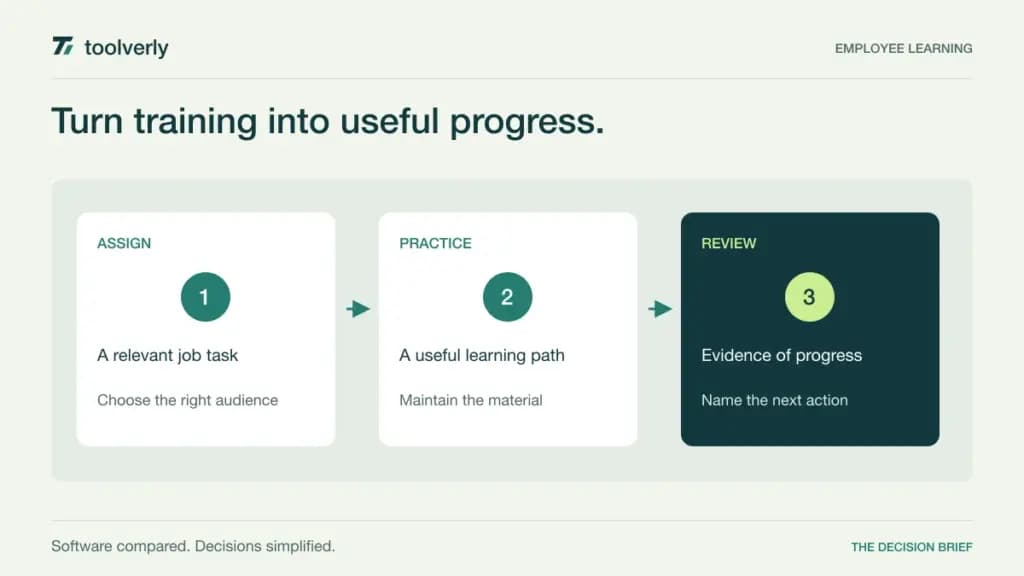
Start with a specific audience and task: a new support employee handling their first escalation, or a manager learning a revised approval process. Decide what successful performance looks like and how the learner will demonstrate it. Watching a video, passing a quiz, and completing a supervised task are different forms of evidence.
Then map administration. Who assigns training, who maintains it when a process changes, and what happens when an employee changes departments? A team wiki can remain the source of current reference material, while the LMS manages learning sequences and completion records. Ask vendors to show that relationship without creating several contradictory copies of the same procedure.
| Product | Best fit | Main strength | Important tradeoff |
|---|---|---|---|
| TalentLMS | Growing teams launching structured training | Published audience tiers and a small starting package | Learner bands and optional content change cost |
| 360Learning | Teams building courses from internal expertise | Collaborative course creation and feedback | Scaling beyond Team requires a commercial discussion |
| LearnUpon | Organizations with an established learning operation | Employee learning with implementation support | Employee offer starts at 100 users |
| Absorb LMS | Organizations coordinating multiple training audiences | Broad learning administration and integration options | Configuration and total price need a scoped quote |
| iSpring LMS | Teams combining authored courses with workplace learning | Course tools, mobile learning, and active-user licensing | Annual totals matter more than rounded seat rates |
TalentLMS
TalentLMS is a useful candidate for a growing business that wants a defined starting package rather than a fully bespoke purchase. Its pricing organizes capacity by learner bands and separates optional TalentLibrary content from the base LMS choice. That helps a team decide whether it needs a delivery platform, ready-made content, or both.
The checked Core configuration for one to 40 users displayed US$119 per month billed yearly, totaling US$1,428 per year. Core lists unlimited courses and one branch, a separate training portal within the account. Larger learner bands and higher plans cost more; the displayed starting amount is not a price for an unrestricted workforce. The page also offers monthly billing and a flexible-user option. See TalentLMS’s pricing configurator.
The strength is a relatively legible route into organized learning. The limitation is that the correct plan depends on how audiences, branches, and user activity are counted. Select those settings before comparing an annual total with another vendor. In a pilot, assign a short course to a new employee, change their group, and inspect the manager’s view. The administrator should be able to explain both why the assignment appeared and how the completion record is retained.
360Learning
360Learning is especially relevant when internal subject-matter experts should contribute directly to training. Its official offer emphasizes collaborative learning, co-authoring, and course management, rather than treating content as something only a central instructional-design team can produce. That can fit a business where practical expertise is distributed across departments.
Team is US$8 per user per month for audiences of up to 100 users, billed monthly without an annual commitment. Business and Enterprise are custom priced, with flexible registered-user and monthly-active-user models available in their contracts. The platform describes support for importing SCORM files, PDFs, and videos. Confirm the applicable user definition and integration scope in the selected offer. See 360Learning’s pricing and contract explanations.
The strength is giving knowledgeable employees a direct role in creating and improving learning. The limitation is organizational: collaboration does not remove the need for an accountable content owner. A course can become stale even when many people are able to edit it. For an evaluation, ask an expert and a learning administrator to build one short module together, gather learner feedback, and revise it. Assess the effort to maintain that process, not just the speed of the first draft.
LearnUpon
LearnUpon is worth evaluating when employee learning already has enough scale to justify a more supported implementation. Its current offer distinguishes employee learning from customer education and association learning. That audience distinction matters because the access rules, enrollment patterns, and commercial requirements are not necessarily the same.
The employee product starts at 100 users and does not publish a numeric subscription price on the checked page. Request a scoped quote. The vendor says its plans include an implementation consultant, customer-success support, and round-the-clock technical support. Its employee offer covers creation, delivery, reporting, and connections to HR systems. The pricing FAQ explicitly says the service is not a fit for fewer than 100 users or for an on-premise requirement. See LearnUpon’s current offering.
The advantage is a purchase discussion that includes the work of launching and operating a learning program. The limitation is that a very small team cannot sensibly compare it as a low-volume self-serve subscription. Bring an audience map, migration inventory, and reporting requirements to the demo. Ask the vendor to identify which implementation tasks it will perform and which remain with your team, then include those responsibilities and dates in the proposal.
Absorb LMS
Absorb LMS is a candidate for organizations that need learning administration across several business audiences. Its official platform description covers employee onboarding, upskilling, customer education, and partner training. It also describes role- and department-based assignments, course-completion reporting, and connections to systems such as HR and CRM platforms.
The current pricing route is a request form based on learner count and organizational requirements; no public numeric subscription amount was shown. Treat pricing as quote-based and confirm the learner model, contract length, implementation scope, and optional capabilities in writing. The official Absorb platform overview describes the feature scope, while the pricing request page is the current commercial starting point.
The strength is breadth when several training programs need a coordinated platform. The limitation is that breadth creates decisions about permissions, audience separation, integrations, and content ownership. Ask for a demonstration with two audiences that must remain separate, then inspect the administrator’s reporting across them. If AI-assisted course creation is part of the proposal, require a human review step and a named owner for source accuracy. Generating material quickly is useful only when the organization can maintain and approve it.
iSpring LMS
iSpring LMS, presented through the vendor’s current iSpring site, combines course delivery with content-creation and workplace-learning tools. Its pricing page lists mobile applications with offline learning, on-the-job training, reporting, and an iSpring Suite AI authoring tool among the core offering. This can appeal to teams that expect to build structured courses as well as distribute them.
The Business package for 100 active users displays an annual price of US$8,286 and a rounded US$6.91 per-user monthly equivalent. At 300 active users, the listed annual total is US$16,050. Billing is annual; multiplying the rounded display rate may not reproduce the exact quoted total. A user is active if they log in at least once during a month. Smaller or custom configurations require pricing confirmation. See iSpring’s current pricing and licensing FAQ.
The strength is connecting authored content, delivery, and practical training activities in one offer. The limitation is that active-user forecasting can change with seasonal onboarding or mandatory annual courses. Estimate a peak training month as well as a normal month. During a trial, include a mobile learner, an assessment, and a supervisor’s practical observation. Verify how those records appear together and whether the organization can export the evidence it needs after training ends.
Pick the platform your team can keep current
Shortlist TalentLMS when a growing team wants published audience tiers and a clear starting package. Consider 360Learning when internal experts should build and improve courses together. LearnUpon suits a larger employee-learning audience that values implementation support. Absorb deserves attention for broader audience and integration requirements, while iSpring is relevant when authoring tools and active-user licensing fit the program.
Run the evaluation around one real job task. Include a new learner, a manager, a content owner, and an administrator. Observe the assignment, completion, feedback, revision, and reporting steps. Ask the manager to distinguish a completed course from demonstrated ability to perform the work. These are proposed buyer checks, not reported product-test findings.
Finally, schedule content review dates and document what happens when a procedure changes. A learning platform can distribute material and preserve records, but it cannot decide which instructions remain correct. The strongest purchase is the one your organization can maintain with clear ownership, realistic administration time, and evidence that supports the work employees actually do.
Original illustration by Toolverly. Read about our publication or send a correction.