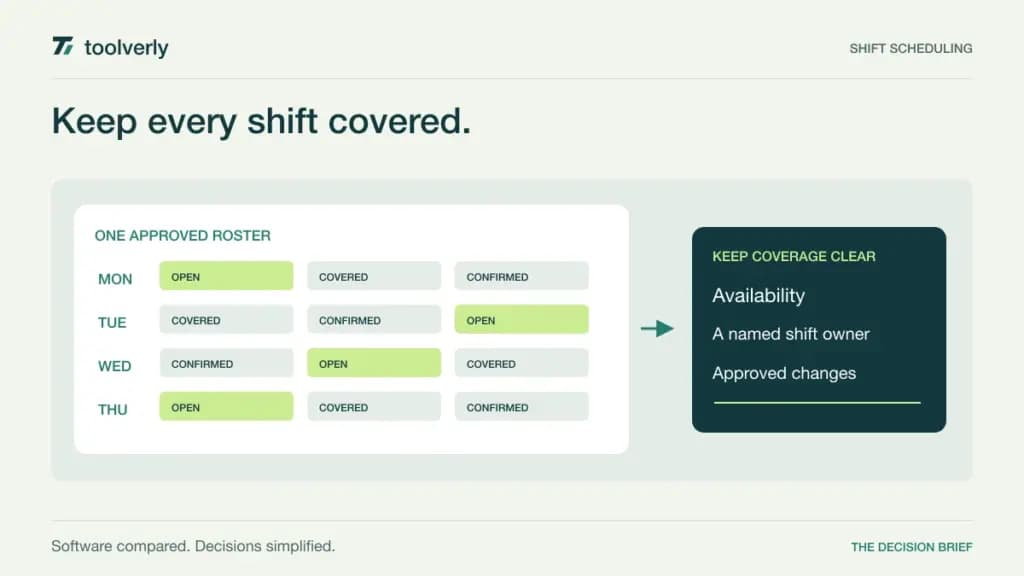
A shift schedule has to survive contact with the working week. Someone changes availability, a busy location needs another person, and a manager must fill a gap without creating a second conflicting roster in a group chat. The useful software connects coverage, employee availability, shift changes, and the hours that ultimately get worked.
Homebase, When I Work, Deputy, Connecteam, and Sling approach that problem with different pricing units and levels of operational depth. A single café may care most about simple publishing and swaps. A multi-location operator may need labor sharing, demand planning, and clearer manager permissions. This comparison focuses on assigning employee shifts; it does not cover customer appointment booking.
We checked official feature and pricing pages on September 27, 2026. The amounts below use USD and identify monthly or annual billing where specified. This is a documentation-based comparison, not a hands-on performance test. Payroll services, optional modules, messaging charges, and taxes can change the actual bill.
Start with coverage and the billing unit
Write down the locations, active employees, managers, and schedules you expect to operate. Then describe the difficult week: overlapping leave, a new hire, a sick call, and a worker covering another site. The cheapest subscription is not useful if handling those exceptions still requires rebuilding the roster manually.
| Product | Best fit | Main strength | Meaningful tradeoff |
|---|---|---|---|
| Homebase | Location-based hourly teams | Paid plans priced per location | Multiple sites multiply the base cost |
| When I Work | Teams coordinating people across schedules | Scheduling, attendance, and messaging together | Multi-location work uses a higher tier |
| Deputy | Operators needing workforce planning | Advanced scheduling and labor planning | Per-user charges and a monthly minimum |
| Connecteam | Teams combining shifts with field operations | Operations Hub bundles frontline workflows | Hub and headcount boundaries matter |
| Sling | Small teams prioritizing a usable roster | Free scheduling and inexpensive paid tiers | Time and labor tools require upgrading |
Homebase
Homebase is a sensible starting point for an hourly team organized around a physical workplace. Its free Basic plan covers one location with up to ten employees and includes basic scheduling, time tracking, and point-of-sale integration. That gives a small operator a practical way to establish one shared roster before buying broader controls.
According to Homebase pricing, Essentials costs $30 per location per month on the monthly view, with unlimited employees. It adds advanced scheduling and time tracking plus team communication. Plus lists a regular $70 monthly rate per location and adds time-off controls and departments; the displayed payroll-linked promotion has separate conditions.
The strength is the location-based commercial model. Staffing changes at an existing paid location do not automatically create another employee-seat charge. The limitation is that a growing site count changes that calculation, and payroll or other add-ons are not simply included in the scheduling price.
Use a pilot to follow a shift replacement from request to the final published schedule. Check which manager can approve changes and how an employee knows that the replacement is confirmed. Homebase is particularly worth evaluating when scheduling and attendance belong to the same local manager, who needs fewer handoffs between separate tools.
When I Work
When I Work is a strong shortlist candidate when the central problem is coordinating availability, open shifts, and communication across a workforce. Its current plans combine scheduling, time and attendance, and messaging. That matters if the team currently pays for a roster but still reconciles clocked hours in another system.
The live When I Work pricing page lists $2.50 per user per month for a single location or schedule and $5 per user per month for multiple locations or schedules. The page offers monthly or annual billing. The multiple-location tier includes labor sharing, custom reporting, and custom roles and permissions.
Its appeal is the progression from one operating schedule to a shared workforce. A manager responsible for two nearby sites should evaluate how workers become available across them and whether each location can still understand its own coverage. That is a different need from merely copying the same weekly template.
The limitation is the upgrade boundary: a second operating schedule can matter as much as another street address. Map your actual scheduling structure before estimating the bill. During a trial, have an employee change availability and a second manager request cover; inspect the final roster and attendance record rather than judging only the calendar’s appearance.
Deputy
Deputy is worth evaluating when scheduling is tied closely to demand and labor budgets. Its Lite plan covers basic schedules, timesheets, time clocking, availability, leave, and shift replacements. Core adds capabilities such as auto-scheduling, demand forecasting, and wage and labor budgets. These distinctions matter when coverage decisions need more than a repeated weekly pattern.
The monthly USD view of Deputy pricing lists Lite at $5.50, Core at $7.25, and Pro at $10 per user per month, excluding applicable taxes. Annual-plan rates are lower. The monthly plans have a $30 minimum per invoice, and administrators and supervisors count as users.
The strength is the path from publishing shifts to managing a more complex workforce. The tradeoff is paying for that depth and configuring it carefully. Optional products and SMS charges can add to the base subscription, so a roster-only estimate may understate costs.
Deputy is a better candidate when someone owns the inputs to planning: expected demand, worker availability, role requirements, and budgets. In a pilot, deliberately change one input and check whether the proposed schedule remains workable. Automation should produce a draft that managers can explain, with a clear process for resolving exceptions before employees rely on it.
Connecteam
Connecteam fits teams that want scheduling alongside the tasks and forms used during a shift. Its Operations Hub brings those frontline workflows together. That can be useful for a cleaning team, field service operation, or distributed workforce where knowing who is on duty is only the beginning of the operational handoff.
On Connecteam’s pricing page, Operations Basic is $35 per month on monthly billing or $29 per month with annual billing for the first 30 users. Additional users cost $1 monthly or $0.80 on the annual rate. A separate Small Business offering is free for up to ten users.
Basic covers scheduling, time clock, forms, and tasks, while more advanced scheduling capabilities sit higher in the range. For example, recurring templates belong to Advanced and automatic assignment to Expert. Check the specific workflow against the plan table instead of treating every scheduling feature as part of Basic.
The limitation is scope. Operations, Communications, and HR are distinct hubs, so a broad demonstration may include capabilities outside the quoted Operations subscription. Ask the vendor to reproduce your required workflow using only the selected plan. Connecteam is compelling when the supervisor needs to connect a shift with the work performed, and staff can complete those updates conveniently on their phones.
Sling
Sling is an accessible option for a small team that first needs a dependable roster and a place to manage availability. Its Free plan supports up to 30 users and includes shift scheduling, time-off requests, available shifts, and private messaging. That can be enough to replace a spreadsheet without buying a larger workforce suite immediately.
The official Sling pricing page lists Premium at $2 per user per month with monthly billing or $1.70 with annual billing. Business is $4 monthly or $3.40 at the annual rate. Premium adds mobile time tracking and labor-cost tools; Business adds capabilities including kiosk tracking, reports, and PTO management.
The strength is a clear starting point and an inexpensive route into attendance features. The limitation is that a free scheduling plan is not equivalent to a full time-and-attendance package. Decide whether you only need to publish coverage or also need a reliable record of the hours worked.
During evaluation, ask an employee to find an open shift and a manager to handle an absence near opening time. Then check how the revised roster reaches the rest of the team. Sling makes most sense when straightforward coordination is the main need and the organization can adopt a consistent process without extensive custom reporting.
Choose around the week that usually goes wrong
Homebase deserves attention for location-based hourly teams; When I Work for coordinated schedules and shared labor; Deputy for deeper planning; Connecteam for shifts connected to operational tasks; and Sling for a simple, economical starting point. The right choice depends on the exceptions managers face, not the number of features on a pricing page.
Run one representative week in a trial. Include a last-minute absence, a worker assigned across sites, and a change made after the roster is published. Check the employee’s phone view as well as the manager’s screen. A schedule that is clear to its author can still be confusing to the person expected to work it.
- Confirm which employees, managers, locations, and schedules are billable.
- Check approval responsibility for swaps, leave, and changes after publication.
- Validate the export or payroll handoff using real pay periods and corrected timesheets.
If the main issue is recording project hours rather than staffing coverage, our time-tracking software comparison addresses that decision. For wider discussion, compare team chat tools, but keep the approved roster in one authoritative place. The operating habit matters: every accepted change should become visible where employees actually check their next shift.
Original illustration by Toolverly. Read about our publication or send a correction.